License: Contacts and request
Catalog id: resource.license.request
A license is issued to a named deployment and to named people, so before your provider can issue one you have to tell the platform who and what it is for. This page collects that, then produces a signed license request to send to the provider.
The signing key never leaves the platform. Generating a request creates a certificate signing request here and signs it here; you send the resulting request, not any private material.
Audience: platform operator.
Guide: License and capabilities.
What the provider needs from you
The draft stays editable until you generate. Generating signs it, so correcting a detail afterwards means generating a new request rather than amending the one you already sent.
deployment.baseDomains lists the domains this installation serves. The issued license is bound to
them, which means a domain you leave out now cannot be licensed later without going through this
again. The organization fields, organizationName and organizationUnit, together with locality,
state and the two-letter country, become the subject of the certificate signing request.
Providers routinely reject a request whose subject does not match the entity they hold a contract
with, so take these from the contract rather than from whoever happens to be doing the setup.
contacts holds the technical and administrative contacts, each with a name and an email. The
technical contact is where renewal and expiry notices go. An address that belonged to someone who
has since left is the most common reason a license lapses without anyone noticing.
Generating the request
Two calls, in order: read the current draft, then generate. Generating is the point of no return for a given set of details.
- Admin Console
- Request
- Response
- Try it
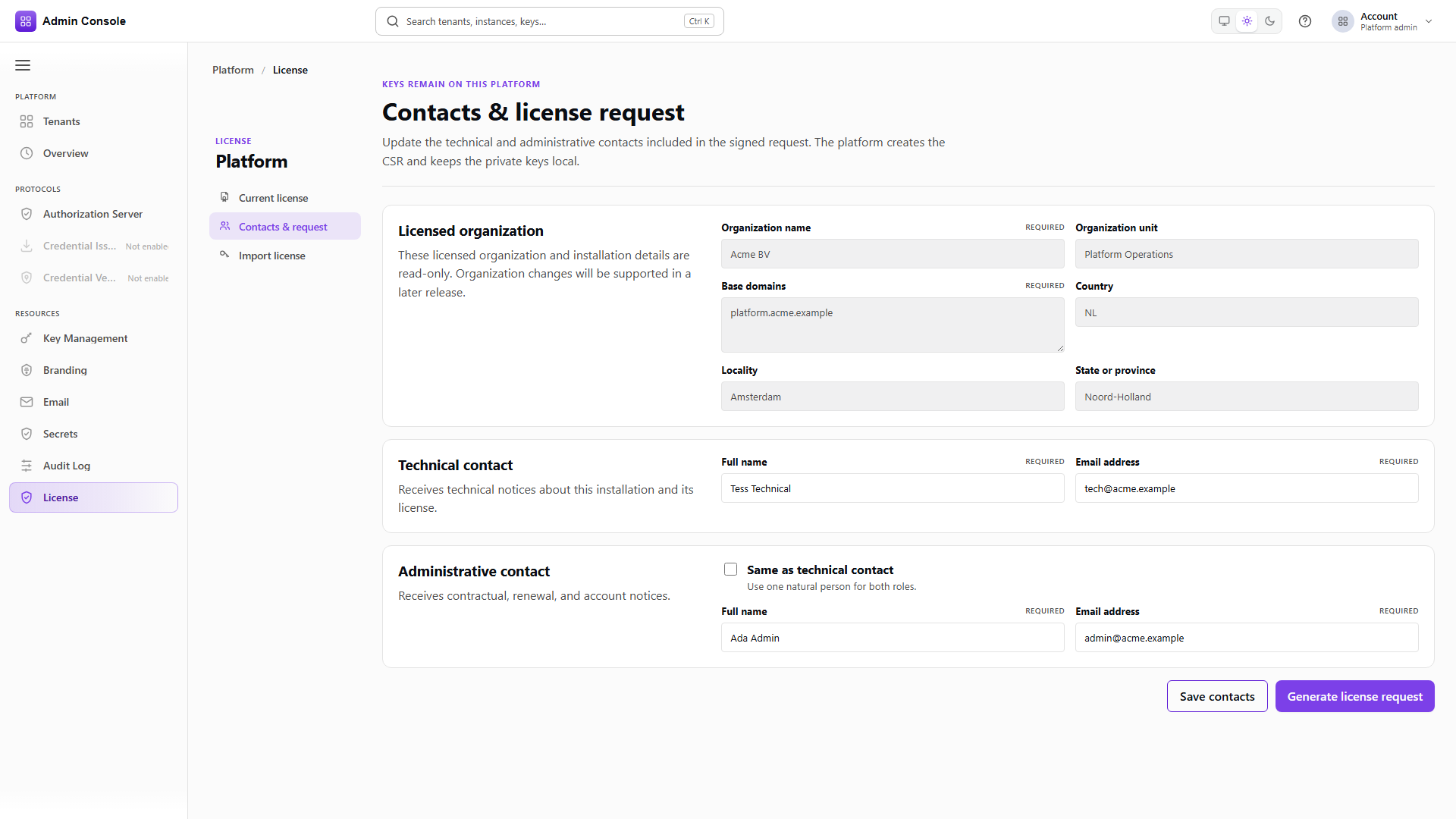
Open Resources > License > Contacts & request. The draft holds whatever was last saved, so on a fresh installation expect empty contacts rather than defaults. Confirm the base domains and the organization details before generating anything.
- Admin Console
- Request
- Response
- Try it
Generating returns a requestId, the certificate signing request as PEM with its fingerprint, and
the signature over the request. Send this to your license provider. Keep the requestId: it is how
the provider correlates the license they return with the request you made.
Full schema: Platform Setup API.