Keys and DID
Every credential a tenant issues and every request object a verifier sends is signed by a key held in that tenant's KMS. This page covers getting a KMS attached, creating or importing the keys, proving they actually sign, and publishing their public halves through a DID so wallets and verifiers can check the signatures.
Private key material never leaves the KMS. The console and the REST API both work with an alias and a provider, and what comes back is metadata and a public JWK.
Audience: tenant administrator, or a platform operator working in tenant context.
Prerequisites: Onboard a tenant. What you find on these screens depends on
how the tenant was provisioned. A tenant created with the keysAndDids capability already has a
software KMS, protocol keys and a did:web; one created without it shows empty lists until someone
creates them.
Four things that are easy to mix up
A KMS resource is the administrative record for a key store: which technology, whose credential,
what state it is in. It lives on the platform configuration plane and is addressed by an opaque
handle. A runtime provider is the same key store seen from the KMS runtime API, addressed by
providerId, and that is what applications name when they sign. A key is an alias inside a
provider. A DID is a public document that binds verification methods to an identifier; it holds
no private material and is not a second key store.
The providerId is permanent. Keys reference it, so it cannot be renamed after the fact. A
product-managed software KMS commonly uses the id default with the display name Software KMS, and
that id has no relationship to the tenant slug.
Selecting a key at runtime
Runtime cryptographic operations take a providerId plus the provider-native alias. Provider-scoped
routes carry the provider in the path, and raw signing repeats it inside keyInfo:
GET  /api/kms/v1/providers/{providerId}/keys
GET  /api/kms/v1/providers/{providerId}/keys/{keyAliasOrKid}
POST /api/kms/v1/signatures/raw/create
Content-Type: application/json

{
  "keyInfo": {
    "providerId": "default",
    "alias": "issuer-sd-jwt-signing"
  },
  "input": "{base64url-data}"
}
Use the same pair when reading a public key or certificate chain and when selecting a signing key in
issuer or credential configuration. The opaque krh_... resource handle is an administrative
identifier for attaching and managing a provider. It is not a runtime selector, and copying it into a
signing request will not work.
Getting a KMS in place
See which key stores this deployment allows
GET/api/platform/config/v1/tenants/00000000-0000-4000-8000-000000000000/kms/offerings200 OK- Admin Console
- Request
- Response
- Try it
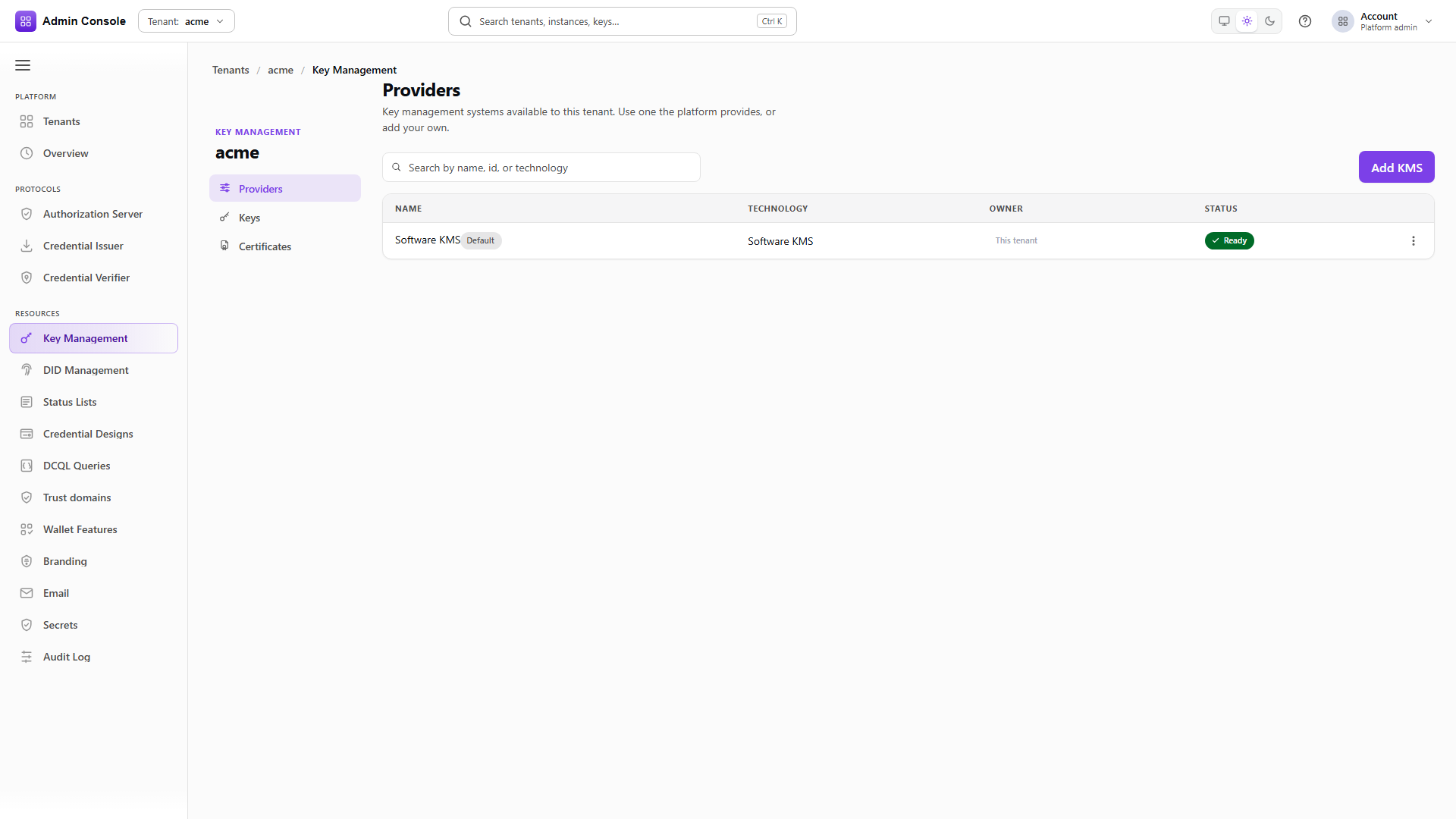
Resources > Key Management > Providers merges the administrative and runtime views into one table: name, technology, owner, status, and which provider is the tenant default for new keys.
The offerings call behind it says what you are allowed to configure. The captured response offers
SOFTWARE only, which is a deployment with cloud providers turned off. AWS and Azure appear as
separate offerings, each with its own available flag and the credential ownership models it
supports. PRODUCT_MANAGED means the product holds the credential; TENANT_SUPPLIED means the
tenant does.
An empty provider list means onboarding did not attach a key store, so use Add KMS. The wizard asks for technology, credential ownership, the permanent provider id, a display name, and then fields specific to the technology.
Read the configured resources
GET/api/platform/config/v1/tenants/00000000-0000-4000-8000-000000000000/kms/resources200 OK- Admin Console
- Request
- Response
- Try it
Each resource carries its handle, the providerId applications will use, its state, and
resourceVersion. credentialSecretRef comes back redacted because this is the browser-safe
representation; credentials are write-only and are never shown back.
availableActions tells you what this resource will accept right now. A resource offering
VALIDATE, UPDATE_CREDENTIAL, ROTATE_CREDENTIAL and DETACH is configured and working; one
offering RETIRE alone has already been detached.
Validate before trusting it
POST/api/platform/config/v1/tenants/00000000-0000-4000-8000-000000000000/kms/resources/krh_%3Copaque%3E/validate200 OK- Admin Console
- Request
- Response
- Try it
Validation is the call that exercises the key store rather than reading a record about it. For a
cloud provider it checks authentication, reachability, permissions and algorithms. Reaching
CONFIGURED is what you want before anything selects this provider for signing.
- Admin Console
- Request
- Response
- Try it
This is the KMS runtime API and it is the authoritative answer to what an application can sign with.
ownership and sharedFromPlatform distinguish the tenant's own provider from one the platform
shares with it, and isDefault marks the provider used when a request omits providerId.
Attaching a resource and having a usable runtime provider are two different things, which is why this list is worth reading even when the configuration screen looks healthy.
Platform-shared providers, Azure and AWS coordinates, credential rotation and the retirement sequence are covered in Azure KMS and external keys and Secrets and KMS providers.
Creating and using keys
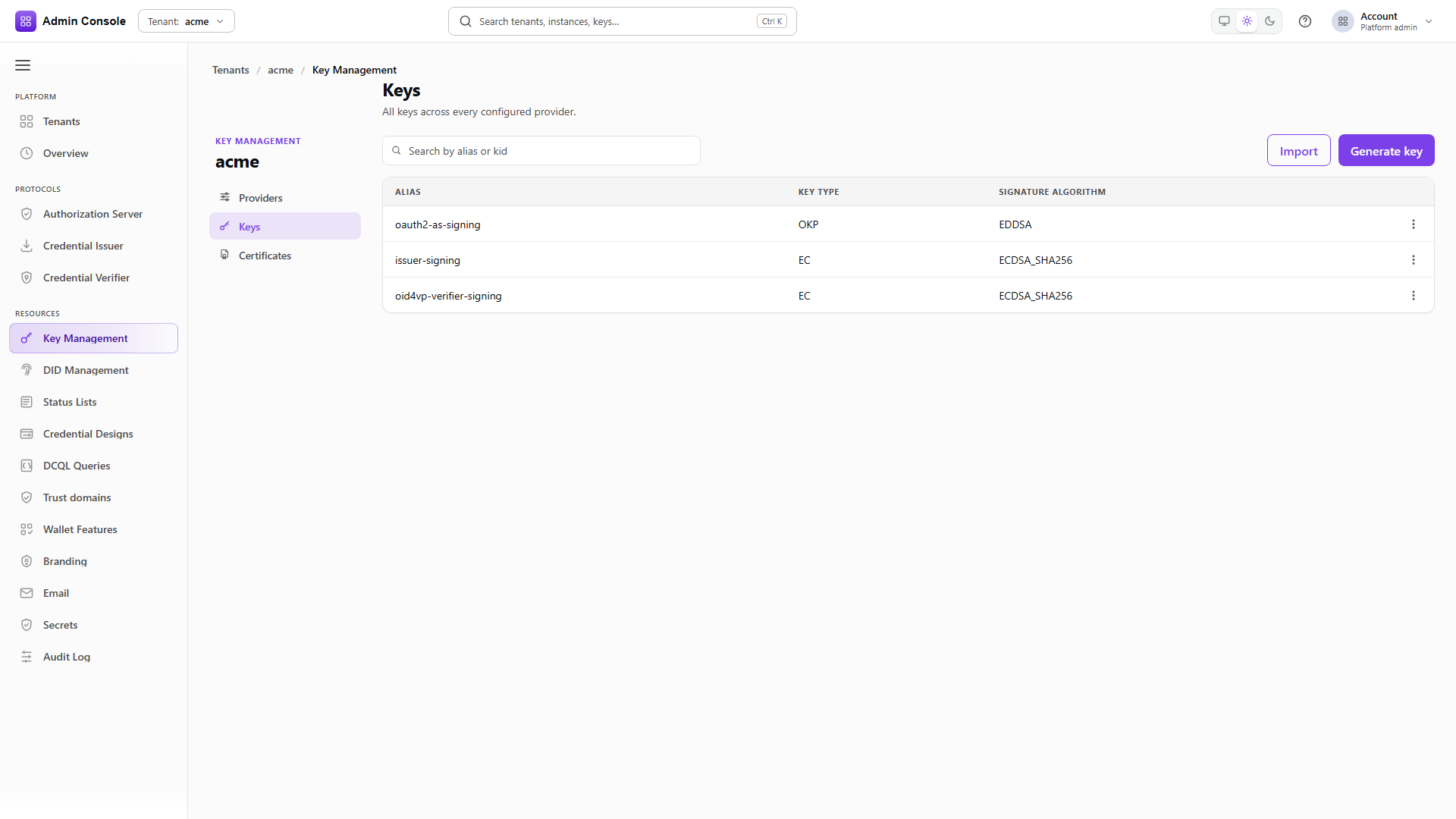
Resources > Key Management > Keys lists aliases across every provider, with key type and signature
algorithm. Operators work in aliases; the kid is on the detail page. If onboarding created keys for
the authorization server, issuer or verifier, they are here under product-specific aliases.
- Admin Console
- Request
- Response
- Try it
The list is provider-scoped, so the provider id is in the path. Each entry carries alias, kid,
keyType and, where it applies, signatureAlgorithm.
Two fields are worth reading. origin says whether the key was generated here, imported, or is a
reference to material held externally. controlMode says who may change it: keys marked
platform_managed back platform machinery such as invitation token protection, and deleting one
breaks the feature that depends on it.
- Admin Console
- Request
- Response
- Try it
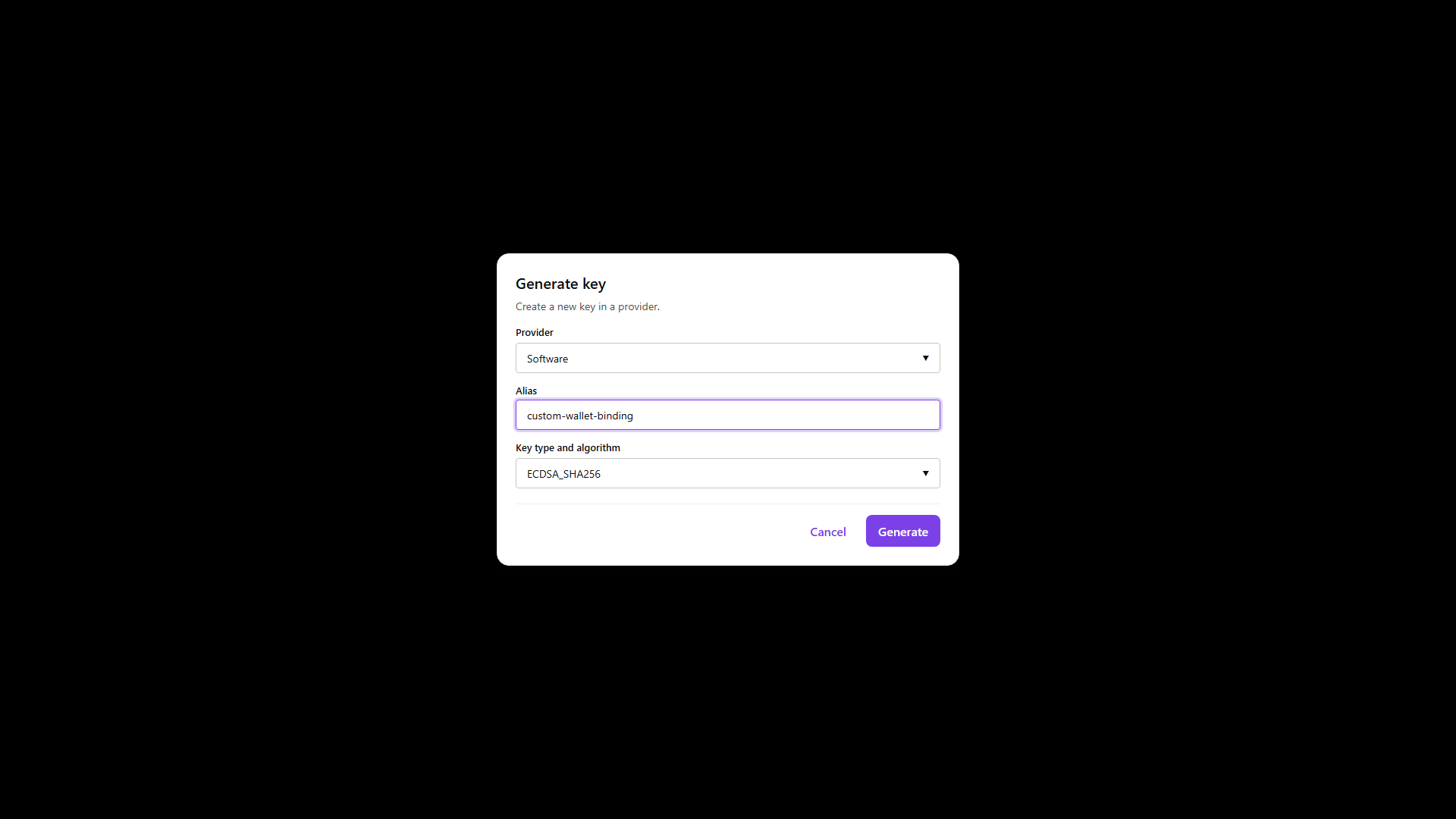
The dialog asks for the provider that will hold the key, an alias you will use everywhere afterwards, and the key type and algorithm, offered from what that provider actually reports as supported.
use and keyOperations narrow what the key may do. A key created for signing should say so rather
than being left open, because the restriction is checked at use time and catches a key bound into the
wrong slot. The provider has to be ready before generation will succeed.
The response returns the public halves in both encodings: jose.publicJwk for JOSE work and
cose.publicCoseKey for mdoc and CWT. Private material is not in the response, and no operation
returns it.
- Admin Console
- Request
- Response
- Try it
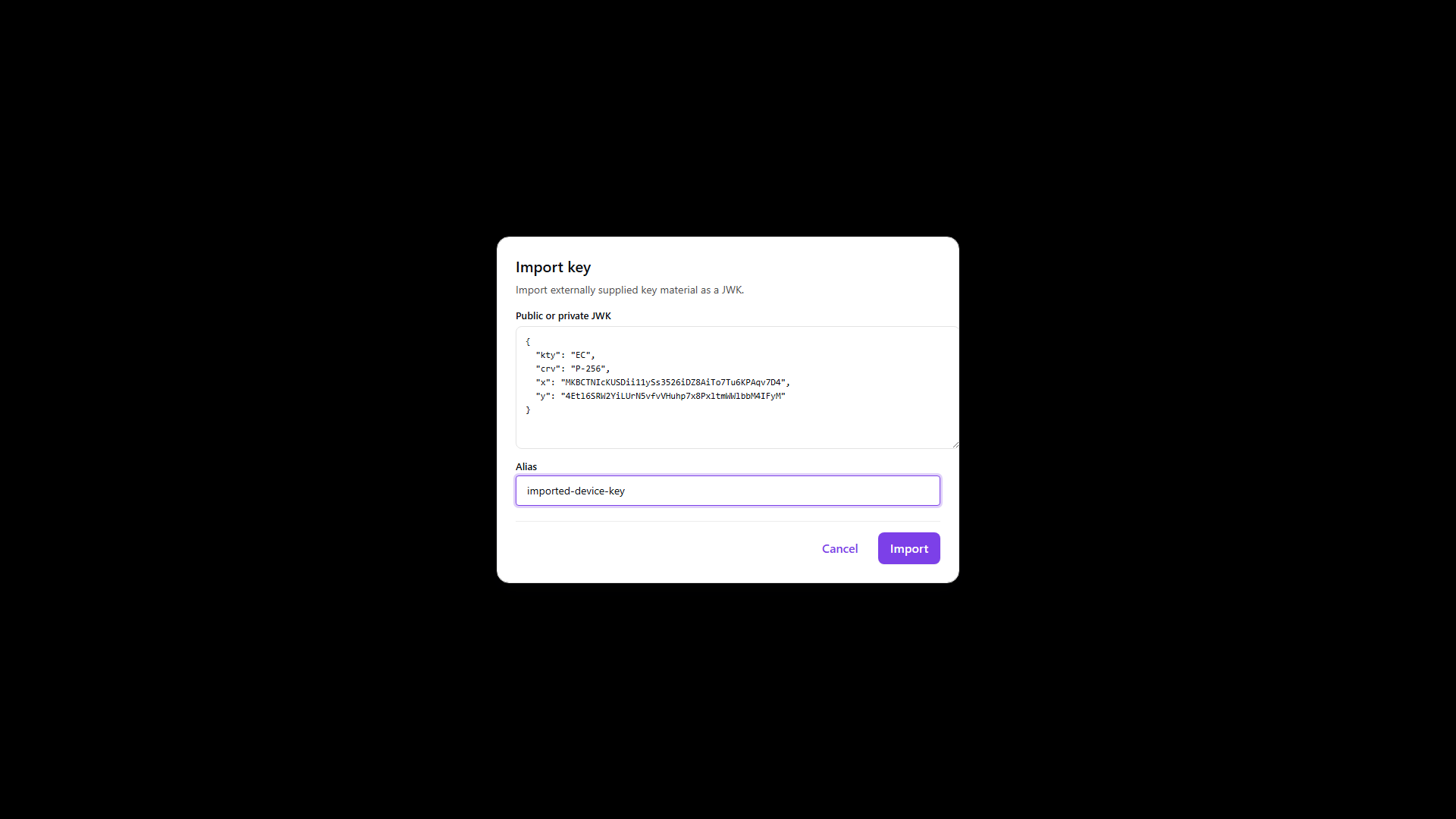
Import is for material created outside the product. The dialog takes a JWK with a kty field and an
optional alias, and rejects malformed JSON before submitting.
Import puts the product in custody of whatever you send. When the private key should stay where it is, in Azure or AWS, register a reference to it instead; that is a different operation with a different custody model, described in Azure KMS and external keys.
- Admin Console
- Request
- Response
- Try it
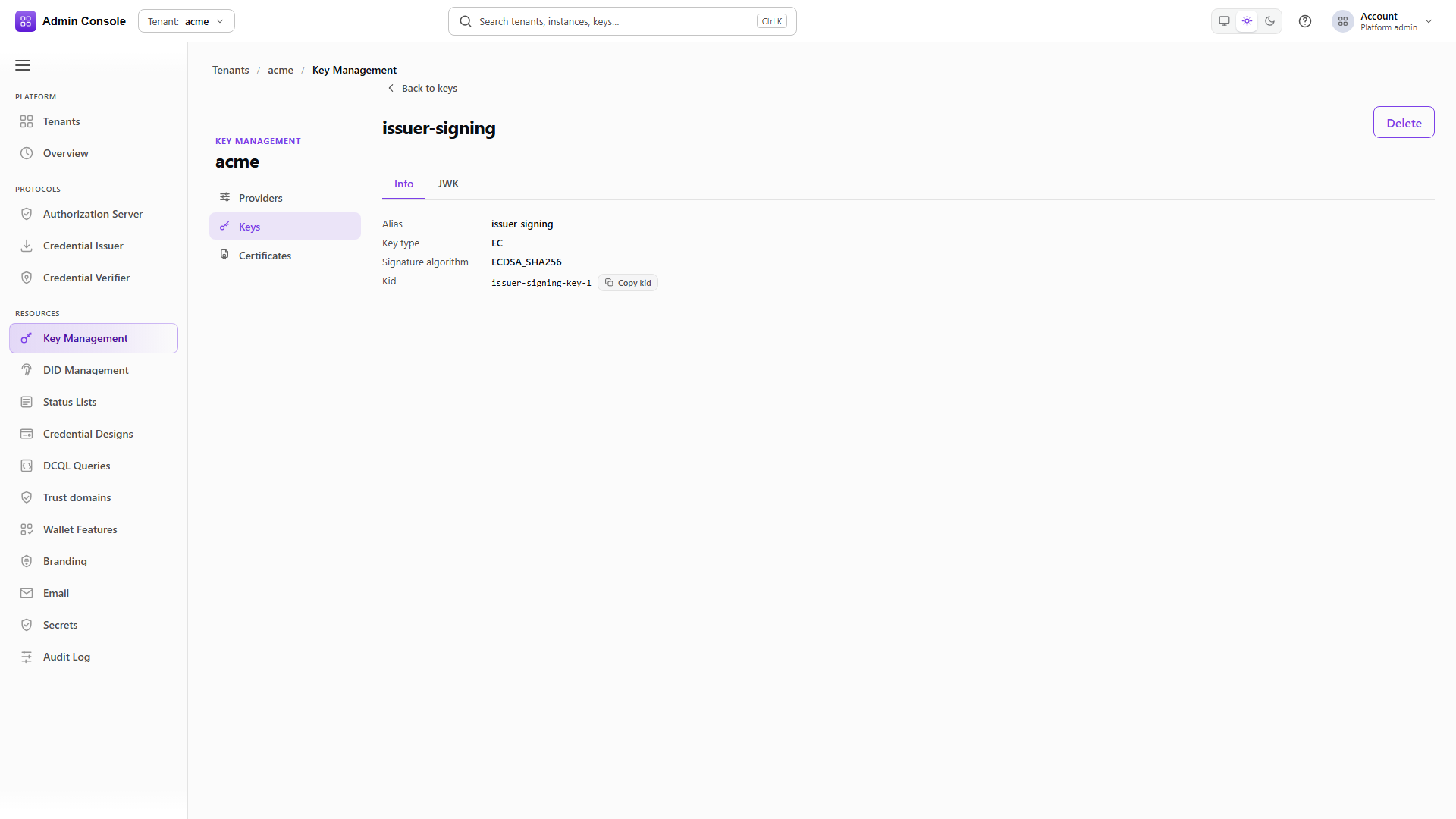
The detail lookup takes the alias or the kid and returns the public key, the algorithm, and the
certificate chain when the provider carries one. Copy the kid from here when a protocol
configuration asks for one rather than reconstructing it.
- Admin Console
- Request
- Response
- Try it
Raw signing takes the provider and alias in keyInfo and a base64 payload in input. Do this once
against a new key before binding it into an issuer or verifier. A provider that validates proves the
key store answers; a signature proves this specific key and algorithm work.
- Admin Console
- Request
- Response
- Try it
Verification takes the same selector, the same input and the signature, and returns isValid. The
round trip is a cheap check that the key you think you configured is the key that signed.
Delete the test key
DELETE/api/kms/v1/providers/default/keys/customer-runtime-signing-key204 No Content- Admin Console
- Request
- Response
- Try it
Deletion is provider-scoped and returns 204 with no body. Deleting a key that a DID verification method or a protocol configuration still points at breaks those flows without warning at the point of deletion, so generate the replacement and re-bind first.
Publishing the public keys through a DID
A DID document is how a wallet or verifier finds the public key for a signature it is checking. The
document lists verification methods and assigns them to purposes such as assertionMethod for
credential signing and authentication for request objects. How the document is resolved is a
property of the DID method; for did:web it is fetched over HTTPS from a well-known path.
- Admin Console
- Request
- Response
- Try it
Resources > DID Management > Identifiers shows alias, method, the DID itself and status. The captured tenant has one did:web created during activation.
role distinguishes an identifier the tenant controls from one it merely tracks, which matters
before anyone tries to sign with it.
- Admin Console
- Request
- Response
- Try it
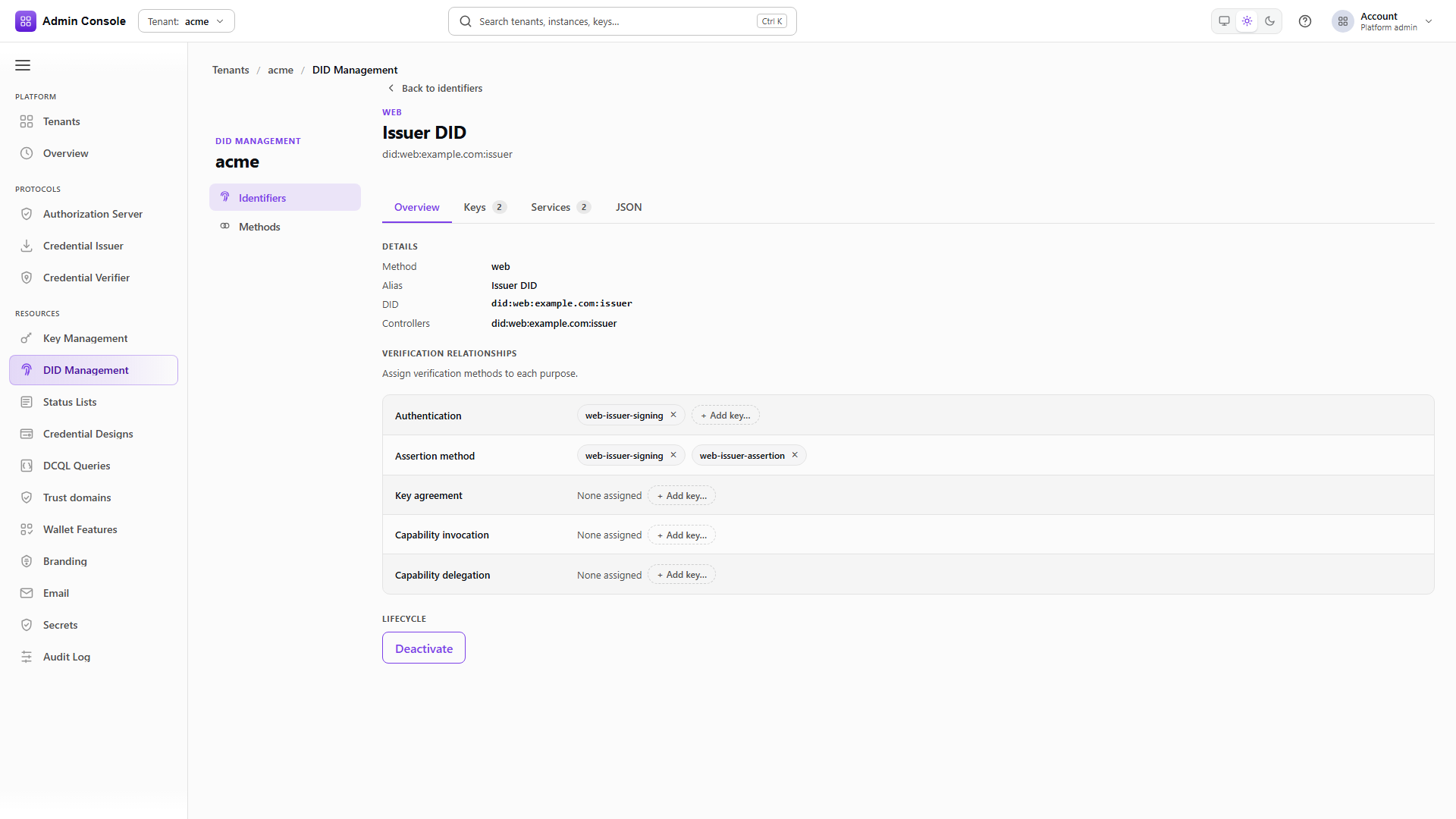
The DID is URL-encoded in the path, colons included. The detail screen has four tabs: Overview for method, alias, controllers and the purpose assignments; Keys for the verification methods themselves; Services for service endpoints; and JSON for the resolved document.
Overview and Keys are not two views of the same thing. Keys lists the verification methods that exist; Overview assigns them to purposes. A method present but assigned to nothing verifies nothing.
What you can change here depends on the DID method's capabilities. Methods that do not support key management or deactivation show those actions disabled rather than failing on submit.
Check the verification methods and their purposes
GET/api/did/v1/identifiers/did%3Aweb%3Aacme.example.com/verification-methods200 OK- Admin Console
- Request
- Response
- Try it
Each method carries its id, type, controller and referenceVerificationRelations, which is the list
of purposes it is bound to. In the captured document the verifier's request-object key holds both
assertionMethod and authentication, and the issuer's assertion key holds assertionMethod only.
Match these aliases against Key Management > Keys. A verification method whose alias has no corresponding key means the DID advertises a public key the tenant can no longer sign with, which fails at issuance rather than here.
- Admin Console
- Request
- Response
- Try it
This is the document a wallet actually retrieves, over plain HTTPS with no bearer token. It is the end of the chain: the resolved document has to contain the public key matching the private key that signed the credential, or verification fails on the wallet's side with nothing visible in your logs.
Fetching it anonymously is the check worth doing, because a document that resolves through the admin API but is not reachable publicly looks correct from inside the console.
Resources > DID Management > Methods is a read-only list of the DID methods this deployment supports and their capability flags. It is where to look when an action on an identifier is unavailable. See Methods reference.
Signing mdoc credentials
For an ISO 18013-5 mdoc, the Document Signer Certificate holds the key that signs the Mobile Security
Object, and the Issuing Authority CA issues or anchors that DSC. The KMS key, the DSC and the
credential's x5chain all have to refer to the same key, and the relying party has to be able to
validate the chain to a trust anchor it accepts.
A cloud KMS protects the private key and contributes nothing else here. It does not create the IACA governance, does not populate VICAL trust, and does not make a wallet perform device authentication. Prove those parts against the target ecosystem's certificates and a real mdoc-capable wallet. See mdoc, VICAL and CWT status.
What depends on what
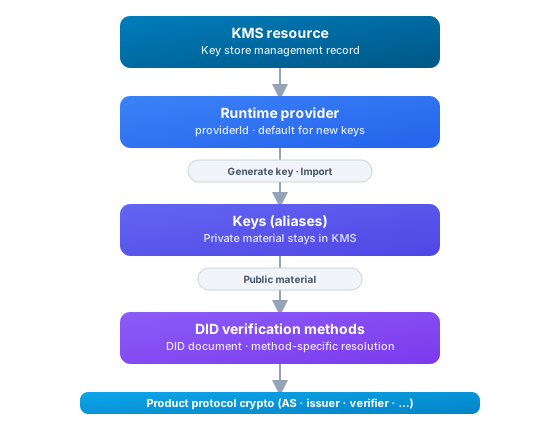
Retiring a KMS, or deleting a key that a DID verification method or protocol configuration still references, breaks the flows downstream of it. Create the replacement and move the bindings before removing anything.
Next
Define what the tenant issues with Credential designs, then add Status lists and revocation if those credentials need to be revocable.
Related
Providers reference, Keys reference, Certificates reference, DID Identifiers, DID Methods