DID Management: Identifiers
Catalog id: resource.did.identifiers
A DID is a public document that points at keys. It is not a second key store, and no private material lives here; that stays under Key Management. This screen lists the tenant's identifiers and opens the detail view used to inspect them and, where the method allows it, to manage verification methods, relationships and services.
Whether an identifier already exists depends on how the tenant was provisioned rather than on a fixed
console step. A tenant created with the keysAndDids capability arrives with a did:web.
Audience: tenant administrator.
Guide: Keys and DID.
Working with identifiers
- Admin Console
- Request
- Response
- Try it
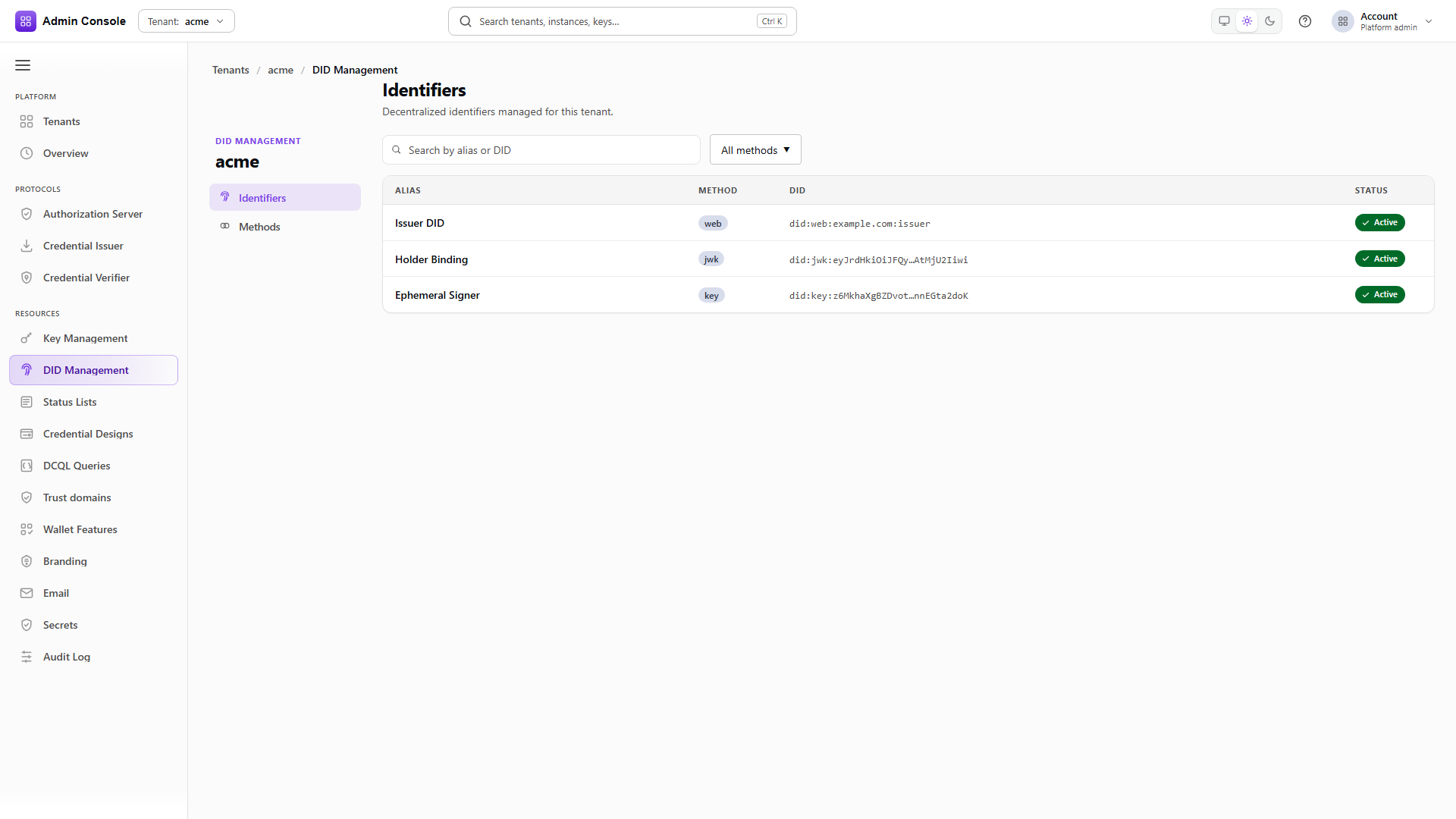
Resources > DID Management > Identifiers shows alias, method, a truncated DID and status, with search and a method filter on the toolbar.
role is the field to read before anyone tries to sign with an identifier. It separates one the
tenant controls from one it merely tracks. The captured tenant has a single did:web created during
activation.
- Admin Console
- Request
- Response
- Try it
The DID is URL-encoded in the path, colons included. Resolving returns the document together with the metadata the Overview and JSON tabs render.
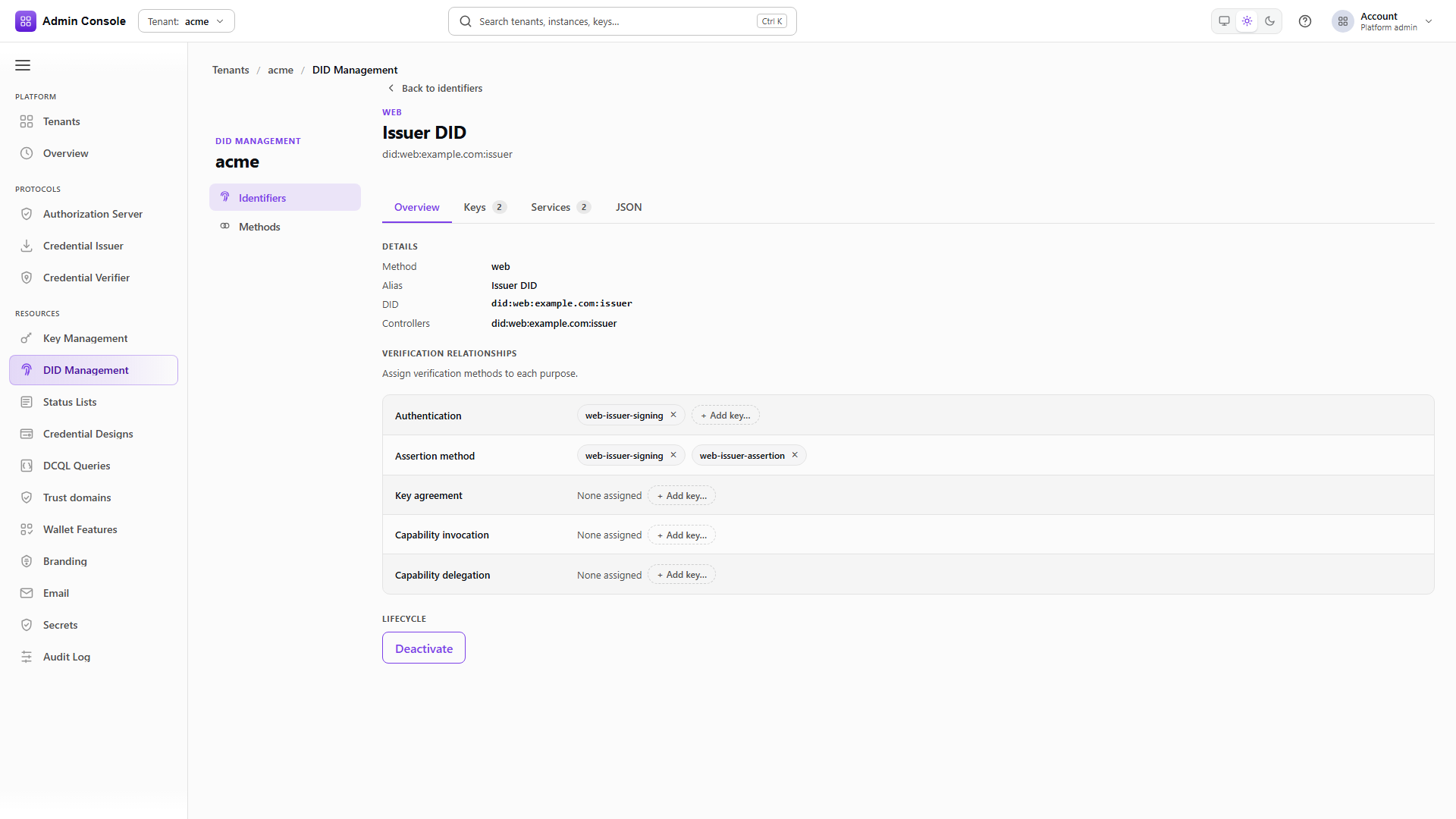
The detail header shows method, alias and the full DID. Four tabs follow. Overview holds the details and the relationship assignments, and offers Deactivate where the method supports it. Keys lists the verification methods. Services lists the DID document's service endpoints. JSON shows the resolved document.
What you can change is gated by the method's capability summary, covering create, update and deactivate, key management and service management. A flag that is off leaves the matching action disabled rather than failing on submit, so Methods is where to look when an action is greyed out.
Inspect the verification methods
GET/api/did/v1/identifiers/did%3Aweb%3Aacme.example.com/verification-methods200 OK- Admin Console
- Request
- Response
- Try it
The Keys tab lists one row per verification method: the linked KMS key alias when there is one and otherwise the method id, the key type or "public only" where no KMS link is exposed, and the purposes attached to it. Search filters on alias and id.
referenceVerificationRelations carries those purposes. In the captured document the verifier's
request-object key holds both assertionMethod and authentication, while the issuer's assertion
key holds assertionMethod alone.
This is where Overview and Keys stop overlapping. Keys lists the methods that exist; Overview assigns them to purposes. A method present in this list but bound to no purpose verifies nothing, and adding or removing a binding is an Overview action.
Match these aliases against Key Management > Keys. A verification method whose alias has no corresponding key means the document advertises a public key the tenant can no longer sign with, which surfaces at issuance rather than here.
- Admin Console
- Request
- Response
- Try it
For a method with public resolution such as did:web, this is the document a wallet or verifier actually retrieves, over plain HTTPS with no bearer token. It is the same logical document the JSON tab shows.
Fetch it anonymously at least once. A document that resolves correctly through the admin API but is not reachable publicly looks healthy from inside the console and fails on the wallet's side, with nothing in your logs to show for it.
Full schema: DID API.
Services and relationships
Service entries carry an id, a type and an endpoint, and they are public document data rather than console routing configuration. Add and Remove are available when the method supports service management.
Relationships on Overview attach a verification method to a purpose: authentication, assertion, key agreement and the rest. Adding or removing one needs the method to support update. Deactivation is a separate lifecycle action and is offered only where the method allows it.