Trust domains: Domains
Catalog id: resource.trustDomains.domains
A trust domain is a named collection of public evidence: certificates, DIDs, JWKs, federation entities, issuer URIs, and the ETSI trust sources attached to it. It selects nothing by itself. Resources point at a domain through attachments, and the domain answers, or does not.
Domains move through Draft, Active and Disabled. A draft domain can be attached but does not resolve, so attaching one trusts nothing until it is activated.
Audience: tenant administrator.
Guide: Trust domains.
What the screen shows
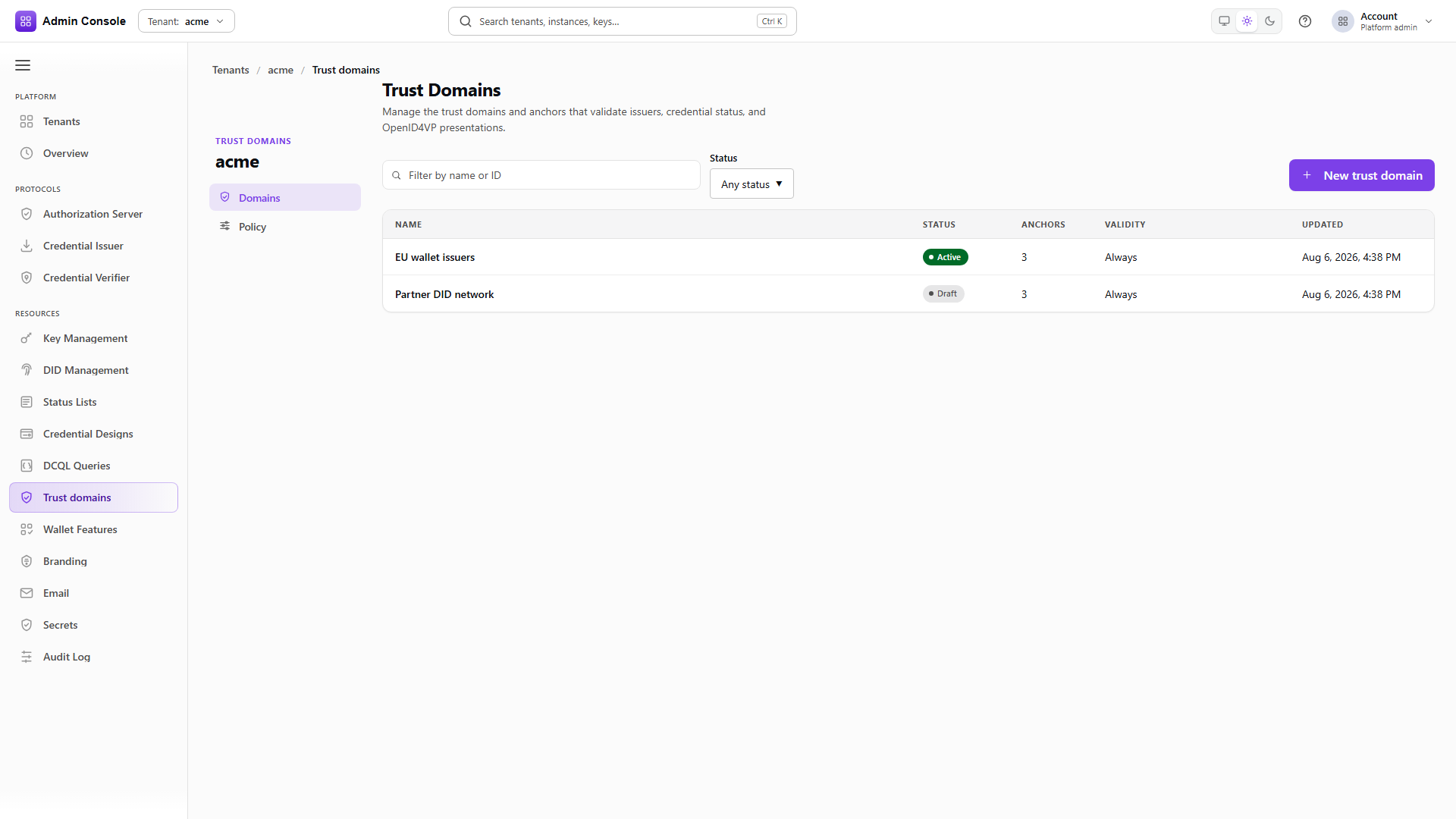
Resources > Trust domains has one area, Domains. It opens on the domain list:
- The toolbar has a search field (Filter by name or ID), a Status filter (Any status, Draft, Active, Disabled) and the New trust domain button.
- The table columns are Name, Status, Anchors (the anchor count), Validity and Updated. A domain with no validity window shows Always.
- Selecting a row opens the domain detail.
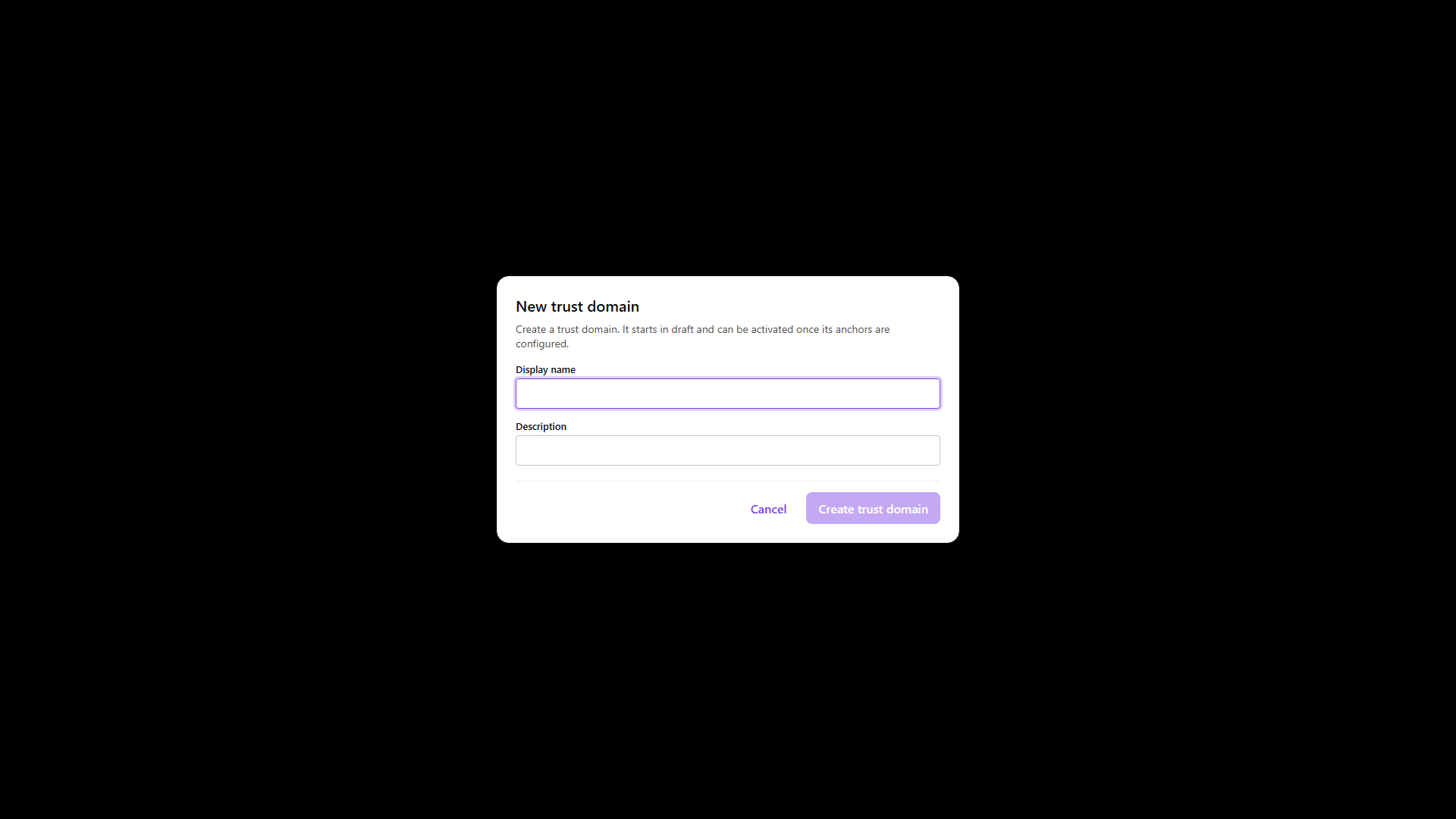
New trust domain opens a dialog with Display name (required) and Description. Create trust domain creates the domain in Draft.
The domain detail has a side navigation labeled Trust domain detail with four sections:
| Section | What it shows |
|---|---|
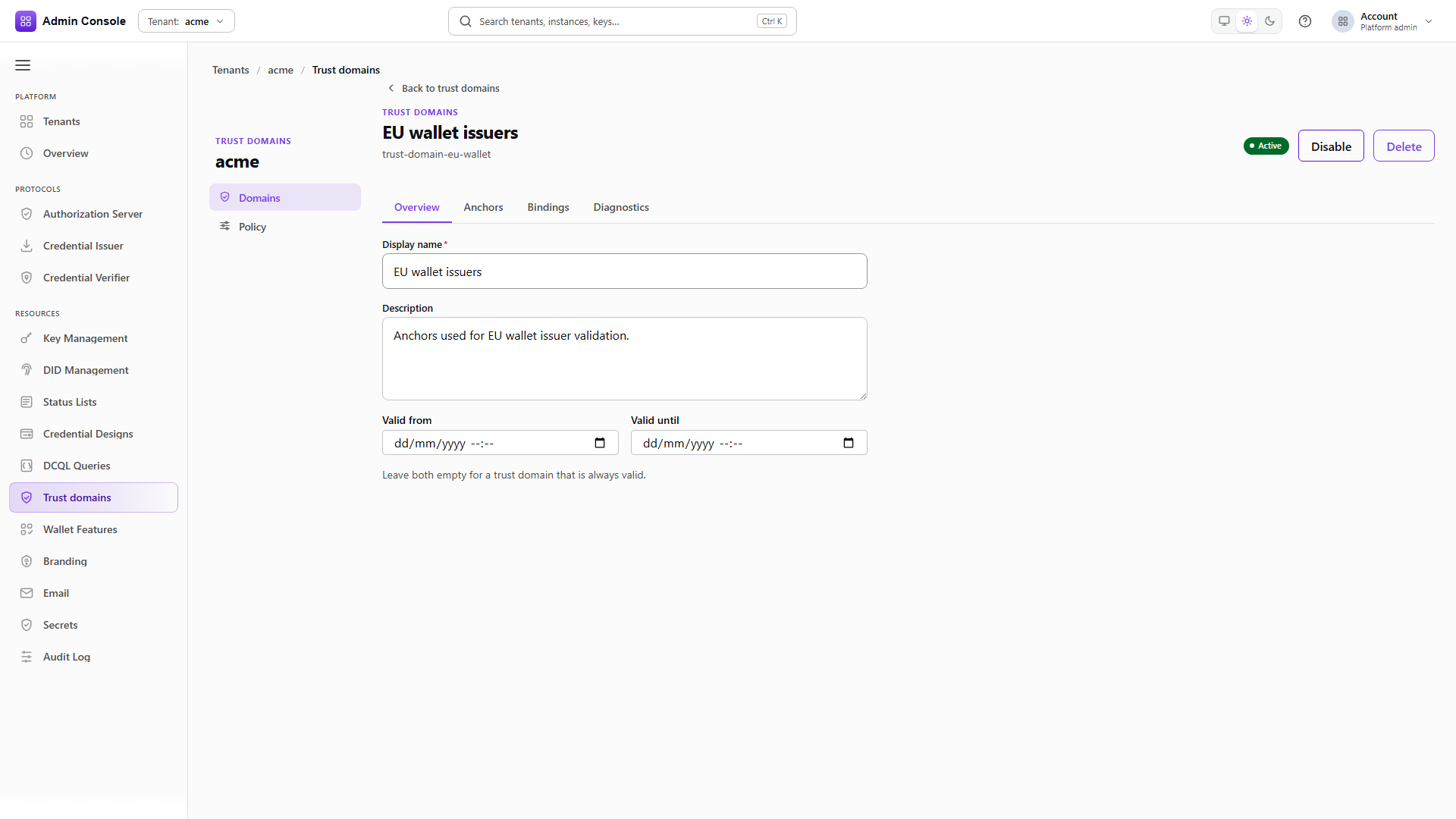
| Overview | Display name, Description, Valid from and Valid until. Leave both dates empty for a domain that is always valid. Save changes and Reset appear when there are unsaved changes, and saving is blocked while Valid until is not later than Valid from. |
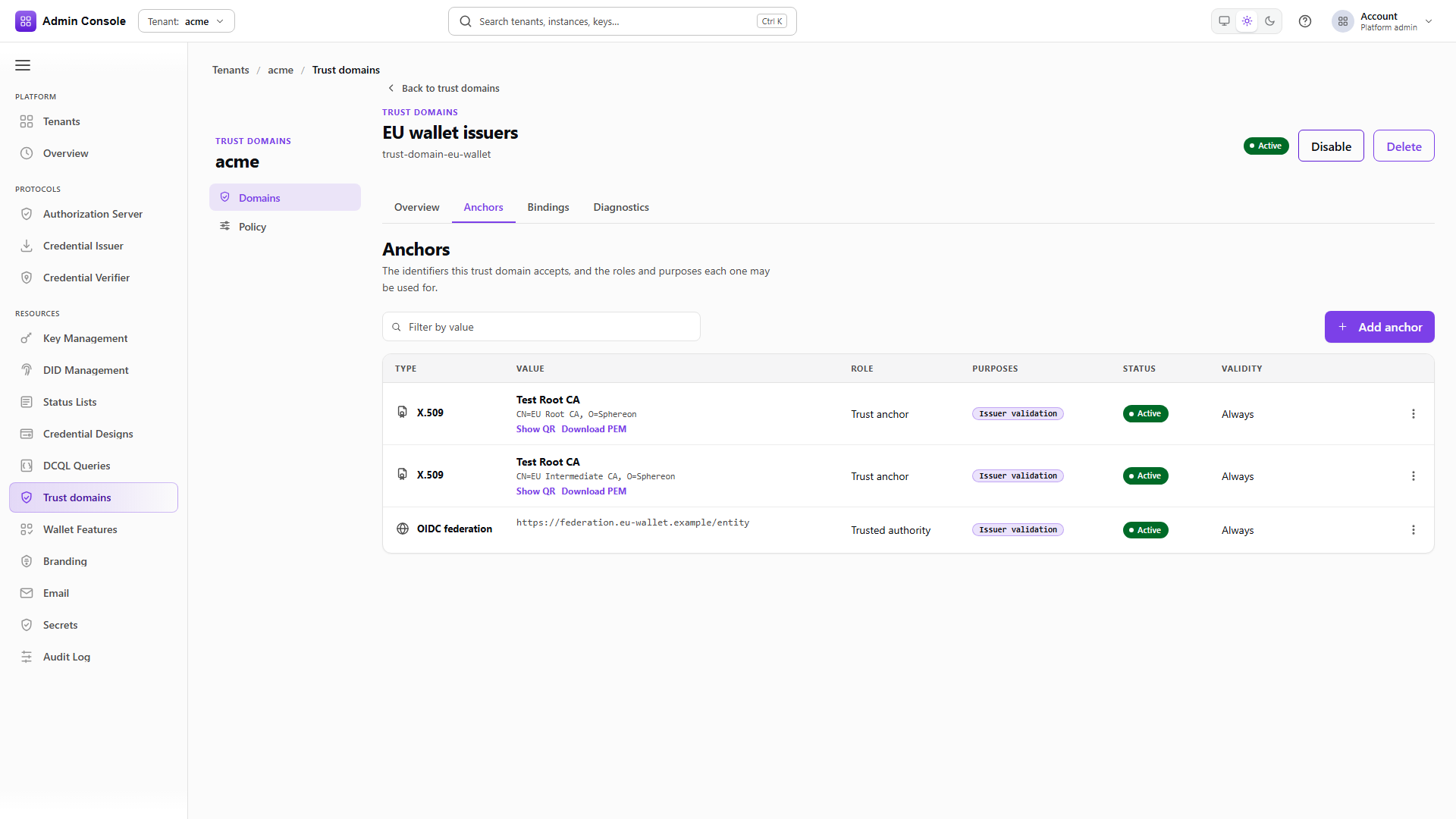
| Anchors | A read-only table of the domain's anchors with the columns Mechanism, Value, Status and Verification, and a Filter by value search. The value cell offers Copy value and, depending on the mechanism, Show QR and Download PEM for X.509, Resolve DID for a DID, or View JWK for a public key. |
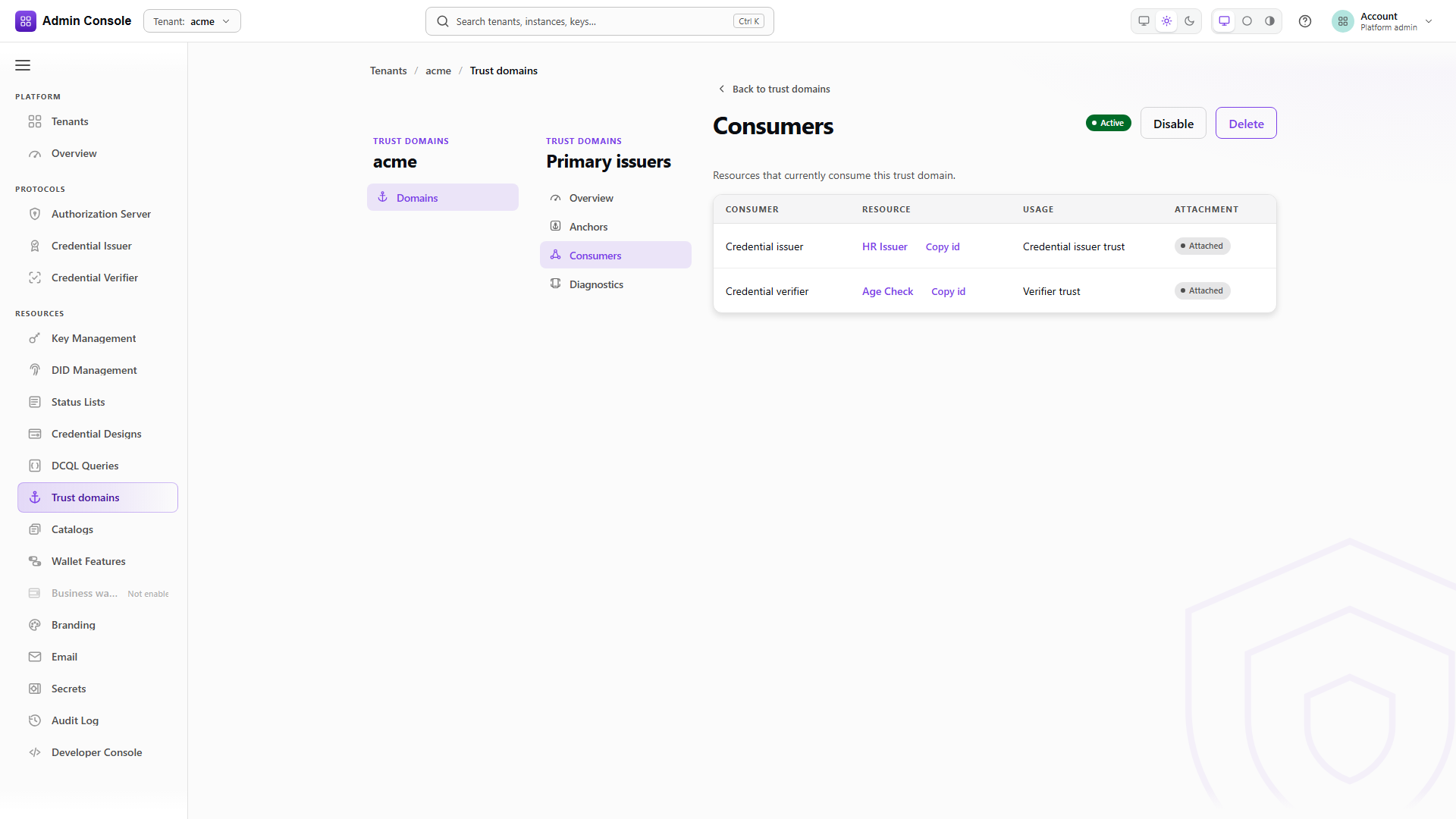
| Consumers | The resources that attached this domain, with the columns Consumer (the consumer kind), Resource (name or id, with Copy id), Usage and Attachment. |
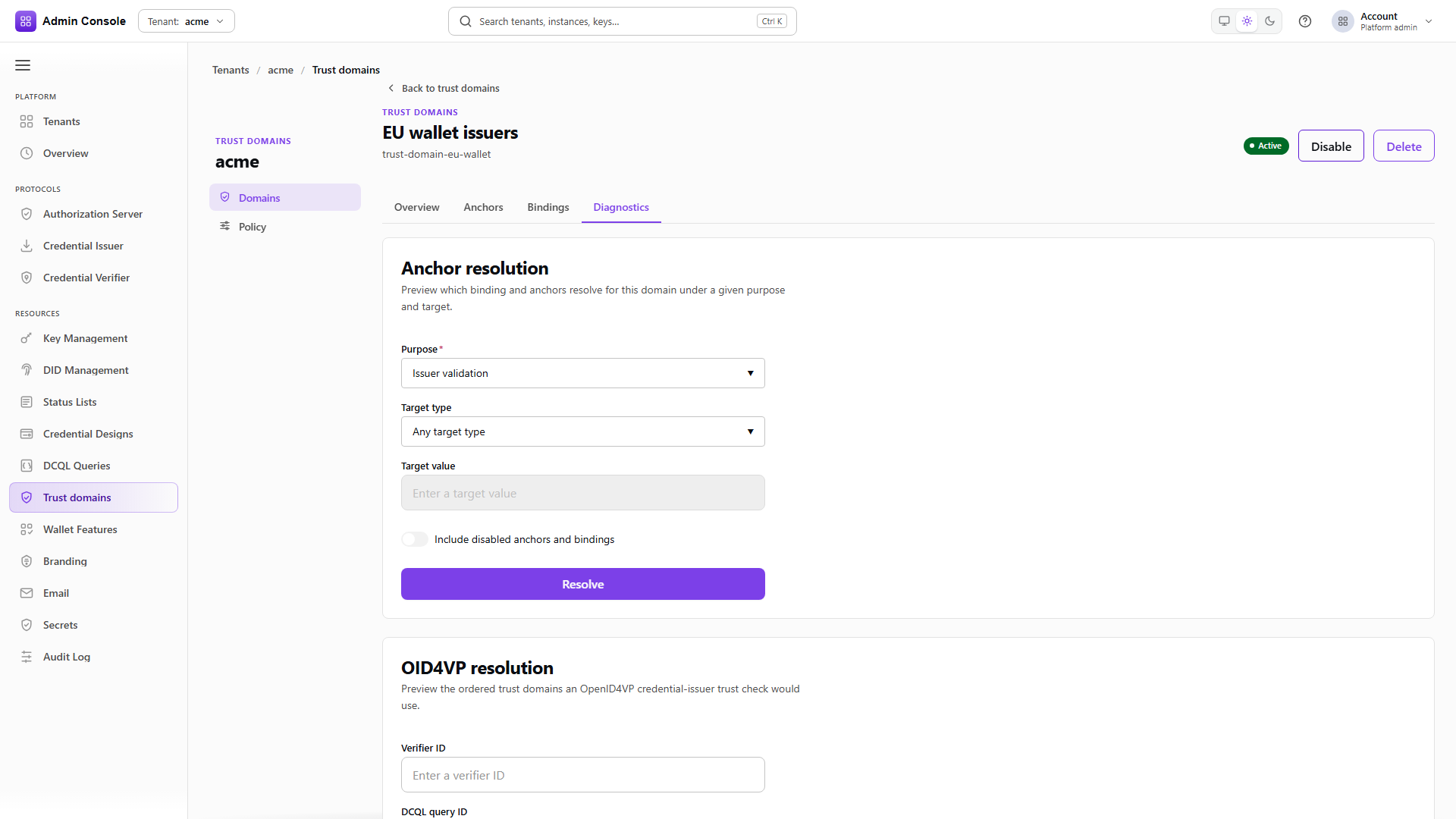
| Diagnostics | The same consumers, each resolved for its usage, with the columns Consumer, Resource, Usage and Resolution. |
The Consumers section lists every resource that attached the domain:
Diagnostics resolves each consumer for its usage and shows whether this domain takes effect for it, at which position, or why it does not:
The detail header shows the domain name, its status, and the lifecycle actions: Activate on a draft domain, Disable on an active domain, and Delete on any domain. Delete asks for confirmation and removes the domain's anchors and consumer attachments as well. Back to trust domains returns to the list.
The console does not add anchors, grant admissions, configure ETSI trust sources, LoTE sources, catalogs or VICAL sources, or edit tenant attachments and eligibility grants. Use the Trust domain API for those operations. Trust-domain selection for a verifier, a DCQL query, a verifier-DCQL binding or a verification template is edited on that resource, as described in the guide.
Domain lifecycle
- Admin Console
- Request
- Response
- Try it
Resources > Trust domains > Domains shows Name, Status, Anchors, Validity and Updated. The captured tenant has the one domain onboarding seeded for its issuer material.
version on each entry is what a conditional write needs. Mutations carry the current strong ETag in
If-Match, so two operators editing the same domain get a conflict rather than one overwriting the
other.
- Admin Console
- Request
- Response
- Try it
New trust domain takes a Display name and an optional Description, and nothing else. The
response comes back DRAFT at version 1.
Draft is a real state rather than a formality. The domain can be listed and attached, and it resolves nothing, which makes it safe to wire up a consumer before the evidence is in place.
- Admin Console
- Request
- Response
- Try it
In the console, Activate sits in the detail header of a draft domain. Over REST, activation is a
full update rather than a status patch: send the domain with status set to ACTIVE and the
version you read. The response returns version 2.
The header also carries Disable once the domain is active, and Delete. Disable stops the domain resolving while leaving its anchors and every attachment that points at it untouched, which is what you want for anything in production. Delete is for domains that were never really used.
Read one domain
GET/api/trust-domain/v1/domains/trust-domain-issuer-00000000-0000-4000-8000-000000000000200 OK- Admin Console
- Request
- Response
- Try it
A single read returns identity, status, validity window and version. Use it to confirm a change landed, and to pick up the version for the next conditional write.
Anchors and admissions
An anchor is one piece of public evidence inside a domain. The Anchors section of the domain
detail lists each anchor's Mechanism (X.509 certificate, DID, Public key (JWK),
OpenID Federation entity, Issuer URI or DNS name, for the wire values X509, DID,
JWK, OIDFED_ENTITY, ISSUER_URI and DNS_NAME), its Value, its Status (Active,
Disabled, Expired or Revoked) and its Verification (Verified, Unverified or
Not checked). The section is read-only. It does not show origin or admission classes; read those
through the API calls below.
Membership and admission are two separate things, and this is the part that trips people up. Putting
an anchor in a domain does not make it answer anything. An anchor answers a usage only when it holds
that usage's admission class, granted on the anchor's own admissions sub-resource. An anchor with
no admissions sits in the list and does nothing.
List the anchors in a domain
GET/api/trust-domain/v1/domains/trust-domain-issuer-00000000-0000-4000-8000-000000000000/anchors200 OK- Admin Console
- Request
- Response
- Try it
Each row pairs the anchor with an enforcement-safe summary of the identifier it resolves to.
evidenceMechanism says what kind of evidence it is and origin says where it came from:
TENANT_PUBLIC for material the tenant published itself, IMPORTED for material brought in from
elsewhere.
The metadata block is free-form and is where provisioning records why an anchor exists. The
captured anchors carry source: tenant-onboarding and a productRole, which is how you tell seeded
material from anything an operator added later.
Add an anchor
POST/api/trust-domain/v1/domains/00000000-0000-4000-8000-000000000000/anchors201 Created- Admin Console
- Request
- Response
- Try it
Creating an anchor binds an existing identity identifier into the domain under a chosen evidence mechanism. It does not create the identifier, and it does not grant the anchor any admission, which is why a freshly created anchor answers nothing yet.
See what an anchor is admitted for
GET/api/trust-domain/v1/domains/trust-domain-issuer-00000000-0000-4000-8000-000000000000/anchors/trust-anchor-issuer-00000000-0000-4000-8000-000000000000-issuer-did/admissions200 OK- Admin Console
- Request
- Response
- Try it
The admissions sub-resource lists the classes granted to one anchor. The captured issuer anchor holds
CREDENTIAL_ISSUER, which is what lets it answer credential issuer trust questions.
Grant an admission class
PUT/api/trust-domain/v1/domains/00000000-0000-4000-8000-000000000000/anchors/00000000-0000-4000-8000-000000000000/admissions/MDOC_VICAL_SIGNER200 OK- Admin Console
- Request
- Response
- Try it
Granting is a write to the admission class itself. An anchor can hold several: the same DID can be admitted as a credential issuer and as an mdoc VICAL signer, and each admission is granted separately.
Operations that need a specific class check for it and refuse when it is absent, naming the anchor and the class rather than failing generically. That message is usually the fastest route to the missing grant.
Trust sources and consumers
ETSI TS 119 612 trusted lists and TS 119 602 LoTE sources attach to the domain rather than to an anchor, and they are managed through the API only; the domain detail has no section for them. Their derived entries stay inside the immutable activated snapshot and are added at resolution time instead of being copied into the anchor table, so the anchor list stays a record of what an operator put there. The candidate, validate, activate lifecycle for those sources is in the guide.
See what depends on this domain
GET/api/trust-domain/v1/domains/trust-domain-issuer-00000000-0000-4000-8000-000000000000/consumers200 OK- Admin Console
- Request
- Response
- Try it
The Consumers section lists every attachment currently selecting the domain, across all consumer kinds and usages. Diagnostics resolves each of those consumers for its usage and reports, under Resolution, whether the domain is Effective at position N of M, Not effective for this resource, or Resolution failed, together with the evidence mechanisms the effective anchors cover and any resolver diagnostics, such as a domain that is not active or not permitted by the tenant. Read it before disabling or deleting anything: the domain does not know how many verifications it is quietly holding up until you look.
- Admin Console
- Request
- Response
- Try it
Delete in the detail header asks for confirmation first. The API returns {"deleted": true} and is the right action only for a domain nothing depends on. For
anything in production, disable instead. A disabled domain stops answering while keeping its anchors
and attachments intact, so the change is reversible and the consumers stay visible.
Full schema: Trust domain API.