Onboard a tenant
A tenant is an isolated organisation on the platform, with its own routing host, authorization server, key store, and the issuer and verifier you choose to give it. Onboarding creates that isolation and starts the services the organisation needs before anyone configures keys, credential designs or protocols for it.
What actually gets created depends on the capabilities you select. The wizard and the REST call take the same four decisions, so this guide describes them once and shows both routes.
Audience: platform operator.
Prerequisites: platform setup finished with an active license and the setup gate closed, plus operator access to the console or a platform operator bearer token. See Open the console and Operator sign-in.
Decide these before you open the wizard
The slug is the durable host label, usually published as https://{slug}.{base-domain}. Use
lowercase letters, digits and hyphens, avoid anything UUID shaped, and pick something that will still
read sensibly in a year. Changing a host label after credentials have been issued and clients
configured is genuinely painful, so treat it as permanent.
The display name is what operators and invitations show. The technical contact receives operational notices, and the owner admin is the natural person behind the first administrator account, commonly the same person.
Capabilities decide what the setup workflow builds. issuer creates an OID4VCI issuer instance
and its public endpoints, verifier does the same for OID4VP, and keysAndDids creates the key
material and identifiers those instances sign with, which only matters if you selected a protocol.
sampleData seeds lab designs and demo fixtures, and also provisions the docs-playground OAuth
client where the platform has that feature. Leave sample data off for production onboarding, and
turn issuer and verifier off for relying-party or admin-only tenants.
Login deserves one note. When owner login is enabled and email is healthy, the platform sends an activation message once provisioning finishes; when email is unavailable it can return a one-time activation link for explicit handoff. The default authorization server and key store are always required, because a tenant without them cannot authenticate anyone. Turn login off only when some other process creates the first admin identity.
Registering
The platform onboarding calls used by this walkthrough are:
- Admin Console
- Request
- Response
- Try it
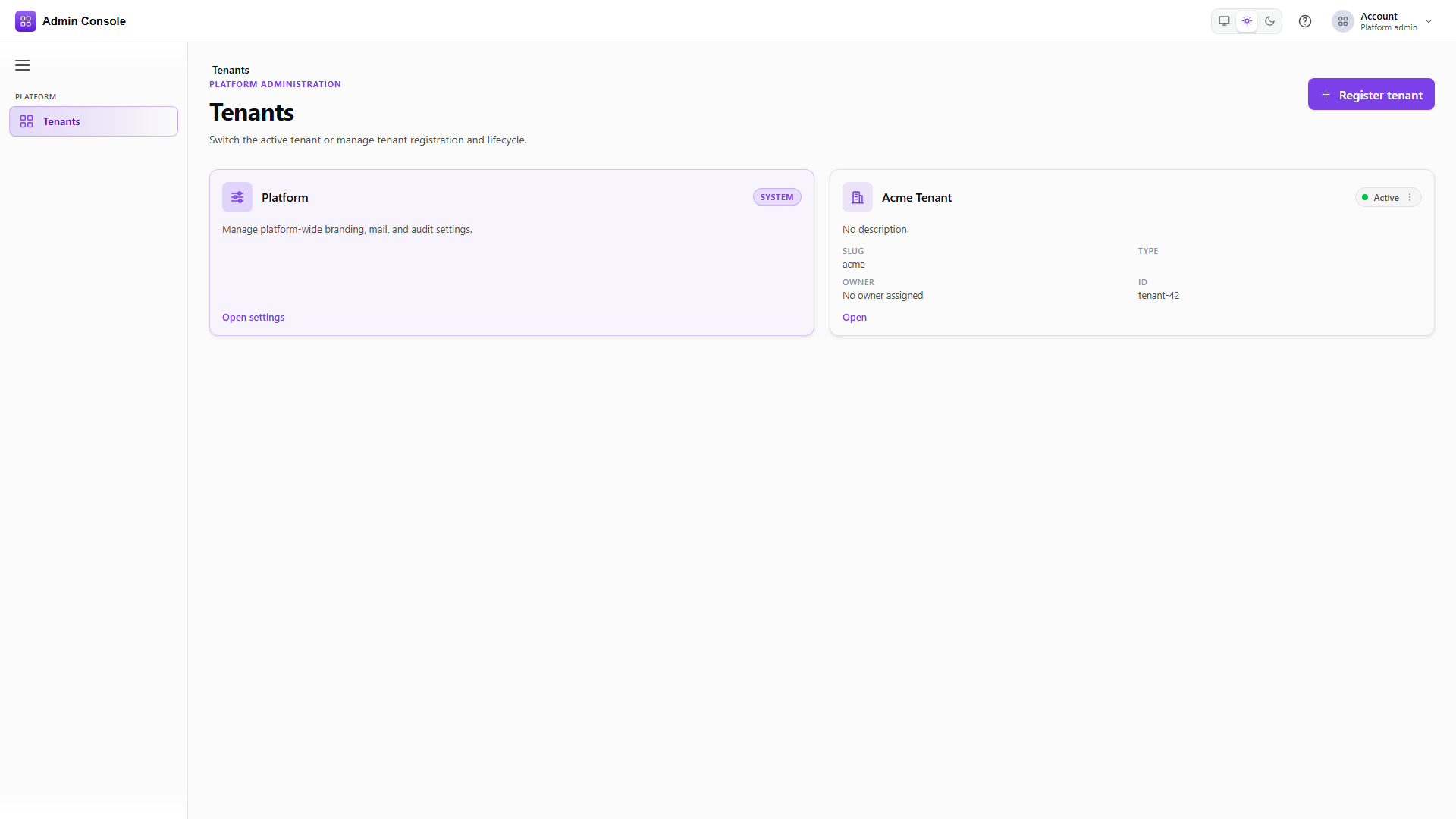
Platform > Tenants is the operator landing page after sign-in. Check whether the organisation already has a tenant before creating another, since slugs are permanent and a duplicate is awkward to unpick. An empty list simply means no customer tenants yet.
Over REST this is Platform Admin on the platform origin, not on a tenant host.
- Admin Console
- Request
- Response
- Try it
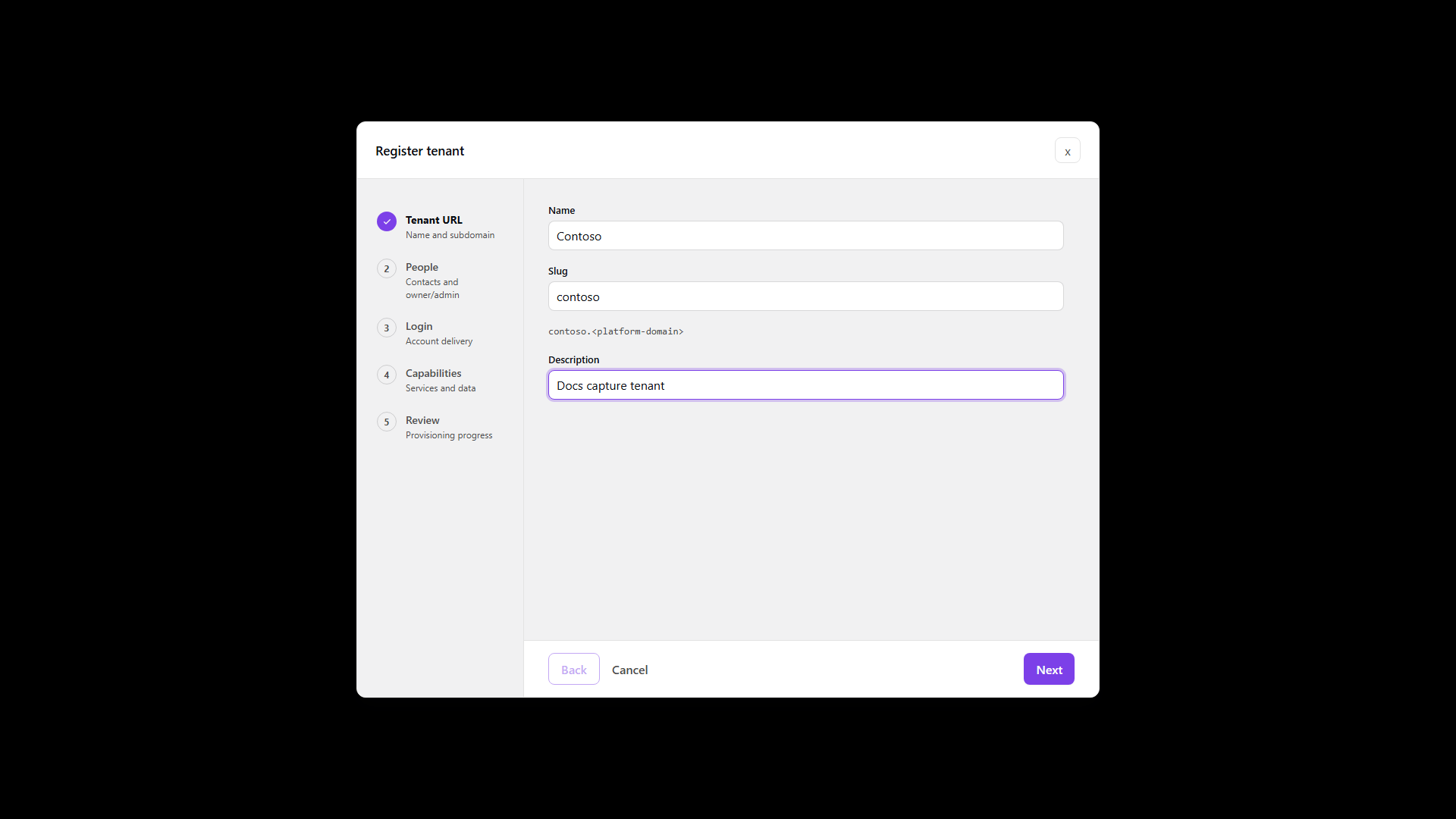
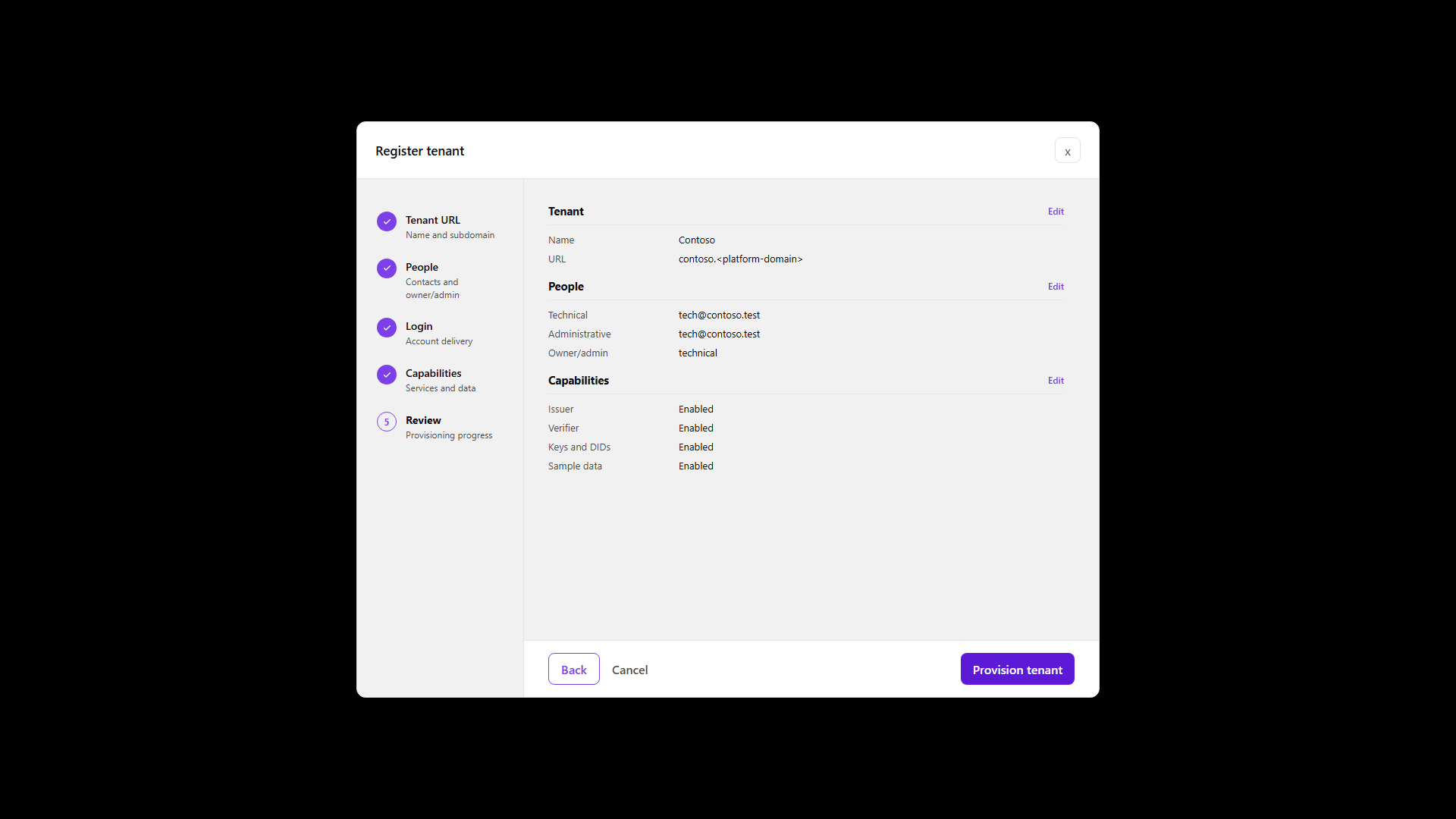
The wizard walks the four blocks in order and writes nothing until you confirm on Review. The REST
body carries the same blocks in one request: tenant holds the name, slug, description and
initialPlatformSubdomain; contacts holds the technical contact, whether the administrative
contact is the same person, and where the owner admin comes from; login holds enabled and
defaultAuthorizationServerRequired; and provisioning holds the four capability flags.
Keep the tenant id and correlation id from the response. The id is what every later call uses, and the correlation id is how you follow provisioning.
If registration fails with east-west or service-identity errors such as
REMOTE_PLATFORM_CONFIG_UNAVAILABLE or a missing internal client secret, the deployment secrets are
wrong rather than the request. See
First tenant.
Wait for provisioning to finish
GET/api/platform/admin/v1/tenant-onboarding/00000000-0000-4000-8000-000000000000200 OK- Admin Console
- Request
- Response
- Try it
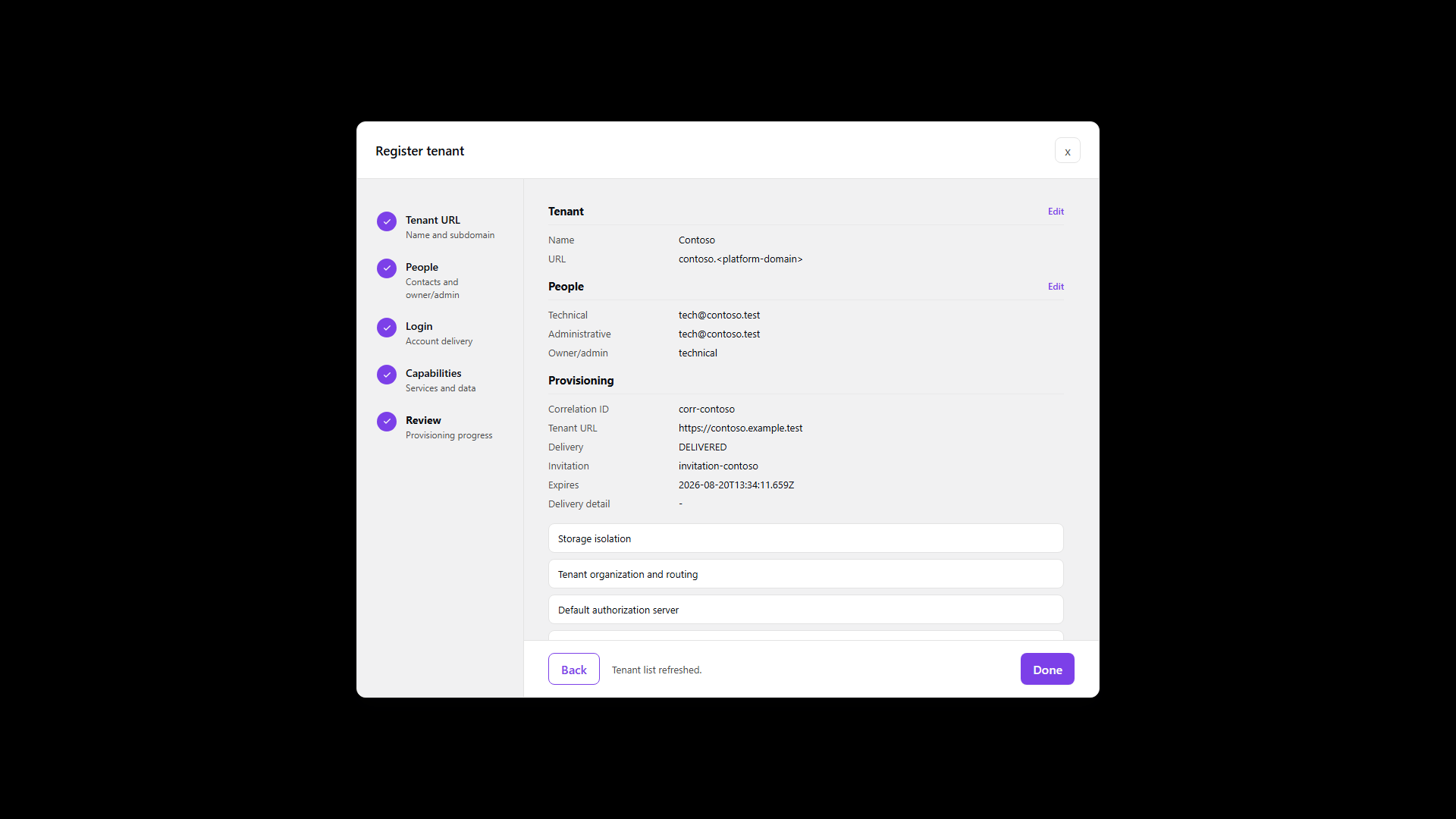
Registration returns immediately but the work continues, so a 201 is not a finished tenant. Setup
runs as named steps, each with its own start and completion time, and status reads COMPLETED only
when the defaults you asked for are all in place.
Until then, do not assume issuer metadata or public endpoints exist. If a step fails, lastError and
the failing step name say what went wrong, which matters because a half-provisioned tenant is
indistinguishable from a working one in the list.
- Admin Console
- Request
- Response
- Try it
Read the tenant back and check the name, slug and status before handing anything to tenant admins.
Lifecycle should have reached ACTIVE. Use the id from this response in later configuration rather
than the slug, since the slug is a host label while the id is what the APIs key on.
In the console, opening the tenant switches you into tenant context, and the Resources and Protocols screens are scoped to that selection.
Check the public endpoints
GET/api/platform/admin/v1/tenants/00000000-0000-4000-8000-000000000000/public-endpoints200 OK- Admin Console
- Request
- Response
- Try it
Setup binds the protocol surfaces to the tenant's public host: authorization server, issuer, verifier and DID resolution, for whichever capabilities you enabled. These bindings are created for you and operators rarely edit them by hand, but listing them is how you confirm the tenant is reachable at the addresses its credentials will advertise.
- Admin Console
- Request
- Response
- Try it
Runtime discovery returns the browser-safe base URLs later work depends on, for KMS, DID and design calls. Take these from discovery rather than assembling them from the slug and base domain, because a deployment can publish a surface somewhere you would not guess.
Full schema: Platform Admin API.
Postman: The same platform-authenticated sequence is 02 Tenant Onboarding in the canonical
EDK Enterprise collection. It uses
platformAccessToken; continue with 03 Tenant Owner Activation and Sign-in and
04 Tenant Service Token before calling tenant-scoped APIs.
After onboarding
Confirm or create cryptographic material with Keys and DID, define what the tenant issues with Credential designs, add Status lists and revocation if those credentials need to be revocable, then move to Issue credentials and Verify credentials.
If you selected sample data, designs and seeds already exist. Review them before anyone treats them as production content.