Tenants
Catalog id: platform.tenants
A tenant is the boundary everything else in the product hangs off. Credentials, keys, authorization servers and issuer instances all belong to one, and nothing crosses between them. This is the platform operator's view of the customer tenants on this installation: what exists, what state each one is in, and how a new one is created.
Registration is not a form that can be corrected afterwards. Two of the values you enter, the slug and the enabled capabilities, decide durable identity and what gets provisioned, and changing them after setup means creating a new tenant rather than editing this one. Read the sections below before opening the wizard.
Audience: platform operator.
Guide: Onboard a tenant.
What you are deciding
The slug becomes the tenant's permanent host label. It appears in the tenant's URLs and in the
configuration of everything provisioned under it, so it has to be short, stable, and meaningful to
the customer rather than to whoever is doing the setup. acme is the kind of value to aim for.
initialPlatformSubdomain controls whether the tenant immediately gets a subdomain on the platform
domain, which is what lets the customer reach their console before any vanity domain exists.
Contacts are more than record keeping. The technical contact receives operational mail, and when
administrativeSameAsTechnical is set the same person covers both roles. ownerAdmin decides who
holds the first administrator account: taking it from the technical contact is the usual choice, and
it determines who can sign in once provisioning finishes.
Login decides how people reach the tenant. With enabled set, the owner receives an activation
delivery. defaultAuthorizationServerRequired stays on because a tenant without an authorization
server has no way to authenticate anyone, so this is not a switch to turn off to save time.
Provisioning is the part that is expensive to reverse. issuer and verifier create the
protocol instances, keysAndDids creates the signing material those instances need, and
sampleData seeds example designs and lists. Leaving a capability off means the tenant starts
without it and adding it later is separate work, so decide with the customer rather than defaulting
to everything.
Register a tenant
Registration runs the whole bootstrap in one request. The response returns the tenant immediately, but the work behind it continues, which is why the next step polls for status rather than assuming success.
- Admin Console
- Request
- Response
- Try it
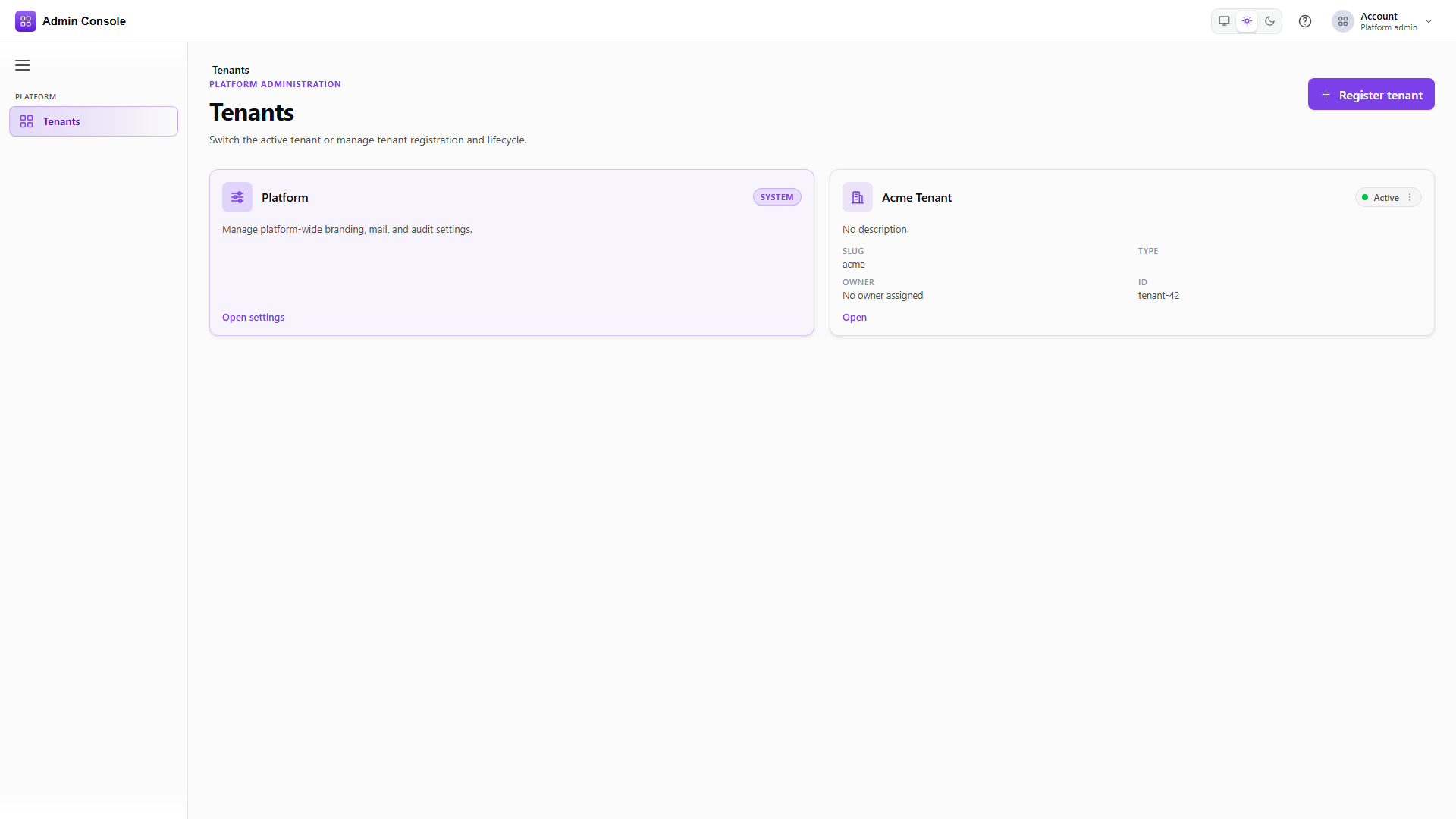
Platform > Tenants is where an operator lands after signing in. Check whether the customer already
has a tenant before creating another one: slugs are permanent, so a duplicate is awkward to unpick.
Each row carries the tenant's slug, status and tenantType.
- Admin Console
- Request
- Response
- Try it
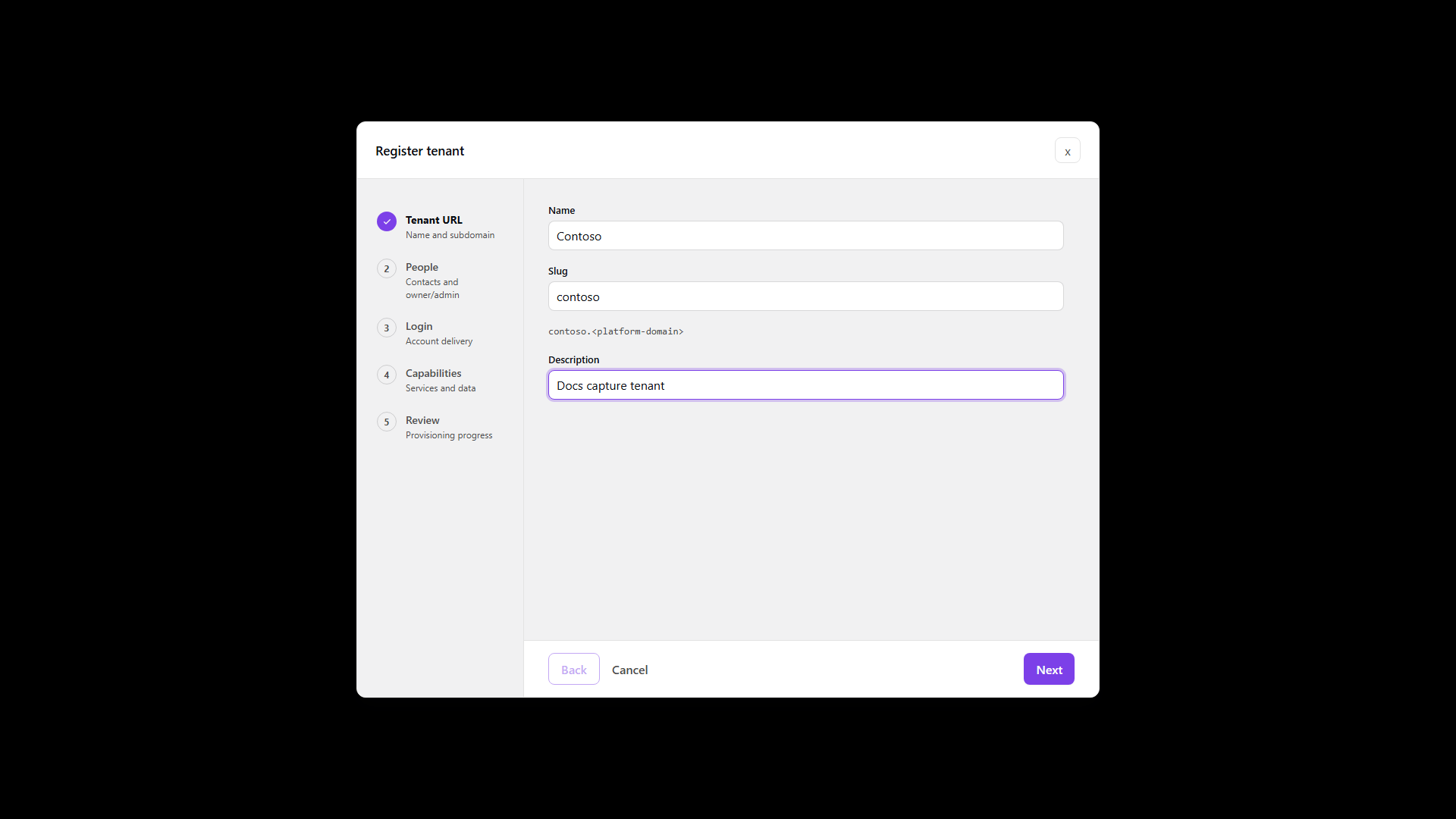
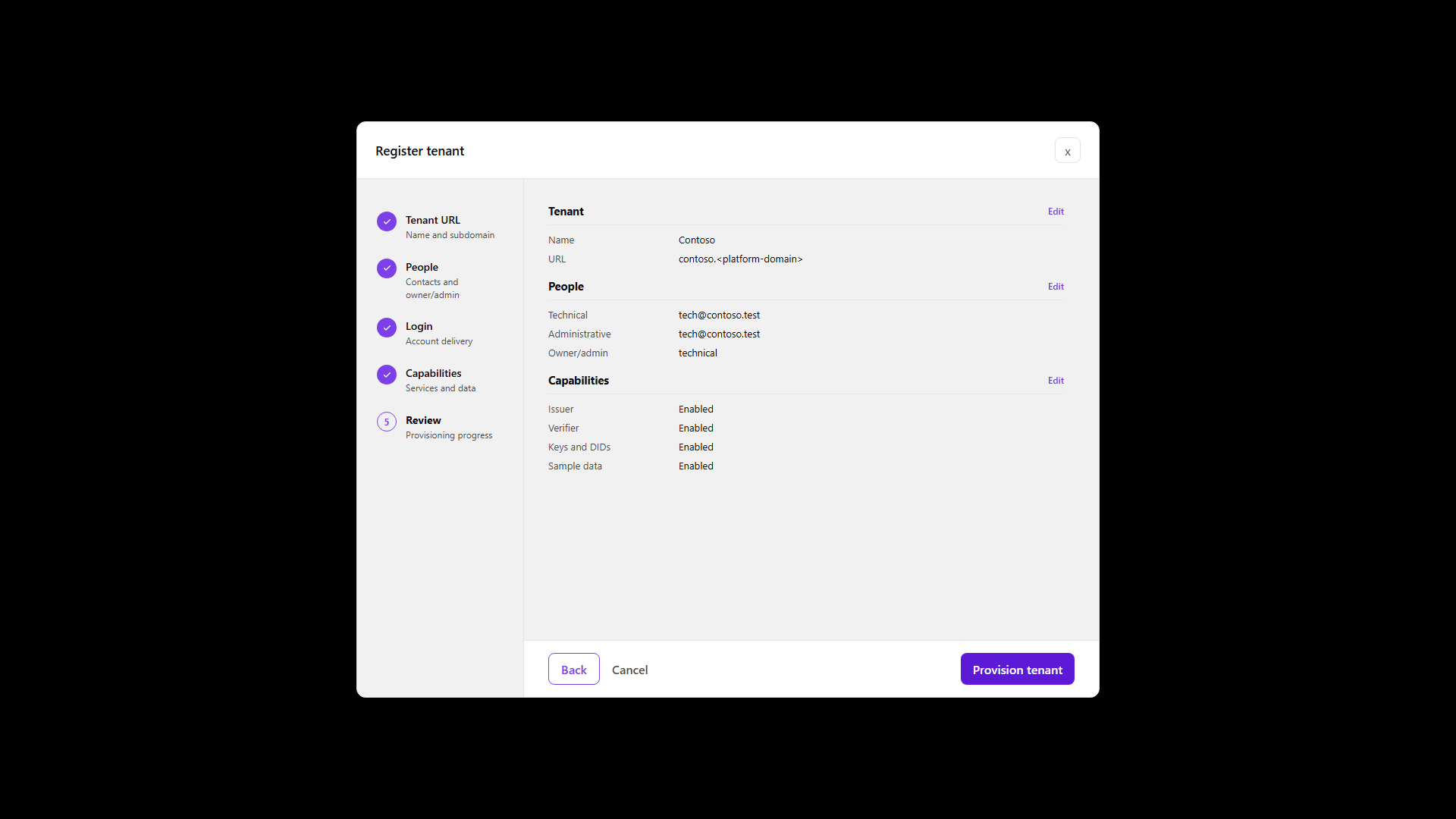
The wizard collects the four blocks described above in order: tenant identity, contacts, login, then
capabilities, with a review before anything is created. The REST body shows the same four blocks as
tenant, contacts, login and provisioning, so a request assembled by hand and the wizard
produce the same result.
A 201 returns the created tenant, including the id you will use everywhere else and the slug
you chose. status reads ACTIVE once the record exists, which is not the same as provisioning
having finished.
Watch provisioning finish
GET/api/platform/admin/v1/tenant-onboarding/00000000-0000-4000-8000-000000000000200 OK- Admin Console
- Request
- Response
- Try it
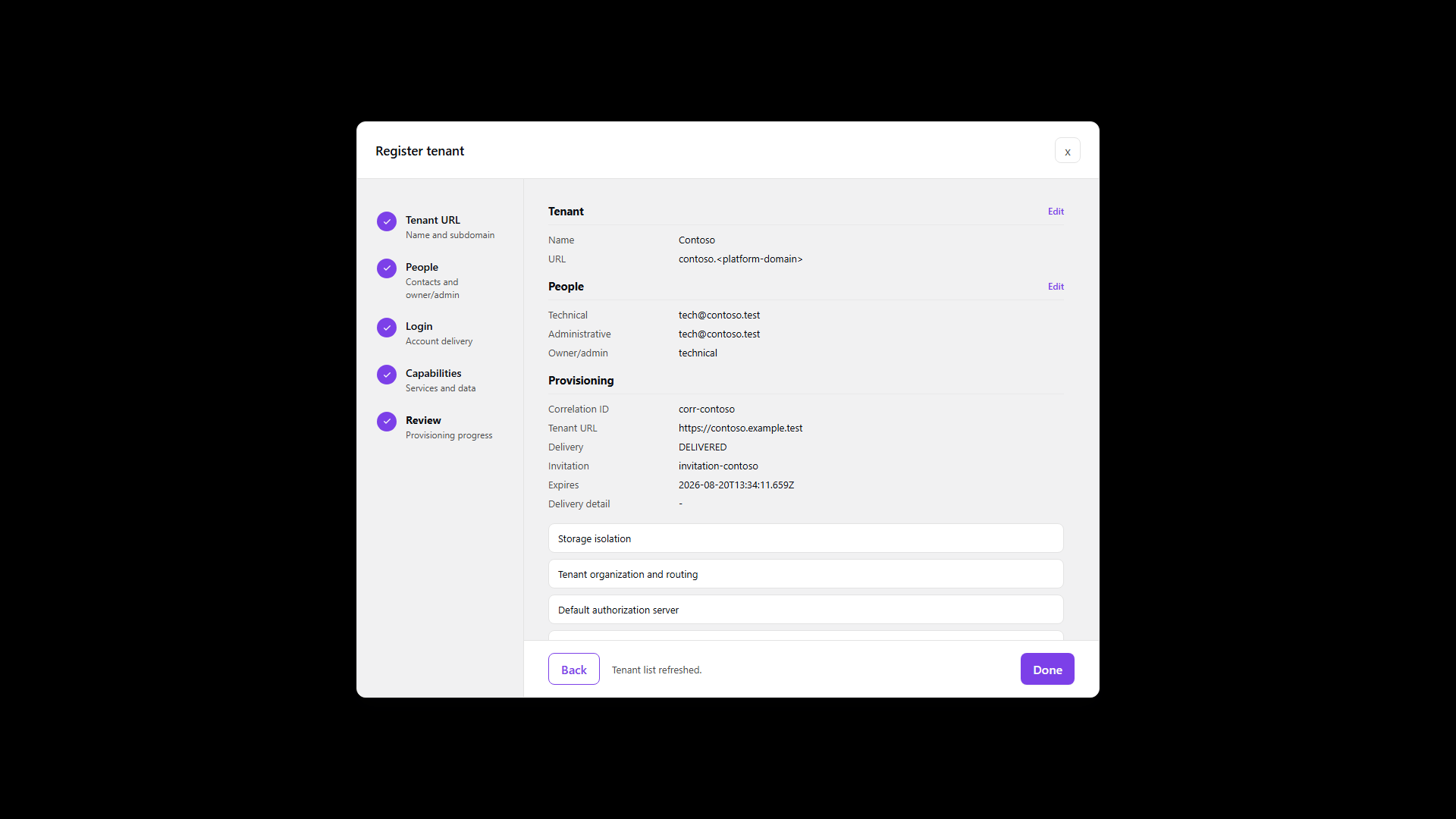
Provisioning runs as a sequence of named steps, each with its own start and completion time, such as
as-endpoint-bound, as-provisioned and contacts-provisioned. Poll until status reads
COMPLETED.
If something fails, lastError and the failing step say what and where, which matters because a
half-provisioned tenant looks like a working one in the list. Do not hand the tenant to a customer
until this reports completion.
Confirm the finished tenant
GET/api/platform/admin/v1/tenants/00000000-0000-4000-8000-000000000000200 OK- Admin Console
- Request
- Response
- Try it
Reading the tenant back gives you the durable record: id, slug, tenantType, status, and the
audit fields. Use the id from here in later configuration rather than the slug, since the slug is
a host label and the id is what the APIs key on.
Full schema: Platform Admin API.
After registration
The tenant appears in the list and can be opened to work in tenant-scoped Resources and Protocols. Anything the capabilities did not provision has to be created there by hand, so if the customer later needs an issuer that was not enabled at registration, that is where it gets added.