Key Management: Providers
Catalog id: resource.kms.providers
One screen over two planes. The management plane holds the configured resource: technology, credential
ownership, lifecycle state and a version for conditional writes. The runtime plane holds what can
actually sign, addressed by providerId. Providers merges them so operators do not keep two menus in
their head.
The provider id is permanent after create, because keys, DID verification methods and service configuration all store it. The default provider receives new keys unless the operator picks another one.
Audience: platform operator or tenant administrator.
Guides: Secrets and KMS providers, Keys and DID, Azure KMS and external keys.
What the screen shows
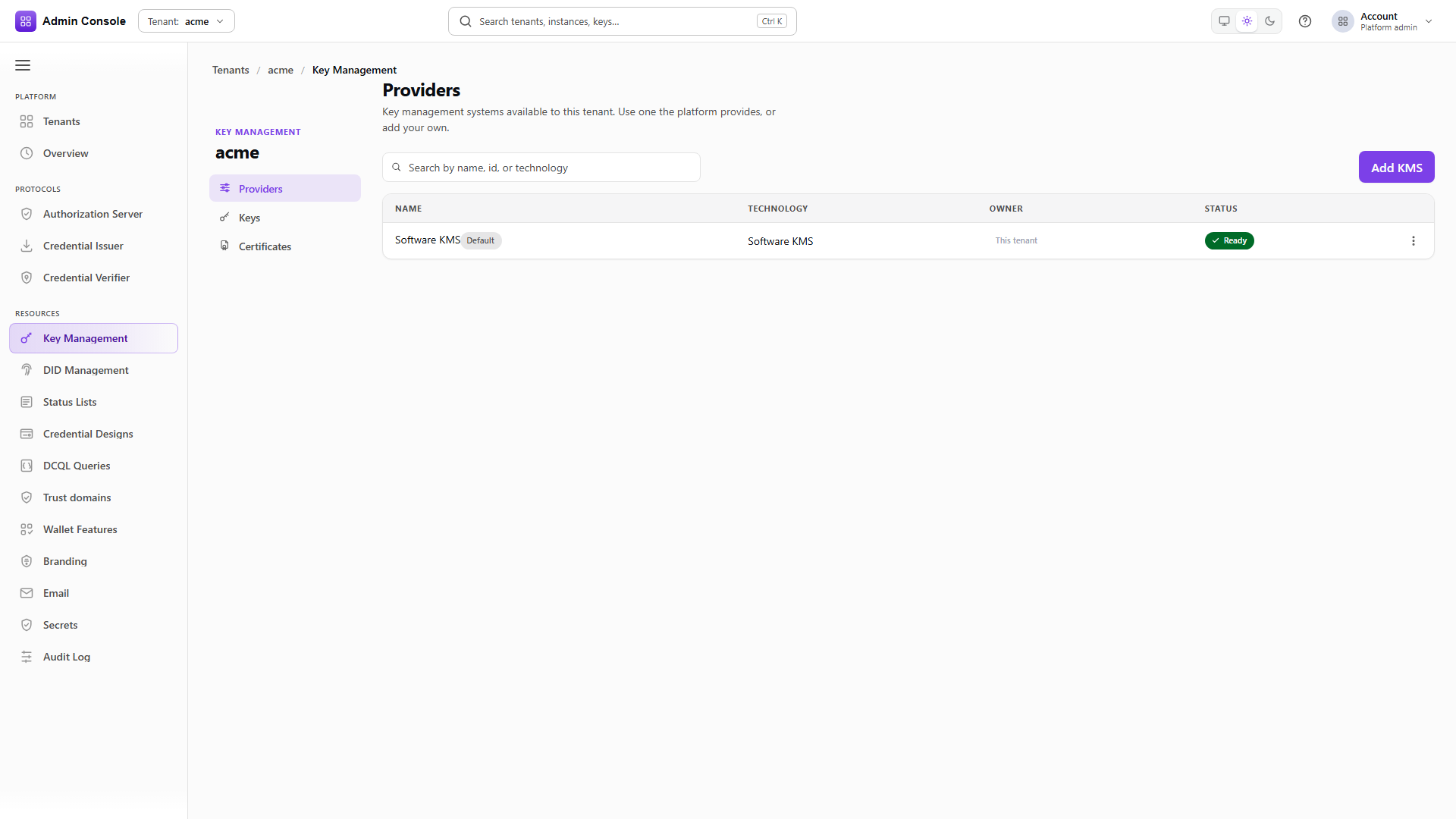
Each row carries technology, owner, status, whether it is the default, and the fulfillment mode when the provider came from the platform. Opening a row gives you the configuration, write-only credential status and the capability report.
The capability report is the part worth reading before binding a provider to anything. It lists the operations, key storage types, key types, curves and algorithms the provider supports, along with import and export support, its private-key exposure policy, X.509 support, hardware backing, attestation, and the public-key resolution methods it offers. Capability data that is absent means unsupported rather than untested, so do not read a gap as permission to try.
Add KMS creates a software, AWS KMS or Azure Key Vault resource through the typed resource management plane. The console accepts a one-time credential input or a secret reference, and never displays a credential value back.
A provider declared in the deployment configuration appears on the platform tenant without anyone adding it. Its credential, reference, detach and retire actions are refused, and the error names the configuration key to change. See Cloud KMS providers.
Working with providers
List what the deployment allows
GET/api/platform/config/v1/tenants/00000000-0000-4000-8000-000000000000/kms/offerings200 OK- Admin Console
- Request
- Response
- Try it
The offerings call is what populates Add KMS. Each entry has an available flag and the credential
ownership models it supports: PRODUCT_MANAGED where the product holds the credential, and
TENANT_SUPPLIED where the tenant enters its own.
The captured deployment offers SOFTWARE only. Azure and AWS appear as separate offerings once the
platform authority's provider policy permits cloud kinds.
Read the configured resources
GET/api/platform/config/v1/tenants/00000000-0000-4000-8000-000000000000/kms/resources200 OK- Admin Console
- Request
- Response
- Try it
Resources carry an opaque handle for administrative calls, the providerId applications use, the
lifecycle state, and resourceVersion for conditional writes. credentialSecretRef is redacted
because this is the browser-safe projection.
availableActions narrows with the resource's state, so it is the reliable answer to what this
resource will accept rather than what the API defines in general.
Validate a resource
POST/api/platform/config/v1/tenants/00000000-0000-4000-8000-000000000000/kms/resources/krh_%3Copaque%3E/validate200 OK- Admin Console
- Request
- Response
- Try it
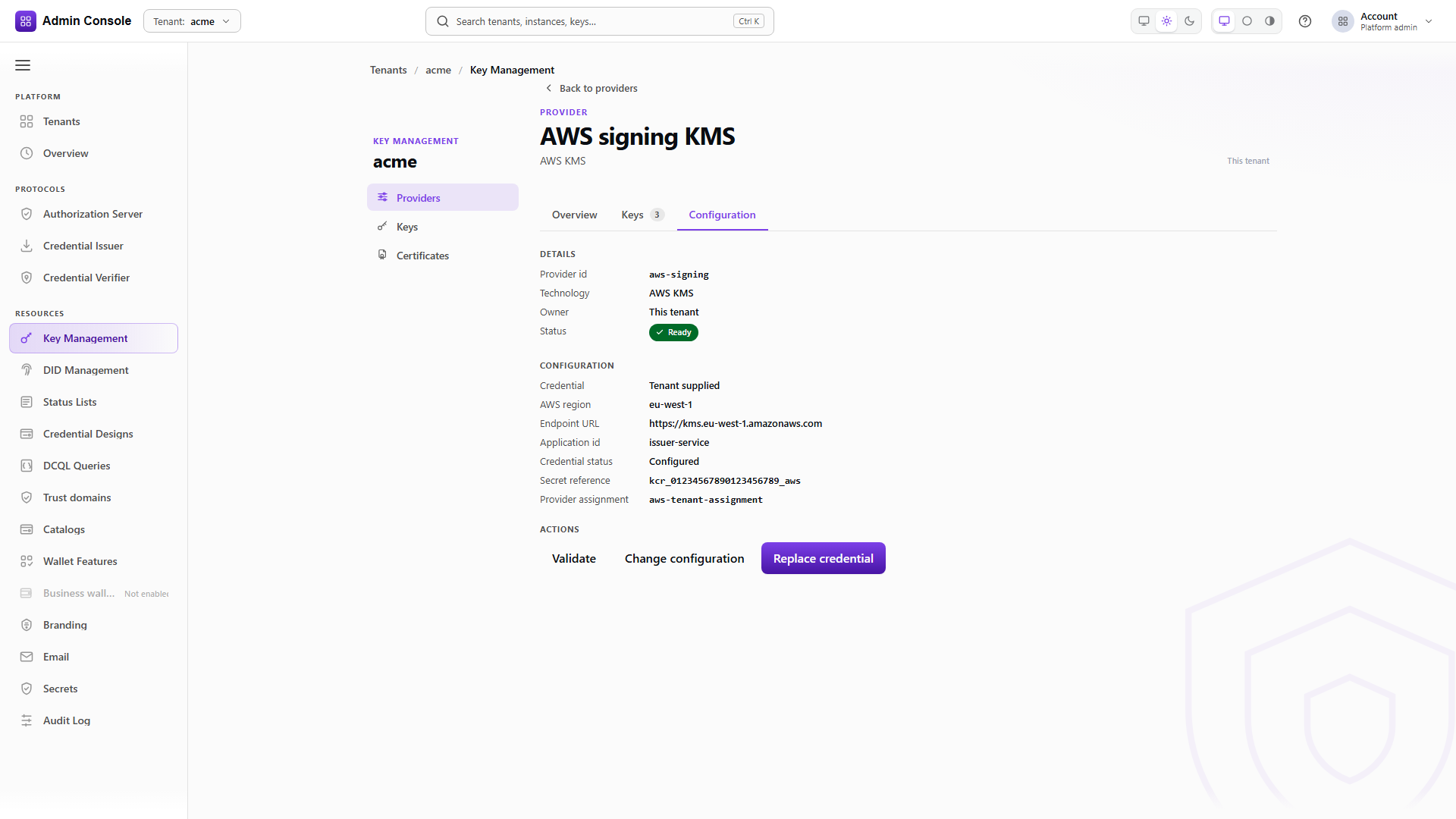
Validation exercises the backend rather than re-reading the record. For a tenant-owned AWS or Azure resource, the Configuration tab reads a browser-safe typed projection first: AWS region and optional endpoint URL, or the Azure vault URI, application id, directory tenant id, client id and HSM type, plus whether a tenant-owned credential reference is configured. The credential value itself is never returned. Changes are prefilled from that projection and submitted against its current resource version.
A platform-owned shared instance has no tenant-readable detail projection at all. Its configuration and credential references stay hidden and read-only, controlled by the platform operator.
See what the platform offers this tenant
GET/api/platform/config/v1/tenants/00000000-0000-4000-8000-000000000000/kms/shared-providers200 OK- Admin Console
- Request
- Response
- Try it
A platform operator can share an allow-listed provider in one of two modes, and they are not variations of each other.
A tenant-owned copy, published as TEMPLATE, creates a separately configured tenant resource from
the platform's template. The tenant then owns its configuration and its credential lifecycle.
A shared platform instance, published as SHARED_INSTANCE, attaches the tenant to the platform's own
provider and credentials. The tenant's key and certificate references stay tenant-scoped and
namespaced, while the platform configuration remains read-only and its credentials hidden.
Enable or disable an offered provider
POST/api/platform/config/v1/tenants/00000000-0000-4000-8000-000000000000/kms/shared-providers/walkthrough-platform-00000000-0000-4000-8000-000000000000:enable200 OK- Admin Console
- Request
- Response
- Try it
Enabling is the tenant's own action, which is why an offered provider does not simply appear in the tenant's runtime. Enabling a shared platform instance does not open a credential workflow for the tenant, because there is no tenant credential to enter.
Disabling removes the tenant's use of it and deletes nothing on the platform side.
Set the tenant default
PUT/api/platform/config/v1/tenants/00000000-0000-4000-8000-000000000000/kms/default-provider200 OK- Admin Console
- Request
- Response
- Try it
The default decides where new keys are created when a request omits providerId. Existing keys stay
on the provider that holds them. The response reports source, which separates the tenant's own
choice from a platform suggestion.
- Admin Console
- Request
- Response
- Try it
The runtime list is what applications see. ownership and sharedFromPlatform distinguish the
tenant's own store from a shared platform one, and isDefault reflects whatever the default-provider
call set.
Validation, reference changes, credential rotation, detach and retirement all stay subject to ownership, the provider's capabilities, the resource version, and what the backend authorizes. A resource-detail call is authorized against the active tenant and takes the management handle, which is a different identifier from the runtime provider id.
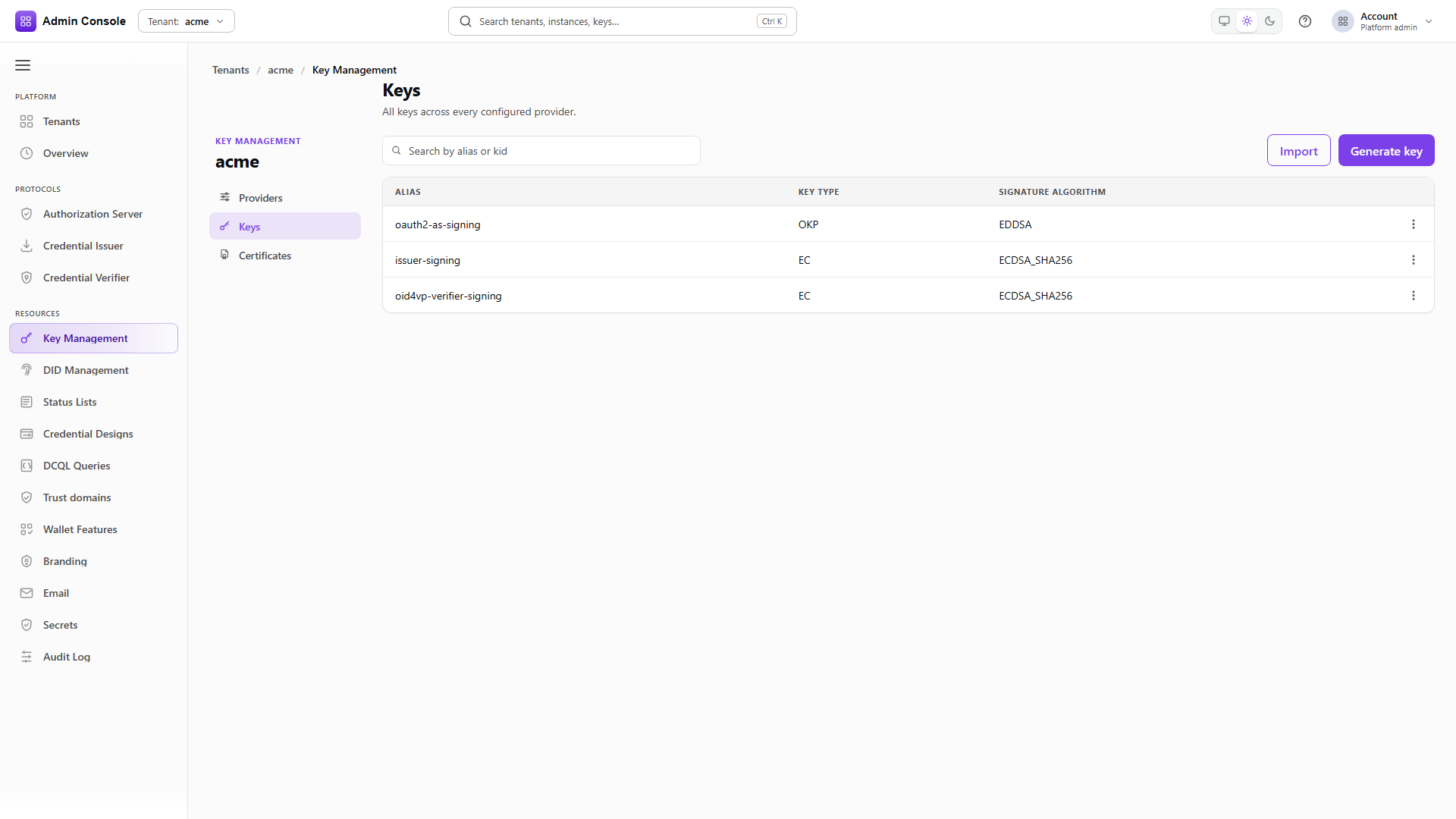
Full schema: Platform Config API for resources and sharing, KMS API for the runtime plane.