Status lists and revocation
A status list publishes compact status values for issued credentials. Each credential carries the list URI and the index allocated to it, and a verifier fetches the signed list and reads that one index. Nothing about the credential itself changes when it is revoked.
Create the list as a standalone resource before issuer credential configuration or issuance refers to it, and keep the list identifier, public URI, proof format, media type, length and bit width from the create response. Those are the values issuance and verification both depend on.
Audience: tenant administrator.
Prerequisites: complete Platform foundations and authentication boundaries and Tenant provisioning and confidential-client access first. Select signing material through Keys and DID, and create the referencing type in Credential designs and claims when it does not already exist. After this guide, continue with Issuer configuration and Credential issuance; the verifier side is Verifier and DCQL configuration plus Trust-domain creation and verifier binding.
Postman correlation: In the canonical EDK Enterprise collection, run 12 Status Lists. 00a Resolve EuPid DID signing selection or 00b Resolve mDL X.509 signing selection resolves signing material, then 01 Create token status list creates the list; 02 List status lists, 03 Get token status list, 04 Fetch hosted status list token, 05 Revoke a status entry, 06 Reactivate the status entry, and 07 Read status entry verify and operate it. Only after this folder succeeds should 13 Credential Configurations bind the response-derived list id. There is no pre-creation signing-key bind using the list name.
- Admin Console
- REST
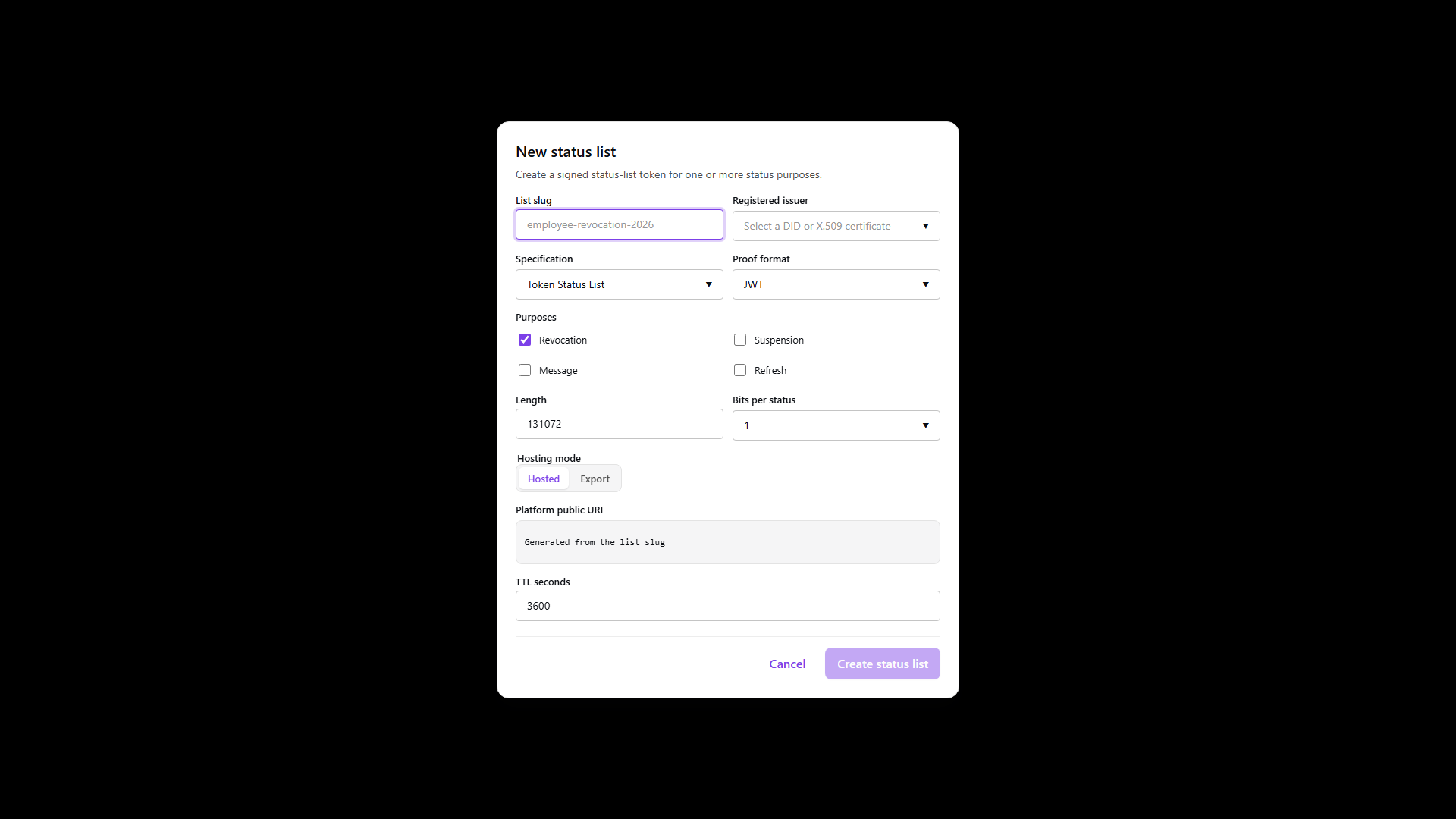
Use Resources > Status Lists > Lists to create and inspect the standalone list, then use its Entries and Token tabs to manage an allocated entry and inspect the published artifact. The console does not allocate a credential index when the list is created.
Use the Status list management API for management calls and the response-derived public URI for the anonymous hosted fetch. The Developer Console can expose the same mounted operations, and the profile Postman collection contains one status-list lane per credential profile. Keep the management bearer token off the public status request.
Three separate jobs
The management API allocates and updates an index. The public hosting API publishes signed status data. A verifier does the final check. They are separate, and a credential has to carry the URI and index that the allocation step returned rather than values assembled by hand.
Status is not issuer trust, holder binding or proof of possession. Keep those independent, and treat status data that is missing, stale, unsigned, served with the wrong media type or outside the declared list bounds as a failed check rather than as a passing one.
Matching the format to the credential
The credential format, status format, proof and media type all have to agree.
| Credential | Status format | Proof | Public media type |
|---|---|---|---|
| SD-JWT VC | IETF Token Status List | JWT | application/statuslist+jwt |
| ISO mdoc | IETF Token Status List | CWT | application/statuslist+cwt |
| W3C VCDM 1.1 or 2.0 | Bitstring Status List | VC-JWT | application/vc+jwt |
Use one bit per entry for valid and revoked. Go wider only when the status format and the verifiers you care about both support the extra states, such as suspension.
Creating and reading a list
- Admin Console
- Request
- Response
- Try it
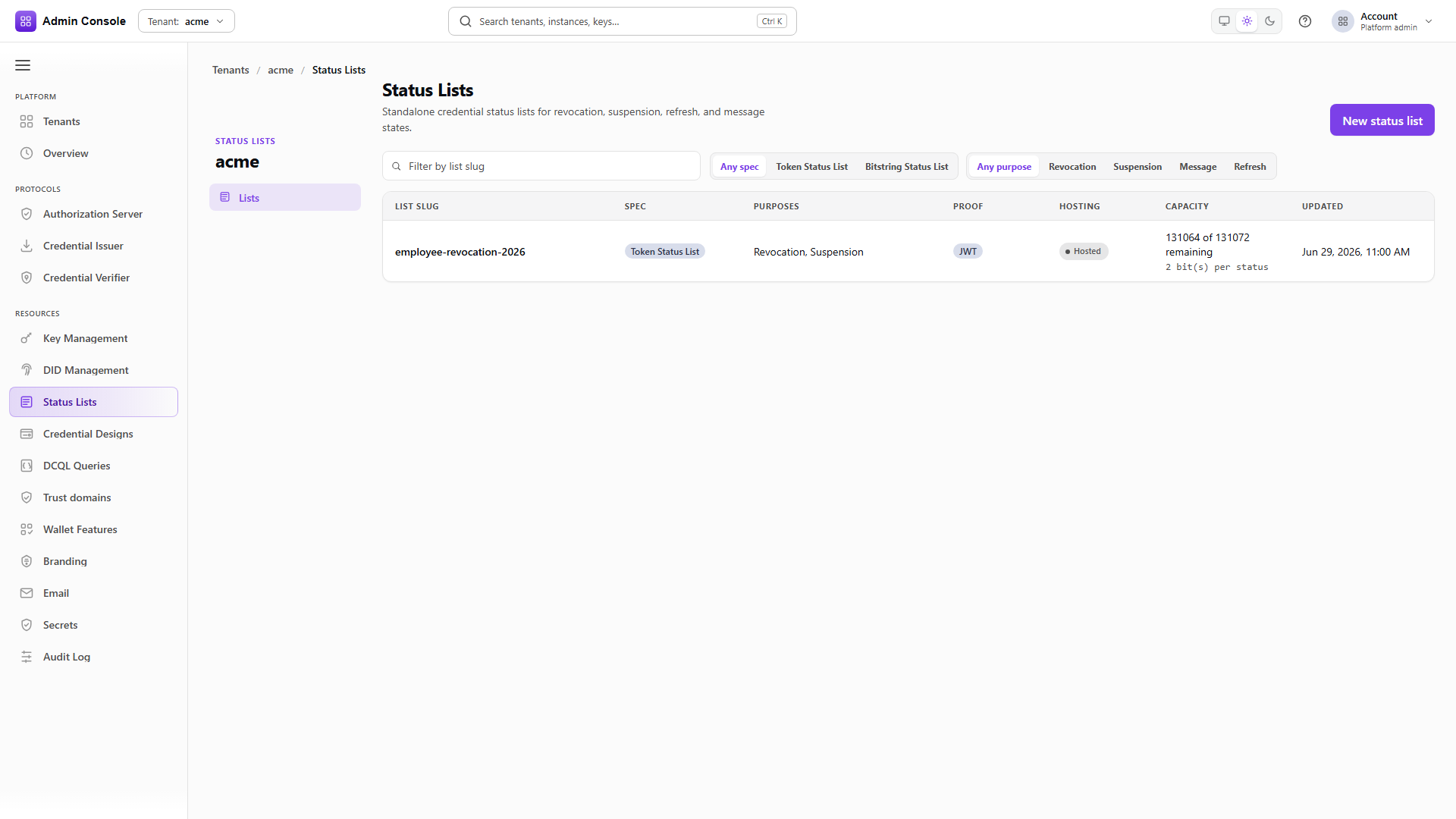
Resources > Status Lists > Lists shows the identifier, specification, purposes, proof format, length, bit width and current state.
Two counters are worth reading here. issuedCount and remainingCapacity tell you how much of the
list is spoken for, and a list approaching its length needs a successor created and bound before
issuance starts failing.
An empty response means no list has been created for the tenant yet.
Check what the credential configuration will sign with
GET/api/platform/config/v1/tenants/00000000-0000-4000-8000-000000000000/oid4vci/issuer/instances/00000000-0000-4000-8000-000000000000/credential-config-settings/EuPid200 OK- Admin Console
- Request
- Response
- Try it
A status list has to be signed by something a verifier can resolve back to the issuer. Reading the credential configuration settings first tells you which signing selection is in play, so the list you create matches the credentials that will reference it.
The captured configuration is an SD-JWT VC using a DID-based selection. An mdoc configuration reports
cose_key binding instead, which is the signal that its status list needs a CWT proof rather than a
JWT one.
- Admin Console
- Request
- Response
- Try it
| Field | Use |
|---|---|
correlationId | The stable identifier issuer configuration and management calls use. It also forms the public path. |
spec | token_status_list or the W3C bitstring specification. |
purposes | Revocation, and suspension where the profile supports it. |
proofFormat | jwt, cwt or VC-JWT, following the credential format. |
length | The maximum number of entries the list can allocate. |
bitsPerStatus | The width of each entry. |
signingKeyMode | How the signer is identified to verifiers: x5c to carry the certificate chain, or a DID mode to publish through the DID document. |
kmsKeyAlias, kmsResourceHandle | Which key actually signs. |
statusListUri | The URI stored in issued credentials and fetched by verifiers. |
TTL and validUntil | Cache lifetime and, for CWT, the token expiry. |
This capture creates an X.509 list: signingKeyMode is x5c, so the published token carries the
certificate chain and the issuer is an HTTPS origin rather than a DID. A DID-signed list uses a
did:web mode and a DID issuer instead, and verifiers resolve the key through the DID document.
spec, proofFormat, length and bitsPerStatus are choices you have to make. The rest are
profile-dependent, and taking a default from a different profile is how a list ends up publishing
something its verifiers cannot decode. The API rejects incompatible specification, proof and media
combinations rather than creating a list nobody can read.
For a DID-signed status list, the operator may select any existing, usable key that the platform has
authorized for status-list signing. The recommended production selection is the exact issuer
credential-signing key: use the same kmsResourceHandle, kmsKeyAlias, and DID assertion method as
the issuer credential configuration so the credential and its status artifact have one consistent
signer identity. At list creation time the service resolves and authorizes the selected existing
pair, then uses it to sign the newly created list. You do not create or bind a KMS key using the
future status-list name first; the list name is an identifier, not a key selector. A different key,
an inferred alias, or an unrelated tenant-wide default is not substituted silently.
Read the returned id and statusListUri from the response and use those. Do not build either from
a display name.
- Admin Console
- Request
- Response
- Try it
correlationId is unique per tenant, and re-creating one returns
STATUSLIST_DUPLICATE_CORRELATION_ID rather than silently returning the existing list.
This matters in automation. A provisioning run that seeds a list and a later script that creates the same one will collide here, and treating the conflict as success would leave the script holding no list id at all.
- Admin Console
- Request
- Response
- Try it
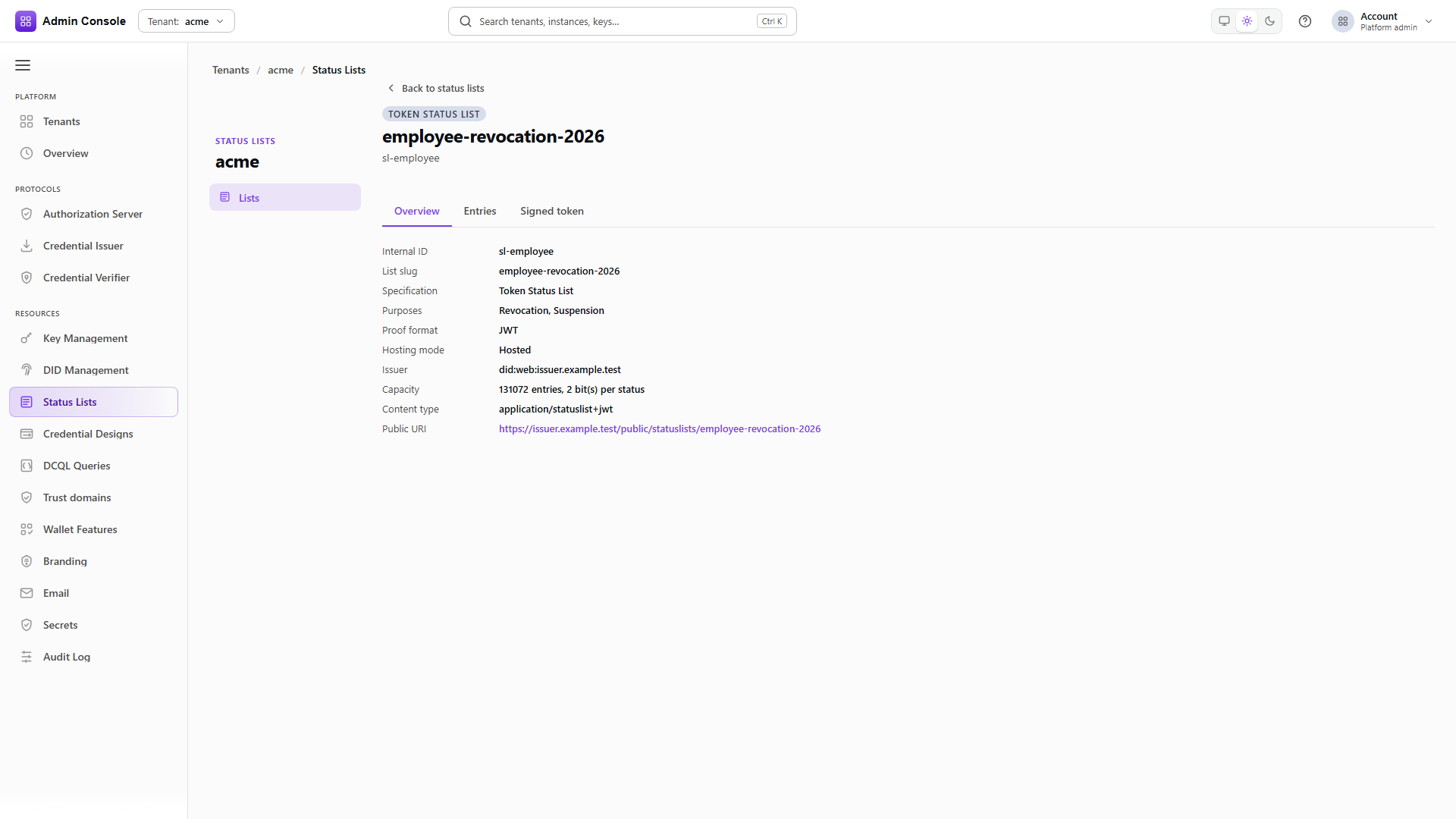
The read returns configuration and publication metadata: the correlation id, specification, purposes, proof format, hosting mode, bit width, length, issuer and public URI.
It is not the signed token. Use the returned list id when updating an entry and the returned public URI for verifier fetches, and confirm the proof format and URI here before binding the list to an issuer.
Full schema: Status list management API.
The captured hosted read below is a source-backed REST example. It shows the published artifact's shape and headers; it is not a live status result for a reader's credential.
- Overview
- Request
- Response
Fetch hosted X.509 status list token
Endpoint: GET /public/statuslists/x509-revocation
Captured response: 200 OK
This captured endpoint is shown from the E2E run; it is not mapped to one of the generated EDK REST API reference pages.
Connect an environment to rewrite this call to real service bases and run it.
Changing an entry
Use the index stored in the credential, or the business key recorded at issuance. Never reuse an index for a different credential; the list has no way to tell them apart afterwards.
- Admin Console
- Request
- Response
- Try it
The update takes the index and the value. In a one-bit revocation list, 1 is revoked.
The response echoes the entry with its new value and purpose. It is authoritative: if the index is out of range, the requested value does not fit the bit width, or a concurrency check is stale, the call fails and the old status stands. Surface that error rather than assuming the change landed.
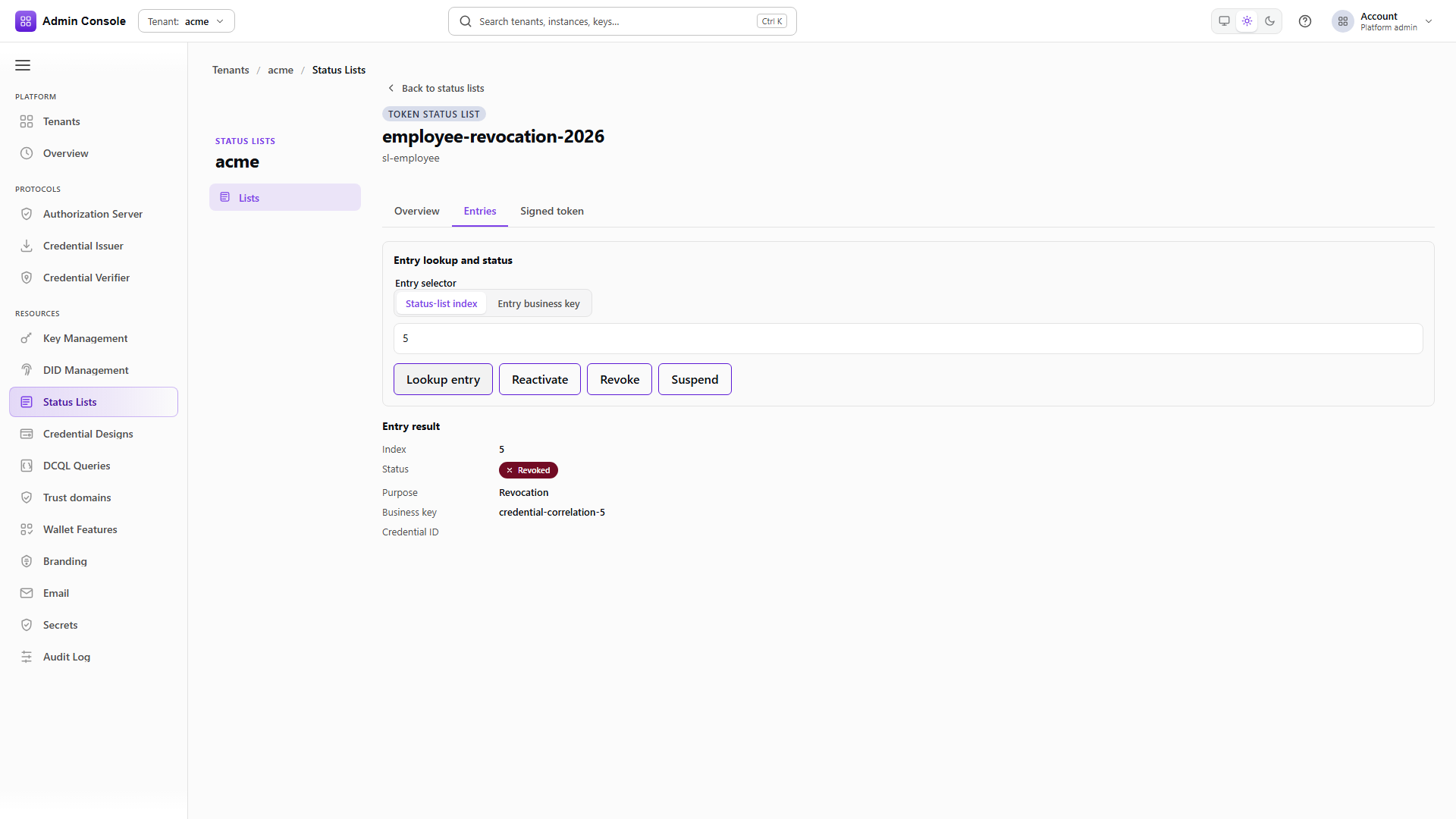
In the console, open the list, select Entries, find the entry by index or business key, and choose the action. The confirmation shows the updated value and the publication time.
- Admin Console
- Request
- Response
- Try it
The same call with value 0, where the list's policy allows a credential to come back. Lists whose
purpose is revocation only should not be reactivated as a matter of routine, since a verifier that
cached the revoked token will disagree with one that did not.
Read the entry
GET/api/statuslist/v1/statuslists/00000000-0000-4000-8000-000000000000/entries/42200 OK- Admin Console
- Request
- Response
- Try it
Reading one entry returns its current value, purpose and any correlation the issuance recorded. Use it to confirm a change before waiting on the publication cycle.
Checking what verifiers actually get
- Admin Console
- Request
- Response
- Try it
The public URI is not the management API and takes no bearer token. What comes back is the signed artifact itself, and its content type and encoding follow the status format.
The captured token is from the X.509 list, so its header carries x5c with the certificate chain
alongside the public JWK. A DID-signed list carries a kid pointing into the DID document instead.
That header is what a verifier uses to find the key, so it is the first thing to check when
verification fails for a list that otherwise looks correct.
Check the HTTP status, the Content-Type, the signature, the issuer, the validity period, the list
purpose, the bit width and the value at the index. A verifier should reject the status result rather
than accept the credential when any of those disagree with what the credential declared.
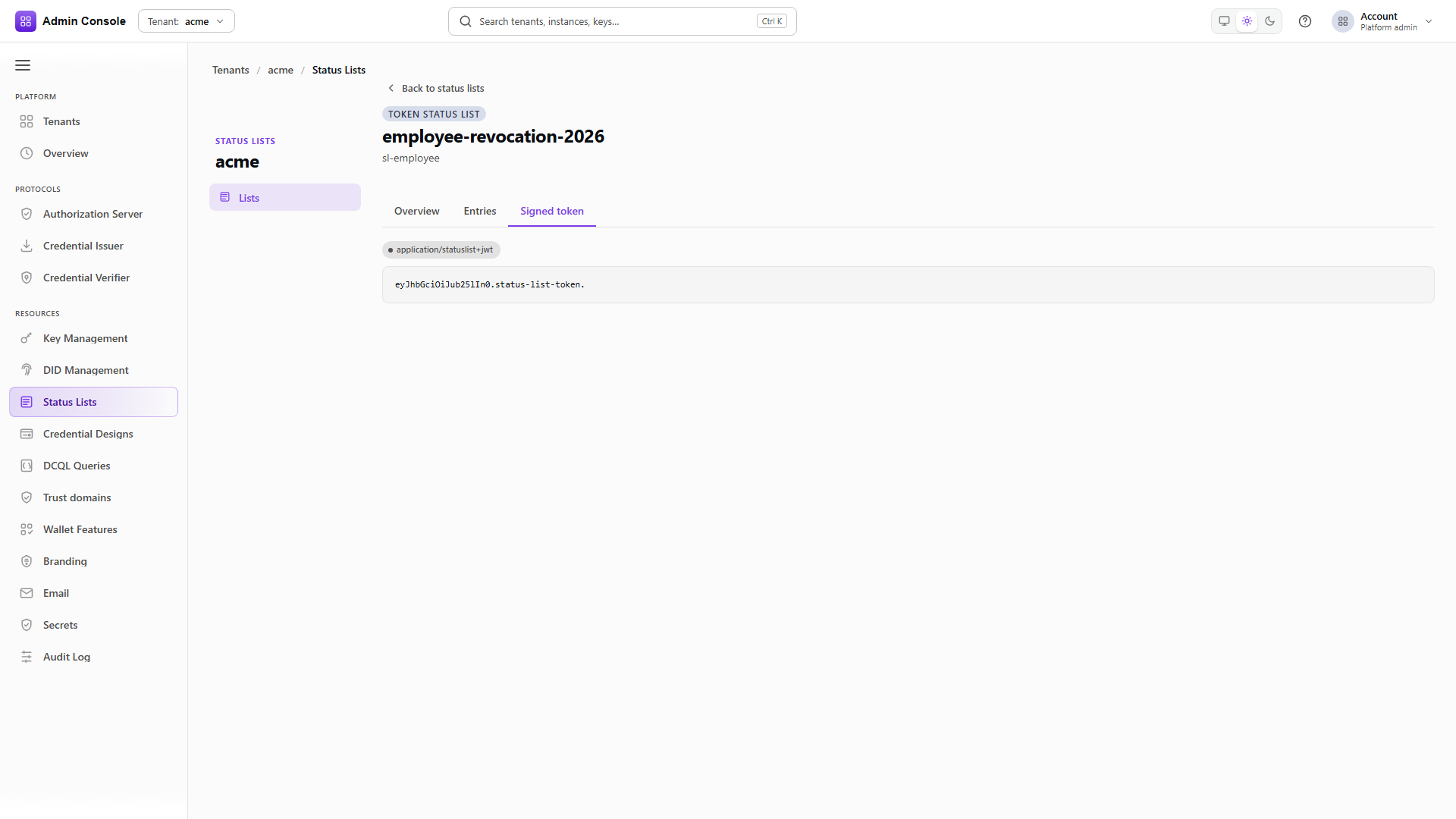
In the console, the list detail's Token tab shows the current publication and its content type.
After changing an entry, allow the configured TTL to pass, fetch the list again and confirm the new publication carries the updated value. A management response saying the entry changed is not evidence that a verifier will see it yet.
Next
Issue credentials covers issuing with an allocated status index, and Verify credentials covers reading the status result from a session. For the mdoc CWT profile see VICAL and CWT status.