Azure KMS, BYOK, and BYOC
EDK can sign with keys that live in Azure Key Vault or Managed HSM and never leave it. Two things have to be true for that: an administrator has to configure a provider that holds the Azure coordinates and a credential reference, and the tenant application has to name that provider's runtime id and the key's provider-native alias when it signs.
This guide configures the provider at runtime through the Admin Console or the Platform Config API. An operator who would rather declare a platform-owned Azure provider in the deployment itself, through environment variables on Docker Compose or Helm values on Kubernetes, follows Cloud KMS providers instead and continues here at key and certificate registration.
BYOK on this page means registering a reference to a key that already exists in Azure, not uploading private material into EDK. BYOC means registering public certificate material, or a reference to a certificate object Azure already holds. There is no operation anywhere in this guide that exports an Azure private key. Deleting a registered BYOK or BYOC reference removes only the EDK reference and never the Azure object; deleting a key or certificate EDK created and manages may delete the provider object.
Audience: platform operator for the configuration work, tenant administrator or application developer for the runtime work.
Prerequisites: Onboard a tenant, an Azure vault or Managed HSM you control, and a token for the plane you are calling. Provider configuration is Platform Config on the platform or tenant admin origin; key and certificate operations are the KMS runtime API on the tenant host.
- Admin Console
- REST
Use Resources > KMS for provider configuration and tenant assignment. Use runtime key and certificate areas only after the provider is available to the tenant.
Use the KMS REST reference for the plane-specific operation.
Keep kmsResourceHandle, providerId, aliases and secret references distinct. The optional
3. Tenant APIs > Azure Key Vault (optional) Postman folder needs a real vault and skips itself
until you set its inputs.
- Overview
- Request
- Response
List KMS offerings
Endpoint: GET /api/platform/config/v1/tenants/00000000-0000-4000-8000-000000000000/kms/offerings
Captured response: 200 OK
This captured endpoint is shown from the E2E run; it is not mapped to one of the generated EDK REST API reference pages.
Connect an environment to rewrite this call to real service bases and run it.
Three identifiers that get confused
Postman: choose who owns the vault
Use the customer collection after creating the service client. You need an Entra app registration that may use the vault's keys, and these environment inputs:
| Variable | Value |
|---|---|
azureVaultUri | https://<vault-name>.vault.azure.net |
azureDirectoryId | The Entra tenant (directory) id |
azureClientId | The app registration's client id |
azureClientSecret | Its client secret |
azureKeyName | Optional: an existing key to register (BYOK) |
azureCertificateChain | Optional: the base64 DER certificate of that key (BYOC) |
For a tenant-owned vault, 3. Tenant APIs > Azure Key Vault (optional) > Use your own vault
runs with the service client's token. Connect the vault returns a handle,
resourceVersion, and credentialSecretRef. Store the Entra client secret attaches the
write-only secret using those returned values, and Validate the vault checks the configured
provider. The folder then generates a key in the vault. With azureKeyName set it registers that
existing key, and with azureCertificateChain also its certificate chain.
For a platform-owned shared vault, the platform operator runs 1. Platform operator > Share an
Azure Key Vault with tenants (optional) with the same inputs. It registers the vault for the
platform and offers it to the tenant tenantSlug (run List tenants first). The tenant then runs
3. Tenant APIs > Azure Key Vault (optional) > Use a vault shared by the platform with its own
service client to enable the offered provider and generate a key in it. Do not create a second
tenant resource for the same shared provider. Tenants never see the vault credentials or each
other's keys.
Register an externally managed Azure key by its provider-native alias:
{
  "providerId": "customer-azure-vault",
  "alias": "credential-signing-key"
}
Send this to POST /api/kms/v1/keys/register on the tenant host. Then register its
matching public certificate chain through POST /api/kms/v1/certificates/register,
using kind: key_certificate_chain, source: stored_public_material, and
linkedKeyAlias with the same alias. Supply the leaf followed by any intermediate DER
certificates, each base64 encoded. A successful registration returns 201; read the key
and certificate chain back through the following requests before selecting them for an issuer.
No private key material is uploaded or exported by these operations.
The tenant's service client owns subsequent key, signing and issuer operations. The platform operator's token and Azure secret are not passed to the wallet or used on tenant runtime requests.
Most failed Azure integrations come down to sending one of these where another was expected.
| Identifier | Owned by | What it selects |
|---|---|---|
providerId | The KMS runtime | Which concrete provider signs. This is what applications send. |
key alias or canonical kid | Azure | Which key inside that provider, without copying it |
kmsResourceHandle (krh_...) | Platform configuration | Which configured resource an administrator is attaching, validating, rotating or retiring |
clientSecretRef | The tenant secret store | Where the Azure client secret lives, so the value itself never travels |
A resource handle cannot stand in for a runtime providerId, and an application using an existing
provider never needs the handle at all. Where a value is optional, leaving it out is not an
invitation to guess: do not derive a provider id from a resource handle, a key alias from a
certificate name, or a chain from a single leaf certificate.
What the captured calls below show
The provider calls on this page were captured by the automated deployment run against a real Azure Key Vault. The run takes two Azure resources through their whole life. The platform tenant creates one, proves it works and offers it to a customer tenant as a shared instance. The customer tenant creates the other for a vault of its own. On each provider the tenant generates a key, signs with it and deletes it, and at the end both resources are detached and retired. Vault URIs, Entra identifiers, secrets, signatures and key material are redacted in the captures, so copy the shapes and not the values.
The keys in that run are generated in the vault through EDK. That is a different operation from registering a key that already exists in Azure, which the registration sections further down cover. A few steps have no Azure counterpart in the run, such as reading the sharing allow list and setting a tenant default, and those show the same operation against a shared software provider.
Prepare the Azure side first
Collect the HTTPS vault or Managed HSM URI, the Microsoft Entra directory tenant id, the workload client or application id, the key and certificate names you intend to use, and the Azure role assignments covering the algorithms and operations you need. Getting the role assignments wrong surfaces later as a validation failure rather than a configuration error, so it is worth checking before you start.
If a platform administrator owns the vault and shares it with several tenants, provider access and
key ownership are separate checks. Each Azure object a tenant may use must carry the tag
sphereon-tenant-id=<tenant id>. Sharing the provider does not hand every tenant every key in the
vault, and registering a key reference in EDK does not add or change Azure tags. When the tenant
owns the provider outright the resource boundary authorizes it and the tag check does not apply.
Never put an Azure client secret, PFX, private JWK, access token or customer vault identifier into documentation, a screenshot, an OpenAPI example or a collection variable.
Configuring the provider
An administrator does this once per vault. The captured sequence runs on the platform tenant,
because a provider that is going to be shared has to live there. A tenant configuring a vault of its
own makes the same calls on its own tenant, as shown in A tenant-owned vault.
The offerings call tells you whether the deployment permits the Azure kind at all, and the rest of
the sequence creates the resource, gives it a credential and proves it works.
Check which provider kinds the deployment offers
GET/api/platform/config/v1/tenants/00000000-0000-4000-8000-000000000000/kms/offerings200 OK- Admin Console
- Request
- Response
- Try it
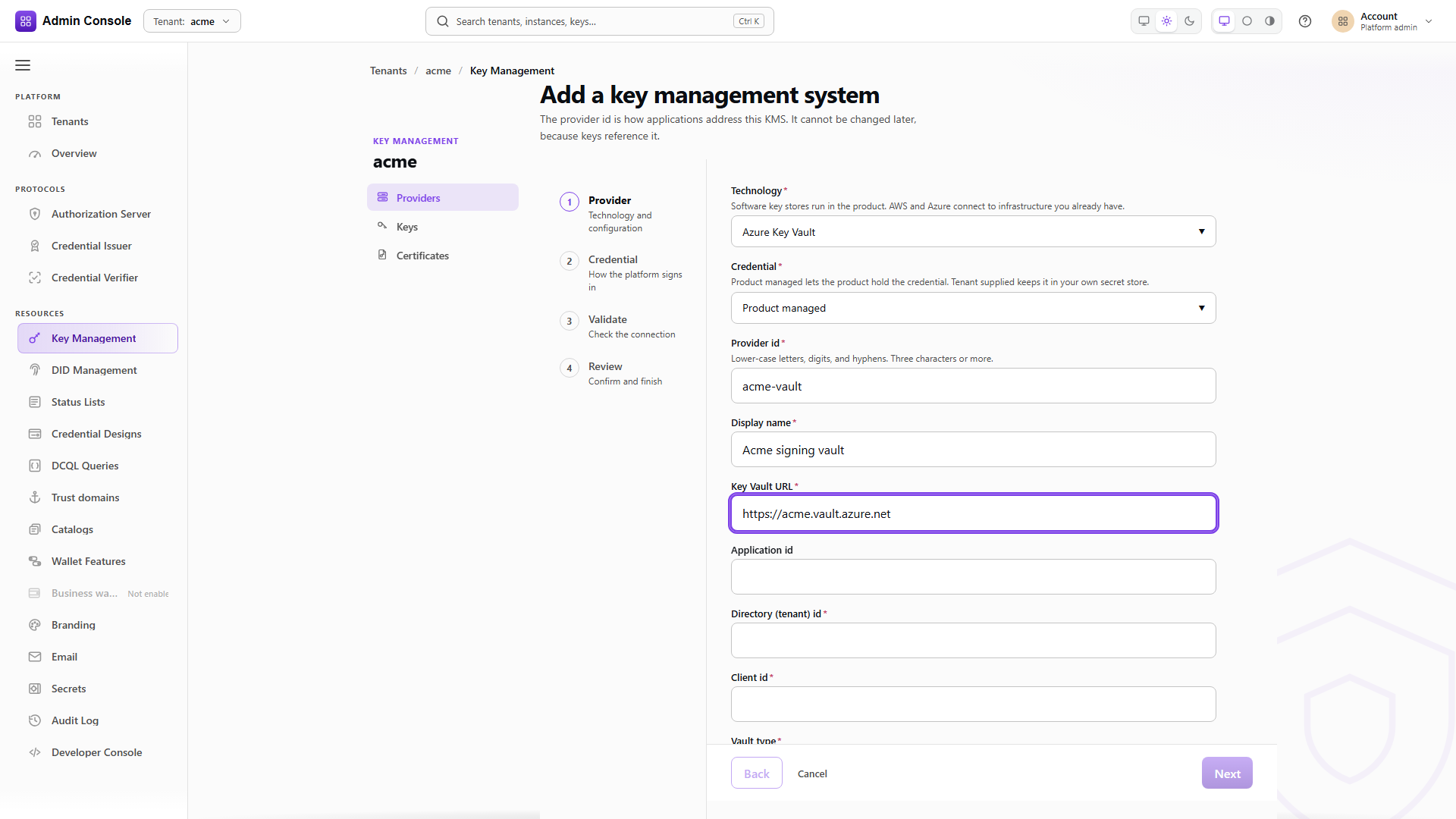
Resources > KMS > Providers lists what this deployment will let you configure. The captured response
offers SOFTWARE, AWS_KMS and AZURE_KEY_VAULT, each with its own available flag and the
credential ownership models it supports. Azure accepts both PRODUCT_MANAGED, where EDK stores the
credential, and TENANT_SUPPLIED, where the tenant points at a secret it owns.
If Azure is missing, the deployment policy is the cause rather than your Azure credentials. The platform authority enables cloud kinds through its application configuration:
secret-management:
  authority:
    tenant-policy:
      allow-tenant-managed-providers: true
That setting registers the Azure and AWS offerings at startup, and it also applies when the platform
tenant owns a provider it intends to share. It is separate from allow-platform-offerings. Set it
only where your provider policy permits cloud KMS, restart, then read the offerings again. As an
environment variable it is SECRET_MANAGEMENT_AUTHORITY_TENANT_POLICY_ALLOW_TENANT_MANAGED_PROVIDERS,
and in the Helm chart secretManagement.authority.allowTenantManagedProviders.
- Admin Console
- Request
- Response
- Try it
providerId is the name applications will send at runtime, so choose it deliberately and keep it
stable. kind: AZURE_KEY_VAULT selects the offering, and configuration carries the vault
coordinates: vaultUri, the Entra directory tenantId, the service principal clientId, and
hsmType, which is KEYVAULT for a vault and MANAGED_HSM for a Managed HSM. applicationId is
optional and defaults to the provider id, which is why the captured request leaves it out.
Keep the Entra clientId, the configuration's applicationId and the tenant-facing providerId
apart in your head. They are three different values and the API will accept any of them in the wrong
field without complaining.
The response returns the handle every later administrative call uses, and resourceVersion 1. The
resource starts DEGRADED with credentialConfigured: false and health: UNKNOWN, and
availableActions offers VALIDATE, UPDATE_CREDENTIAL and DETACH. A resource without a
credential cannot do anything yet, which is the correct behaviour rather than a fault.
credentialOwnership is PRODUCT_MANAGED, so EDK will hold the credential for this resource.
Neither creating a managed resource nor attaching an existing one creates anything in Azure. Both describe who owns the EDK configuration and its credential lifecycle, so a platform-managed EDK configuration can perfectly well point at a vault full of externally managed keys.
Attach the client secret
PUT/api/platform/config/v1/tenants/platform/kms/resources/krh_%3Copaque%3E/credentials/azure-key-vault200 OK- Admin Console
- Request
- Response
- Try it
The route is credentials/azure-key-vault. Because the resource is PRODUCT_MANAGED, the body
carries clientSecretRef, the reference the resource was created with, together with a one-time
clientSecret that EDK writes into the tenant secret store. Both are redacted in the capture. The
secret is write-only: the response confirms credentialConfigured: true and a redacted secretRef,
and nothing more. A TENANT_SUPPLIED resource accepts only a tenant-owned secret reference plus
providerAssignmentId, never plaintext. Either way, never persist the secret in a collection.
expectedResourceVersion is a conditional write. Send the version the create returned, and a
concurrent change by another operator makes the call fail instead of silently overwriting their
work. The response bumps the version to 2.
Validate, because configured is not the same as working
POST/api/platform/config/v1/tenants/platform/kms/resources/krh_%3Copaque%3E/validate200 OK- Admin Console
- Request
- Response
- Try it
Validation is the call that actually talks to Azure. The service that executes this resource's keys
opens the provider with the stored configuration and credential and makes one read-only call against
the vault. No key is created, read or deleted, and the request has no body. The captured response is
the one you want: state has moved from DEGRADED to CONFIGURED, and health is HEALTHY,
which means the vault answered an authenticated request.
Any other result carries a diagnosticCode that tells you where to look:
| Result | diagnosticCode | What it means |
|---|---|---|
FAILED | KMS_PROVIDER_OPEN_REFUSED | The provider could not be opened with this configuration and credential. Check the vault URI, the Entra identifiers and the secret. |
FAILED | KMS_PROVIDER_PROBE_FAILED | The provider opened but the call to the vault failed. Role assignments and network access to the vault are the usual suspects. |
DEGRADED | KMS_PROVIDER_PROBE_UNAVAILABLE | The probe could not be run at all, so the result says nothing about Azure yet. Validate again before relying on the provider. |
The outcome is recorded as the resource's health, so list and detail report the same value afterwards. Run validation again after every credential rotation. A resource sitting in the list proves that somebody typed the coordinates in, and nothing more.
Confirm the inventory
GET/api/platform/config/v1/tenants/00000000-0000-4000-8000-000000000000/kms/resources200 OK- Admin Console
- Request
- Response
- Try it
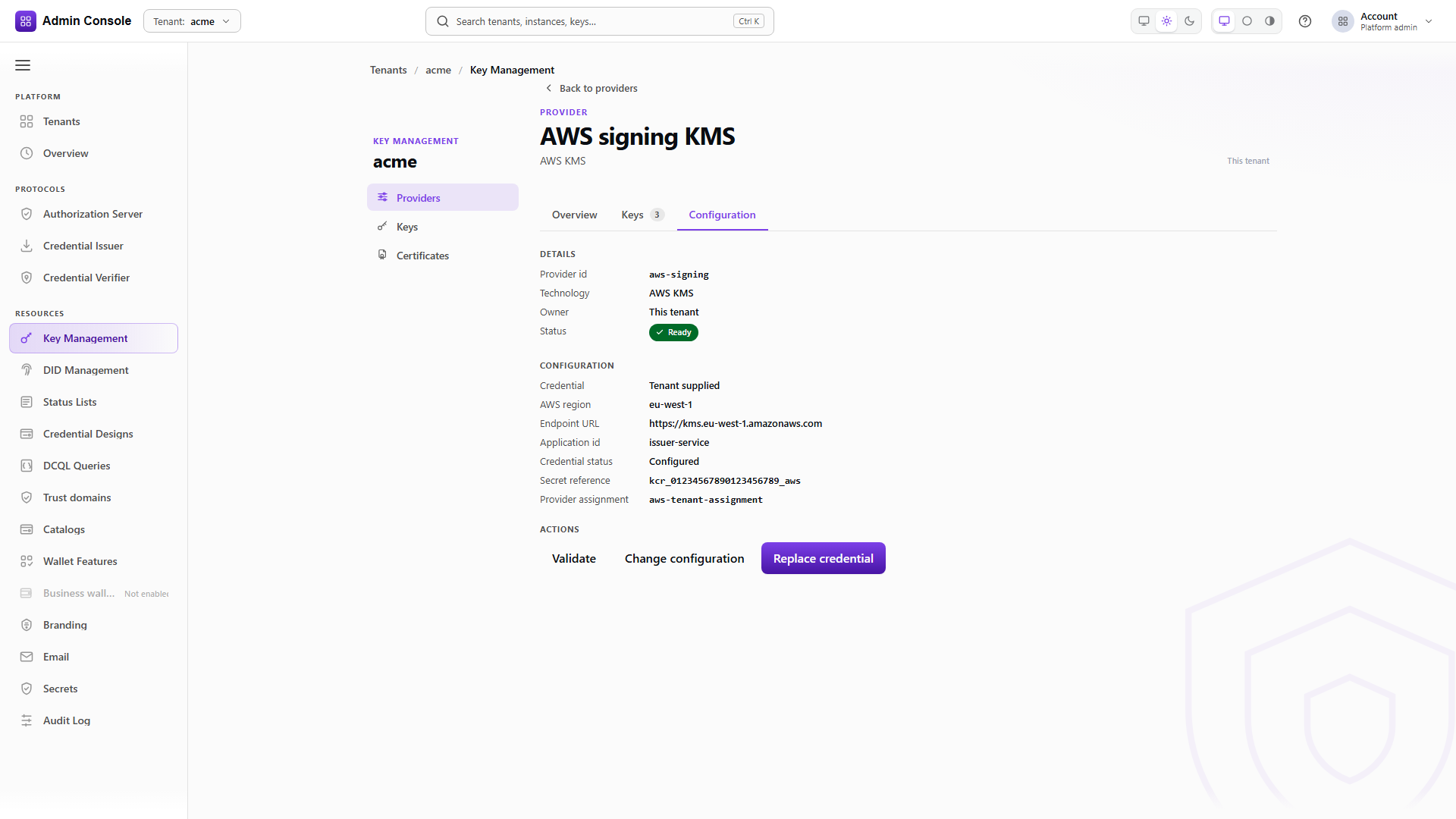
The list is the browser-safe representation, which is why credentialSecretRef comes back redacted.
availableActions is worth reading: it tells you which lifecycle operations this resource will
accept in its current state, so a resource offering RETIRE and nothing else has already been
detached.
Azure client secrets expire. Rotation takes the new reference and the expected version together, and a rotation that updates Azure without updating the reference here leaves a resource that validates today and fails at the next signature. Validate again once the rotation returns.
Full schema: Platform Config API.
Sharing one vault across tenants
A platform administrator can offer a configured provider to named tenants instead of asking each of them to configure Azure separately. The provider is the one created in Configuring the provider, or one declared in the deployment configuration as described in Cloud KMS providers; a declared provider is offered at startup and tenants enable it the same way. Two fulfillment modes exist and they are not variations of each other.
SHARED_INSTANCE lets the allowed tenants use the platform's provider and its credential binding.
Nothing is cloned and the tenants never see the configuration or the secret. TEMPLATE materializes
a separate tenant-owned provider configuration with its own credential lifecycle, which means each
tenant supplies its own Azure credential. Neither mode creates Azure vaults or keys.
Offer it to named tenants
PUT/api/platform/config/v1/tenants/platform/kms/resources/krh_%3Copaque%3E/sharing200 OK- Admin Console
- Request
- Response
- Try it
The platform offers the validated Azure resource as a SHARED_INSTANCE. tenantIds is an explicit
allow list, not a pattern, and the write is conditional on expectedResourceVersion, here 2, the
version the credential attach left. suggestedDefault marks the provider as the one a tenant should
pick when it has no other preference; it does not select it, and the capture leaves it false.
Read back who it is offered to
GET/api/platform/config/v1/tenants/platform/kms/resources/krh_%3Copaque%3E/sharing200 OK- Admin Console
- Request
- Response
- Try it
The sharing read returns the current allow list and mode. Use it before editing, since the write replaces the list rather than adding to it, and a hand-built request will quietly drop tenants that are already on it.
From the tenant side, see what is on offer
GET/api/platform/config/v1/tenants/00000000-0000-4000-8000-000000000000/kms/shared-providers200 OK- Admin Console
- Request
- Response
- Try it
The tenant calls its own tenant path and sees the providerId, kind: AZURE_KEY_VAULT, the display
name and the fulfillment mode, with enabled: false until it opts in. It does not see the vault URI,
the Entra identifiers, the credential, or anything else about the platform's configuration.
Enable it for the tenant
POST/api/platform/config/v1/tenants/00000000-0000-4000-8000-000000000000/kms/shared-providers/azure-lc-d0564e71:enable200 OK- Admin Console
- Request
- Response
- Try it
The :enable call has no body and returns the same entry with enabled: true. Enabling is the
tenant's own decision and is the point at which the provider becomes usable in that tenant's
runtime. It does not assign Azure keys to the tenant or change their ownership tags; for keys the
tenant registers, that part is done in Azure with the sphereon-tenant-id tag described earlier.
- Admin Console
- Request
- Response
- Try it
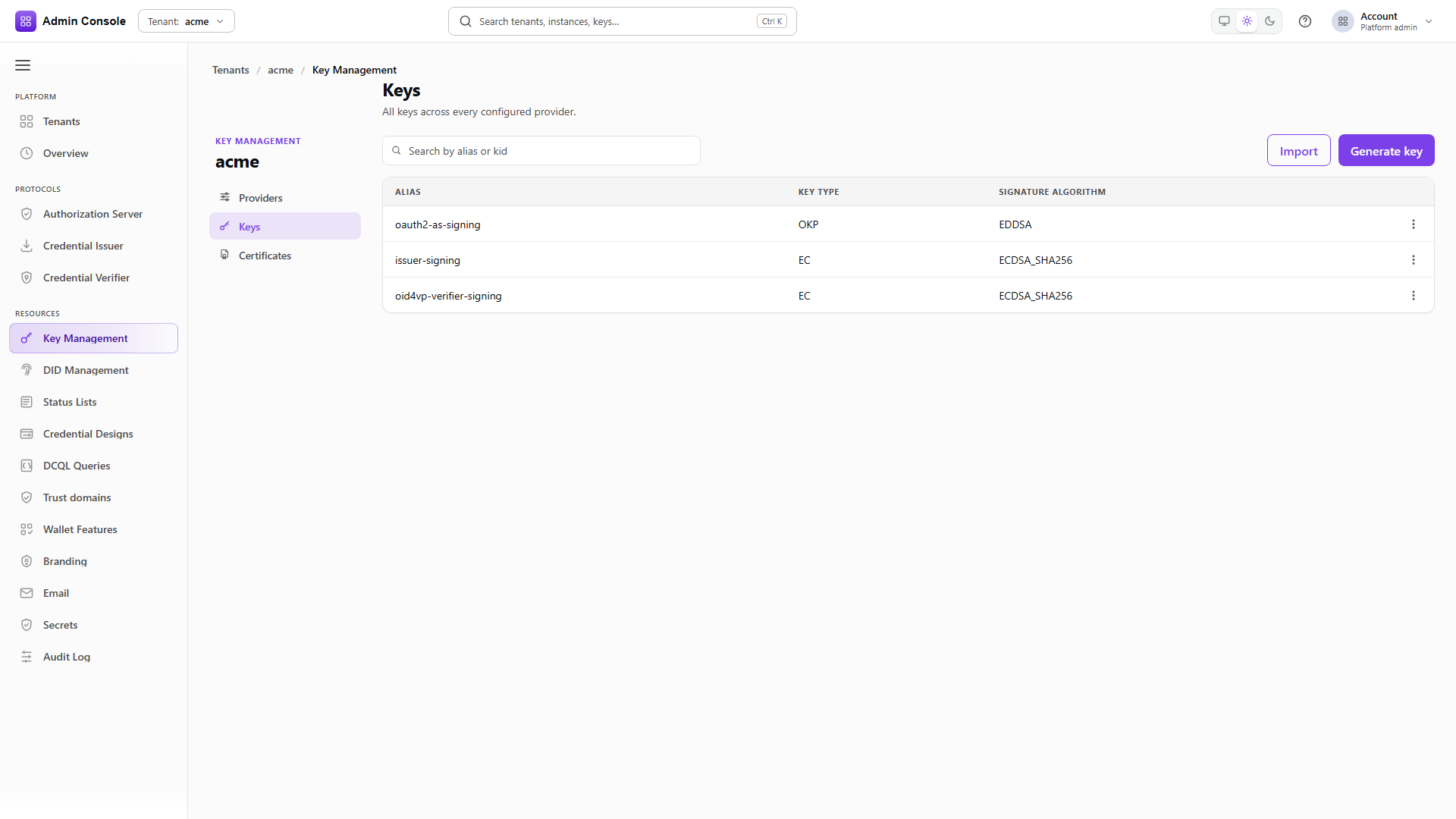
This is the KMS runtime API rather than platform configuration, and it is the authoritative answer to
what an application can sign with. Each entry carries ownership and sharedFromPlatform, so the
tenant's own default provider and the shared platform provider are distinguishable, and isDefault
marks the one used when a request omits providerId.
Set the tenant default
PUT/api/platform/config/v1/tenants/00000000-0000-4000-8000-000000000000/kms/default-provider200 OK- Admin Console
- Request
- Response
- Try it
Setting a default is a convenience for callers that omit providerId. The response reports source,
which distinguishes a tenant's own choice from a platform suggestion. Issuers, verifiers and status
lists should still name their provider explicitly, because a default that changes underneath them
changes which key signs.
Sign with a key on the shared provider
Once the shared provider is enabled, the tenant works with it through the KMS runtime API on its own host, with its own token. The platform's token and Azure secret play no part in these calls.
- Admin Console
- Request
- Response
- Try it
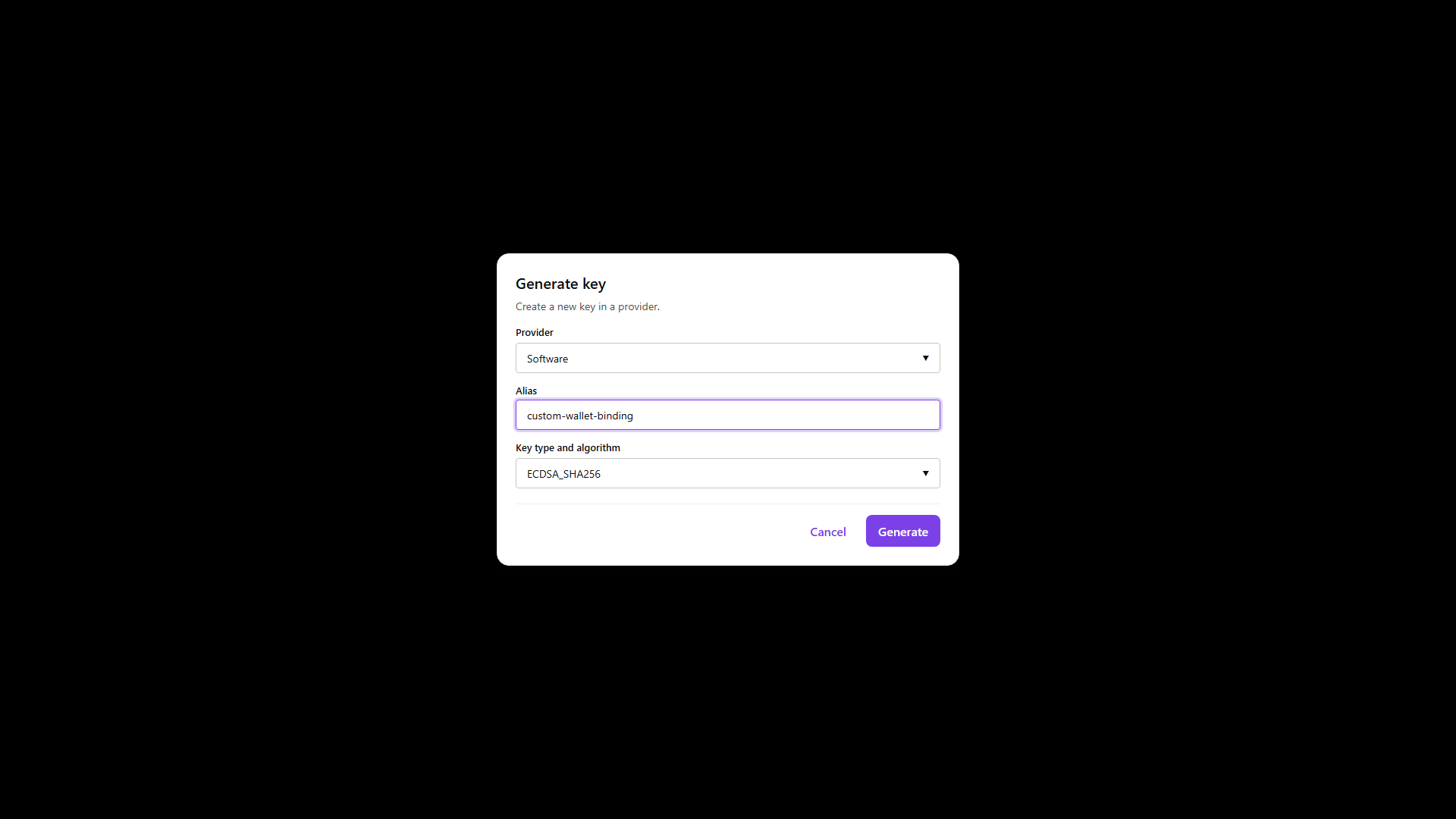
The shared providerId goes in the path, and the body names an alias, use: sig, the algorithm
and the key operations. EDK creates the key in the platform's vault. The private key stays in Azure;
the response carries only public material, as a JWK and as a COSE key, and the key's kid.
The kid is not your alias verbatim. EDK prefixes the alias with a tenant-specific backing name and
Azure adds a version, which is how two tenants can generate the same alias in one shared vault
without colliding. Keep addressing the key by providerId and the alias you chose; the kid is
what a verifier sees in a signed header.
A generated key is EDK-managed rather than an externally managed reference like the ones in Register an existing Azure key, so the reference-only deletion rule under Removing references does not automatically apply to it. Check the key's lifecycle on the detail screen before you delete one that matters.
- Admin Console
- Request
- Response
- Try it
keyInfo selects the key by providerId and alias, and input carries the base64 payload. Azure
performs the signature and only the signature comes back. This selector shape, provider id plus
alias, is exactly what an issuer, status list or verifier binds to later.
- Admin Console
- Request
- Response
- Try it
The verify call takes the same selector, the same input and the signature, and answers
isValid: true. It proves the round trip through EDK. Before production depends on the key, also
verify with an independent library against the published public key, as described in
Prove signing before production depends on it.
- Admin Console
- Request
- Response
- Try it
Deletion addresses the key by provider and alias and returns 204 with no body. The tenant deletes
its keys before it disables the shared provider, because once the provider is disabled the tenant
can no longer address anything on it.
A tenant-owned vault
A tenant that brings its own vault configures it on its own tenant path, on its own host and with its
own token. The sequence is the one the platform ran. Because the tenant owns the resource, the
resource boundary authorizes access and the sphereon-tenant-id tag check does not apply.
Create the tenant's Azure resource
POST/api/platform/config/v1/tenants/00000000-0000-4000-8000-000000000000/kms/resources201 Created- Admin Console
- Request
- Response
- Try it
The body has the same shape as the platform's create, sent to the tenant's own
/tenants/{tenantId}/kms/resources. Choose a providerId that does not collide with a shared
provider the tenant has enabled, since applications tell the two apart by that value alone. The
response is the familiar starting point: DEGRADED, resourceVersion 1, no credential.
Attach the tenant's client secret
PUT/api/platform/config/v1/tenants/00000000-0000-4000-8000-000000000000/kms/resources/krh_%3Copaque%3E/credentials/azure-key-vault200 OK- Admin Console
- Request
- Response
- Try it
The tenant writes its own client secret against version 1, and the version moves to 2. The secret lands in the tenant's secret store, separate from whatever credential the platform holds for a shared vault.
Validate the tenant's resource
POST/api/platform/config/v1/tenants/00000000-0000-4000-8000-000000000000/kms/resources/krh_%3Copaque%3E/validate200 OK- Admin Console
- Request
- Response
- Try it
CONFIGURED and HEALTHY again, this time proving that the tenant's identity can reach the
tenant's vault. The same diagnostic codes apply when it cannot.
- Admin Console
- Request
- Response
- Try it
The only difference from the shared case is the providerId in the path, which now names the
tenant's own provider. The response has the same shape, and the kid carries the same
tenant-specific prefix and Azure version.
- Admin Console
- Request
- Response
- Try it
Signing is the same call with a different providerId. That is the whole application-side
difference between a shared vault and a tenant-owned one, which is why the provider id belongs in
configuration rather than in code.
- Admin Console
- Request
- Response
- Try it
204 with no body, as before. Delete or move off every key before detaching the resource, since a
detached resource no longer has a credential to reach the vault with.
Detach the tenant's resource
POST/api/platform/config/v1/tenants/00000000-0000-4000-8000-000000000000/kms/resources/krh_%3Copaque%3E/detach200 OK- Admin Console
- Request
- Response
- Try it
Detach is conditional on expectedResourceVersion 2. The response moves the resource to DETACHED
at version 3, clears credentialConfigured, and narrows availableActions to RETIRE alone.
health still reads HEALTHY because it records the last probe, not whether the resource is in
service; the state is what tells you that. Nothing in Azure changes.
Retire it
POST/api/platform/config/v1/tenants/00000000-0000-4000-8000-000000000000/kms/resources/krh_%3Copaque%3E/retire200 OK- Admin Console
- Request
- Response
- Try it
Retirement at version 3 moves the resource to RETIRED at version 4, and availableActions comes
back empty. The handle is finished in EDK. The vault itself is untouched.
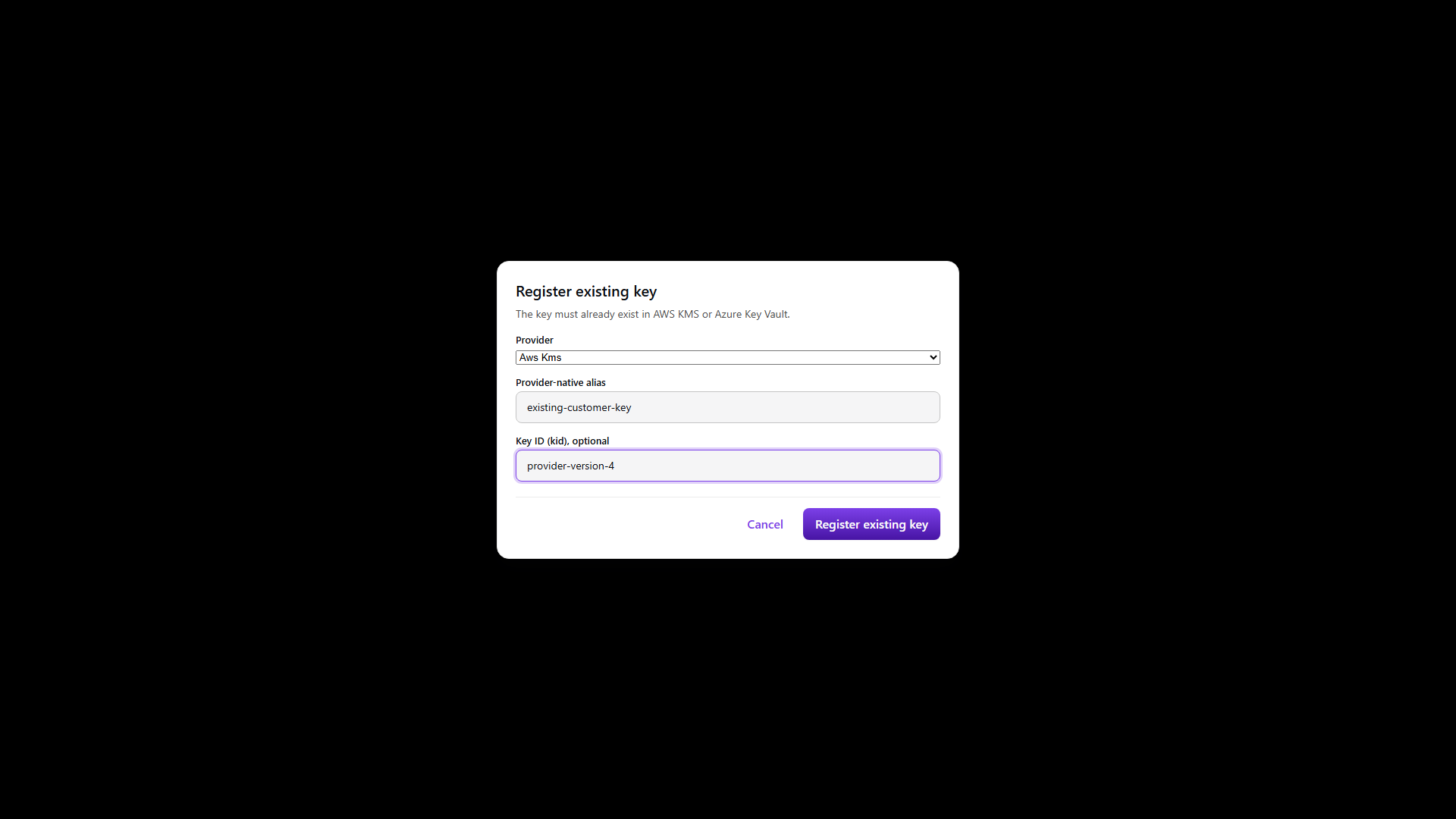
Register an existing Azure key
Registration creates an EXTERNALLY_MANAGED EDK reference to a key that already exists in Azure. You
send the runtime providerId, the provider-native alias, and the canonical kid when you have it;
the service checks that those identifiers resolve to the same object rather than trusting them.
/keys/register is not /keys/import. Import submits JWK material and puts EDK in custody of the
private key, which is the opposite of what this guide is for. Use register whenever the private key
is to remain in Azure.
In the console, Resources > KMS > Keys has a Register existing key action. Check the provider, alias, canonical identifier, algorithm and external lifecycle on the confirmation step, since a key row is a reference and its presence does not mean EDK holds anything.
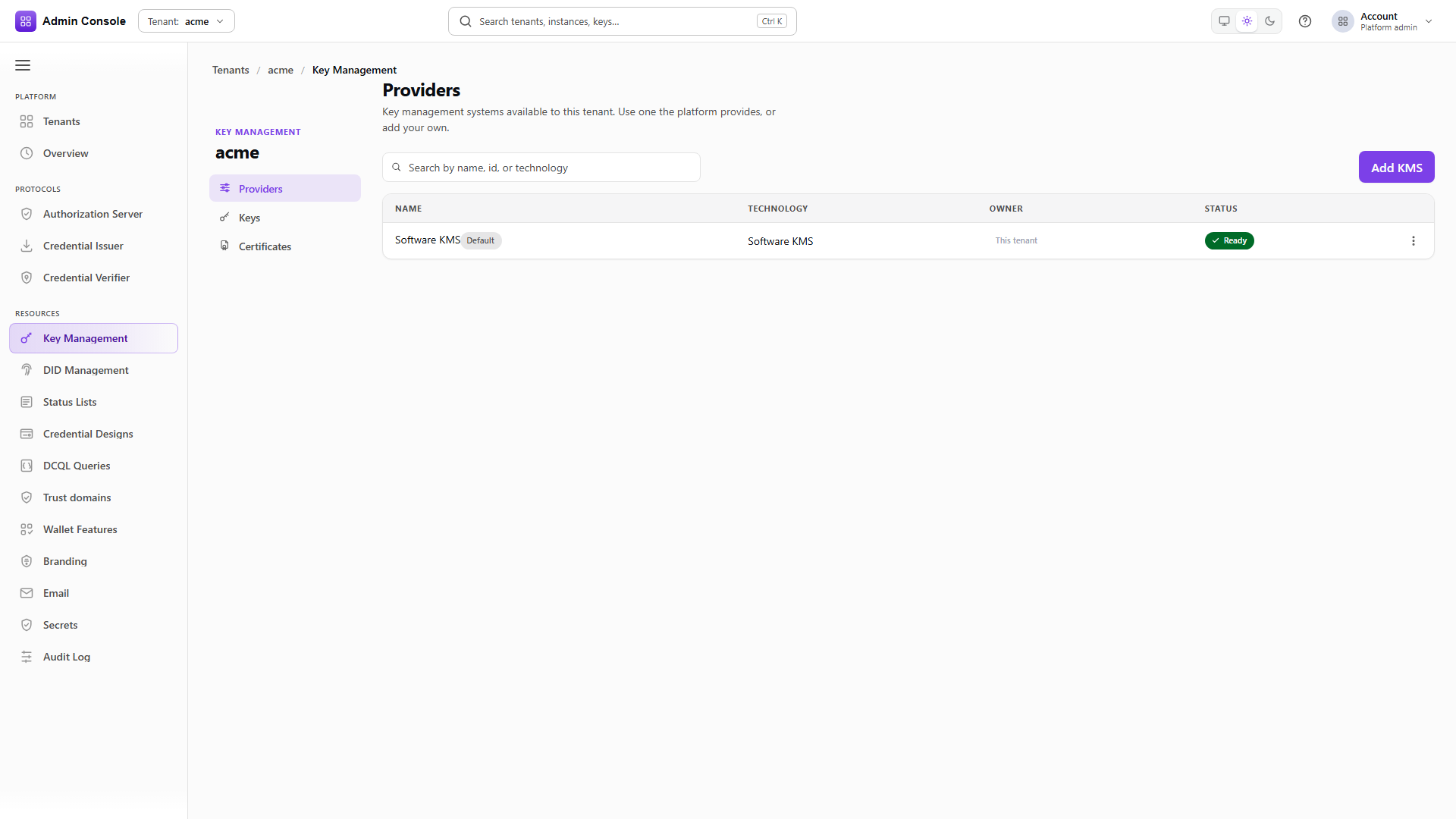
Everything below assumes the vault is onboarded. In Resources > KMS > Providers choose Add KMS and pick Azure Key Vault from the Technology list. The same wizard adds every KMS technology: it takes the vault coordinates first, then the credential, creates the provider and writes the credential when you leave that step, validates the connection, and ends on a review.
Register public certificate material
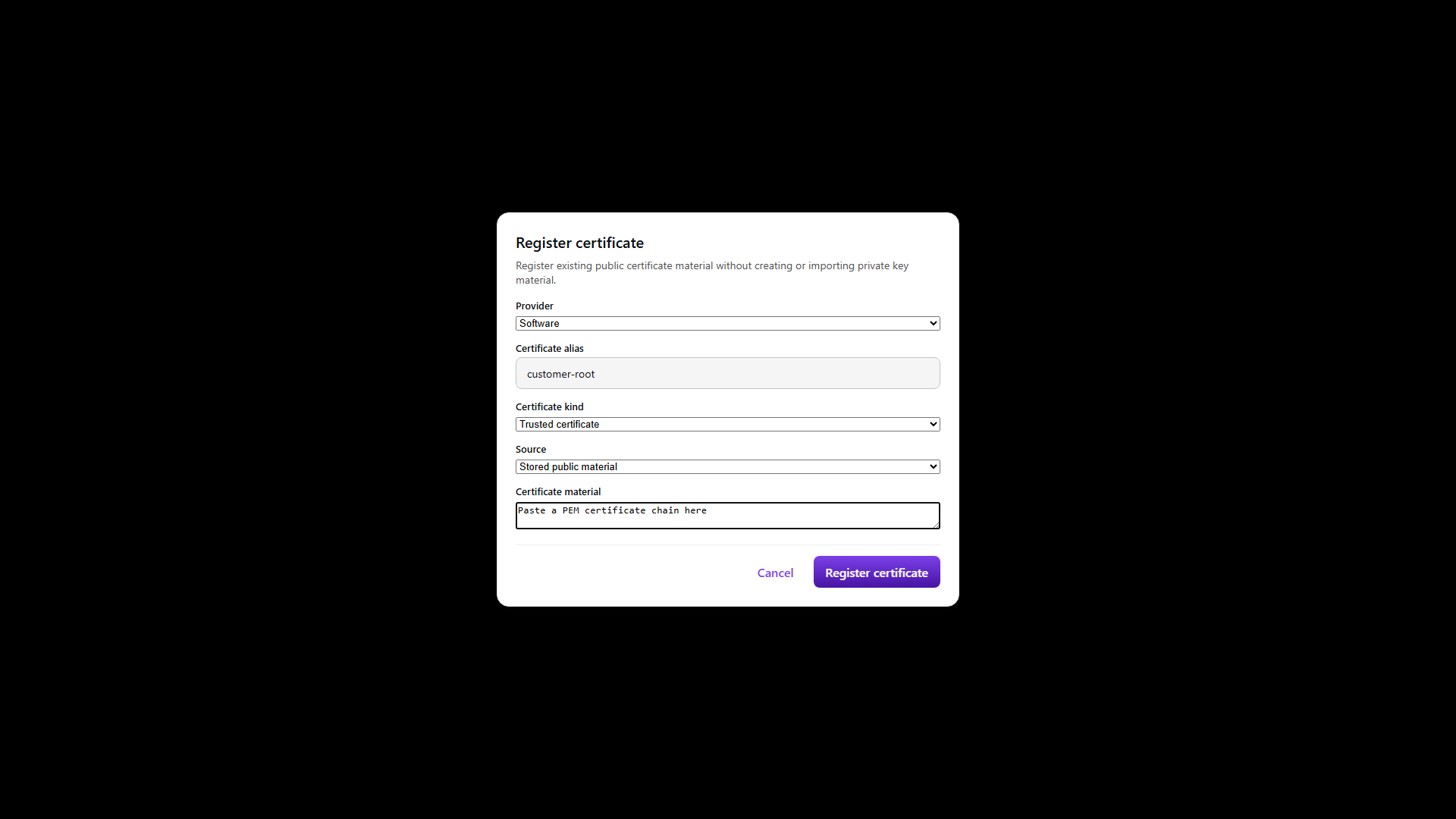
Certificates come in two forms and the distinction is about where the public material lives, never about the private key.
Provider native references a certificate object Azure already holds, so the request carries a
provider certificate id and no certificate bytes. Use it when the certificate and its key were
created together in Key Vault. EDK reads the leaf from Azure on every request and compares it with
what was registered, so a certificate replaced or removed in Key Vault fails the read rather than
being served from a copy. Renewal is a registration event: the renewed certificate is a different
certificate, so register it before it can be read. Azure publishes only the leaf, so when the
kind is key_certificate_chain EDK completes the chain upward from the trusted certificates you have
registered for the tenant, matching each issuer name to a registered subject. Register your issuing
CA as a trusted_certificate before registering a provider-native chain, or the read fails with no
issuing authority found. EDK does not follow AIA URLs and does not export a Key Vault secret as PFX to
recover a chain.
Stored public material carries a public DER chain that EDK keeps as tenant-local verification material. This is the BYOC case, and it does not require the certificate to exist in Azure at all. If your IACA issues a DSC for a key that already lives in Azure, register the key reference, then register the public DSC and IACA chain as stored public material linked to it. Azure keeps signing and never releases the private key; EDK holds only public bytes.
Both forms prove that the certificate belongs to the key. EDK converts the leaf public key and the linked Azure key to canonical SubjectPublicKeyInfo and compares them, at registration and again on every read. A stored chain whose Azure key has since been rotated is refused rather than served, so the chain you get back is always one that still matches the key that will sign with it.
For source: stored_public_material with kind: key_certificate_chain, send at least one of
linkedKeyAlias or linkedKeyKid together with the runtime providerId, and order
certificateChain from leaf to root. Each certificate has to be issued by the one directly above it;
a chain assembled in the wrong order, or one carrying an unrelated certificate, is rejected at
registration. The trusted_certificate kind must not carry linked-key fields. PEM text, private keys,
client secrets and PFX content are all rejected.
Verify what you registered
Read the registration back by its id and compare providerId, the certificate alias, source,
linkedKeyAlias and linkedKeyKid against the key you registered. This read establishes the
linkage; it does not return certificate bytes.
For stored public material, read the chain by its alias with the same providerId. The
certificates array comes back leaf to root, so compare the first entry's public key with the
registered Azure key and check the rest of the chain is the one you supplied.
For provider native, read the registered certificate alias instead. That returns a single base64 DER certificate read live from Azure, and reading it successfully says nothing about whether a separate stored chain was registered correctly.
For mdoc, the registered DSC, the runtime key, the credential's x5chain and the IACA trust policy
all have to agree with each other. Azure protects the key operation and contributes nothing to IACA
governance, VICAL trust or device authentication.
Prove signing before production depends on it
Sign a throwaway payload with the exact provider id, alias, algorithm and payload mode the issuer or status-list lane will use, then verify the signature independently. Provider capabilities are advertised on the runtime API, and a capability that is absent means unsupported rather than untested.
Only after that proof should the same provider id and alias be bound into SD-JWT, mdoc, W3C JWT, status list, authorization server, verifier or DID configuration. A validation pass proves the provider answers; a signature proves the specific key and algorithm work.
Removing references
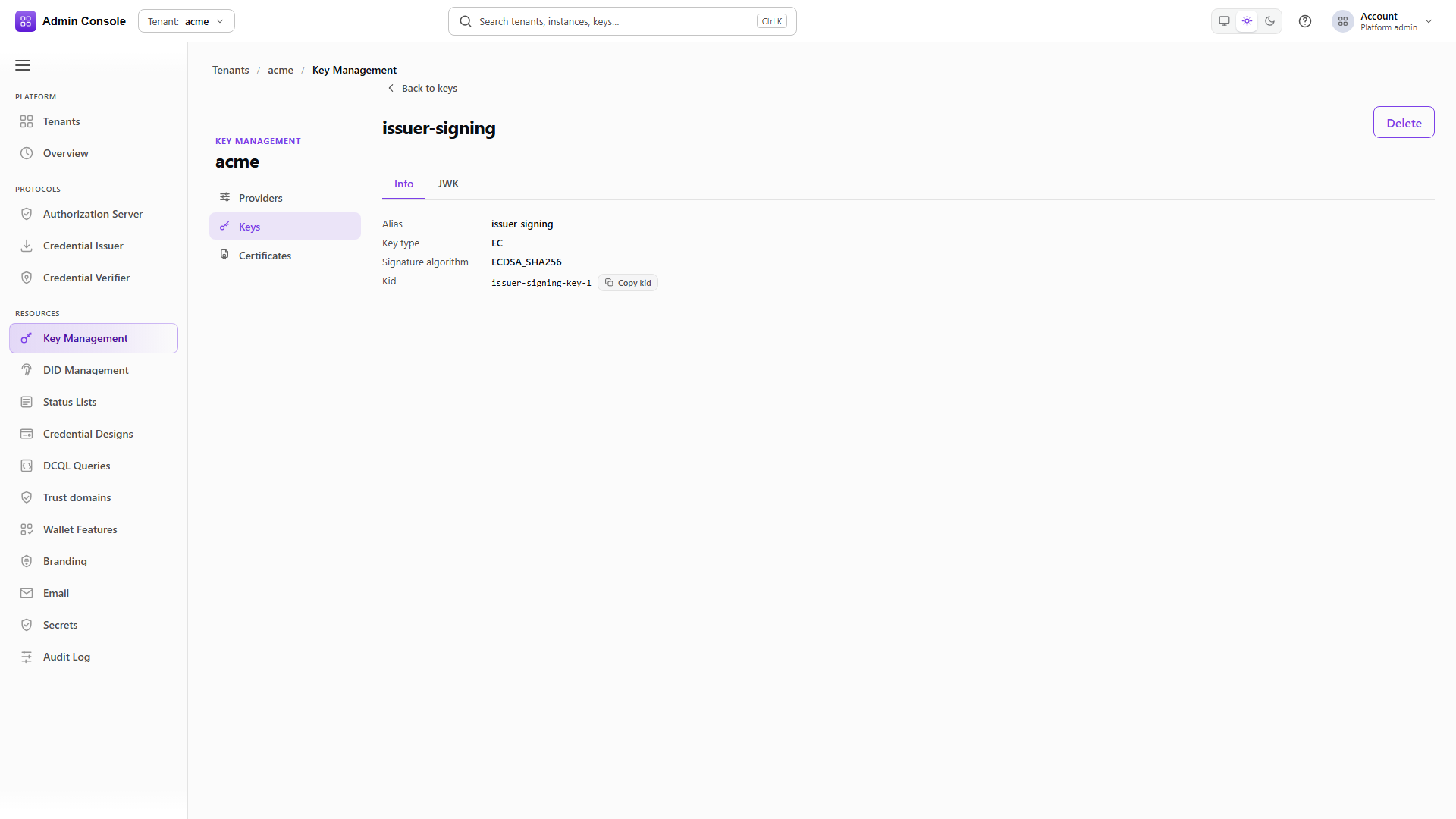
Deleting an externally managed key or certificate removes the EDK reference only. Platform-managed resources can behave differently, so check lifecycle ownership on the detail screen before you detach or retire anything.
A deletion is rejected while an issuer, status list or trust configuration still references the key or certificate. The error names the dependency; remove the owning binding first rather than looking for a force flag. A successful deletion in EDK is not evidence that anything in Azure changed, so verify the external object separately.
Provider resources retire in two steps rather than one, and a shared provider has to stop being offered before it can go. The captured run below closes down the shared Azure provider after the tenant has deleted its keys on it.
The platform withdraws the offer
PUT/api/platform/config/v1/tenants/platform/kms/resources/krh_%3Copaque%3E/sharing200 OK- Admin Console
- Request
- Response
- Try it
Withdrawing writes an empty tenantIds list and keeps SHARED_INSTANCE as the fulfillment mode.
The resource still exists and is still configured; it is simply offered to nobody.
Detach the resource
POST/api/platform/config/v1/tenants/platform/kms/resources/krh_%3Copaque%3E/detach200 OK- Admin Console
- Request
- Response
- Try it
Detach is conditional on expectedResourceVersion 2. The sharing writes did not move the version,
so it is still the one the credential attach produced. The response moves the resource to DETACHED
at version 3, clears credentialConfigured, and narrows availableActions to RETIRE alone.
health keeps the last probe result, so read the state rather than the health to know whether the
resource is in service. Nothing in Azure was touched.
- Admin Console
- Request
- Response
- Try it
Retirement is the end of the resource's life in EDK: RETIRED at version 4, and availableActions
comes back empty. The Azure vault, and every object in it that EDK did not delete, is still there.
Before you call it done
Validation succeeds against the real vault, with the tenant object assignment in place. Applications
select the intended runtime providerId and provider-native alias, and resource handles appear only
in administrative calls. The provider advertises the algorithms and operations you need, the
registered alias and canonical kid resolve to one Azure key, and the certificate material matches
the linked public key and the chain you intended. A real signature and an independent verification
both succeed with the production selector shape. No private key or client secret appears in any
response, screenshot, log or collection. Removing an EDK reference leaves the Azure object intact.
The EDK Credential Status Profiles collection carries optional Azure resource, BYOK and BYOC shapes. Those mutations are disabled by default and need an approved Azure target and tenant-owned credentials before anyone runs them.
Related
Keys and DID, KMS providers reference, KMS keys reference, Certificates reference