Branding and email
Branding is how a tenant presents itself on product surfaces: app name, colours, logos, favicon, the login screen, and the shell around outbound mail. Email is how the tenant actually delivers messages: SMTP accounts, which account sends which message type, and the content of each type.
The two meet in outbound mail, and it helps to know which screen owns what. Email design, under Branding, styles the HTML shell: header logo, footer, button style. Templates, under Email, supply the subject and body for one message type. Accounts and routing decide which SMTP identity sends it. A corporate mark that is wrong on every message is an Email design problem; a wrong subject line on one message is a template problem.
Audience: tenant administrator, or a platform operator working in tenant context.
Prerequisites: Onboard a tenant. Hosted login and owner invitations need a working authorization server, and real delivery needs reachable SMTP or a lab mail sink.
What already exists depends on onboarding and whether sample data was seeded. A clean tenant shows empty forms or product defaults until you save.
Tenant brand
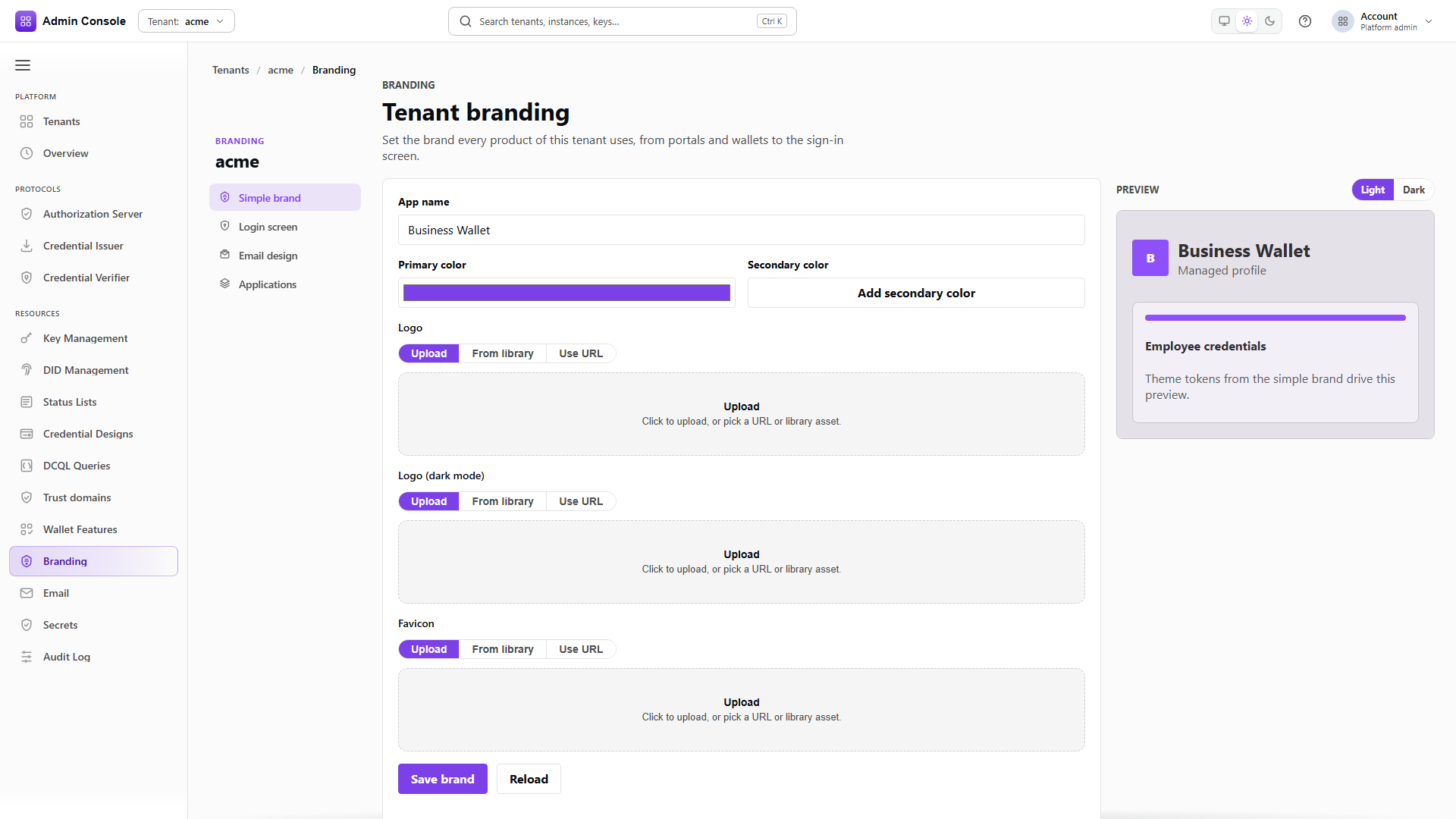
Simple brand is the tenant-global identity used by portals, wallets and the admin shell wherever no application override applies.
| Field | Why it matters |
|---|---|
| App name | The title in chrome and browser context for branded apps. After save, tenant theme resolution can apply it to the console for that tenant. |
| Primary colour | Drives the generated design tokens for buttons, links and focus rings. Pick something with enough contrast on both light and dark surfaces. |
| Secondary colour | An optional accent. Omit it if one brand colour is enough. |
| Logo, dark logo, favicon | Separate light and dark logos stop a mark washing out on dark UI. The favicon is what operators see in browser tabs. |
| Tagline | A short line under the name, shown on login and in email where those surfaces use it. |
- Admin Console
- Request
- Response
- Try it
Resources > Branding > Simple brand. The read returns the whole brand including the asset URIs, and
logoDark comes back null when no dark variant has been set, which is worth checking before anyone
reports a washed-out logo.
- Admin Console
- Request
- Response
- Try it
The write replaces the brand, so send the complete object rather than the field you changed. Reload discards unsaved edits.
generatedTokenCount in the response is diagnostic: it reports how many design tokens the colours
produced. hasPowerOverrides says whether anything has been overridden below the simple-brand level.
Neither is something you edit here.
- Admin Console
- Request
- Response
- Try it
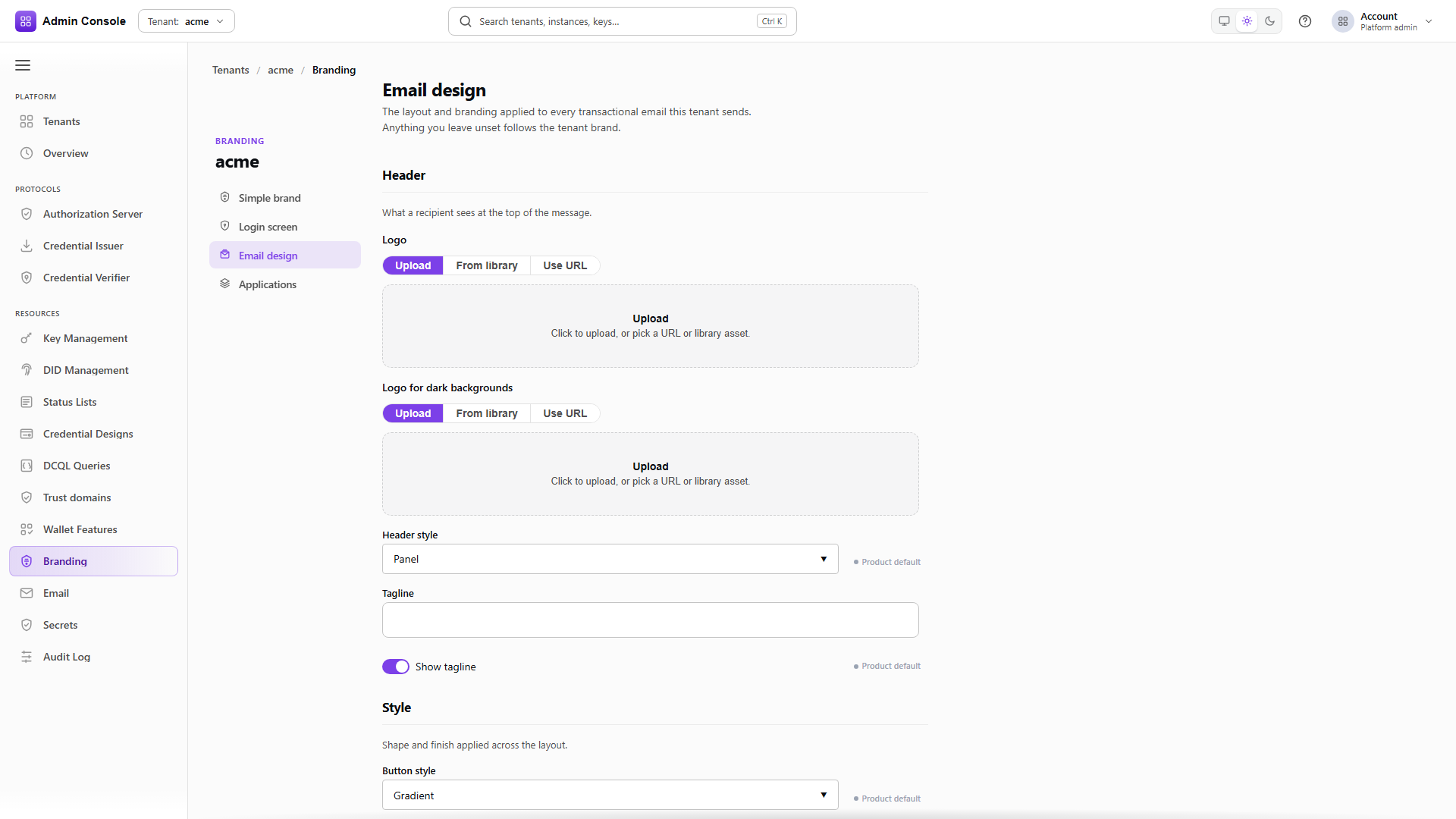
Email design controls the shell around outbound HTML mail: header logo and dark logo, header style, whether the tagline shows, button and corner style, footer note, support URL and support email.
The resolved read is the useful one because each element carries an origin. TOKEN_FALLBACK means
the value came from the tenant brand, DEFAULT means it came from the product, and an explicit
override reports itself. That tells you whether changing the simple brand will move this element or
whether something here is already pinned.
Change email design when a mark or footer is wrong for every message type at once. Per-type copy belongs in templates.
- Admin Console
- Request
- Response
- Try it
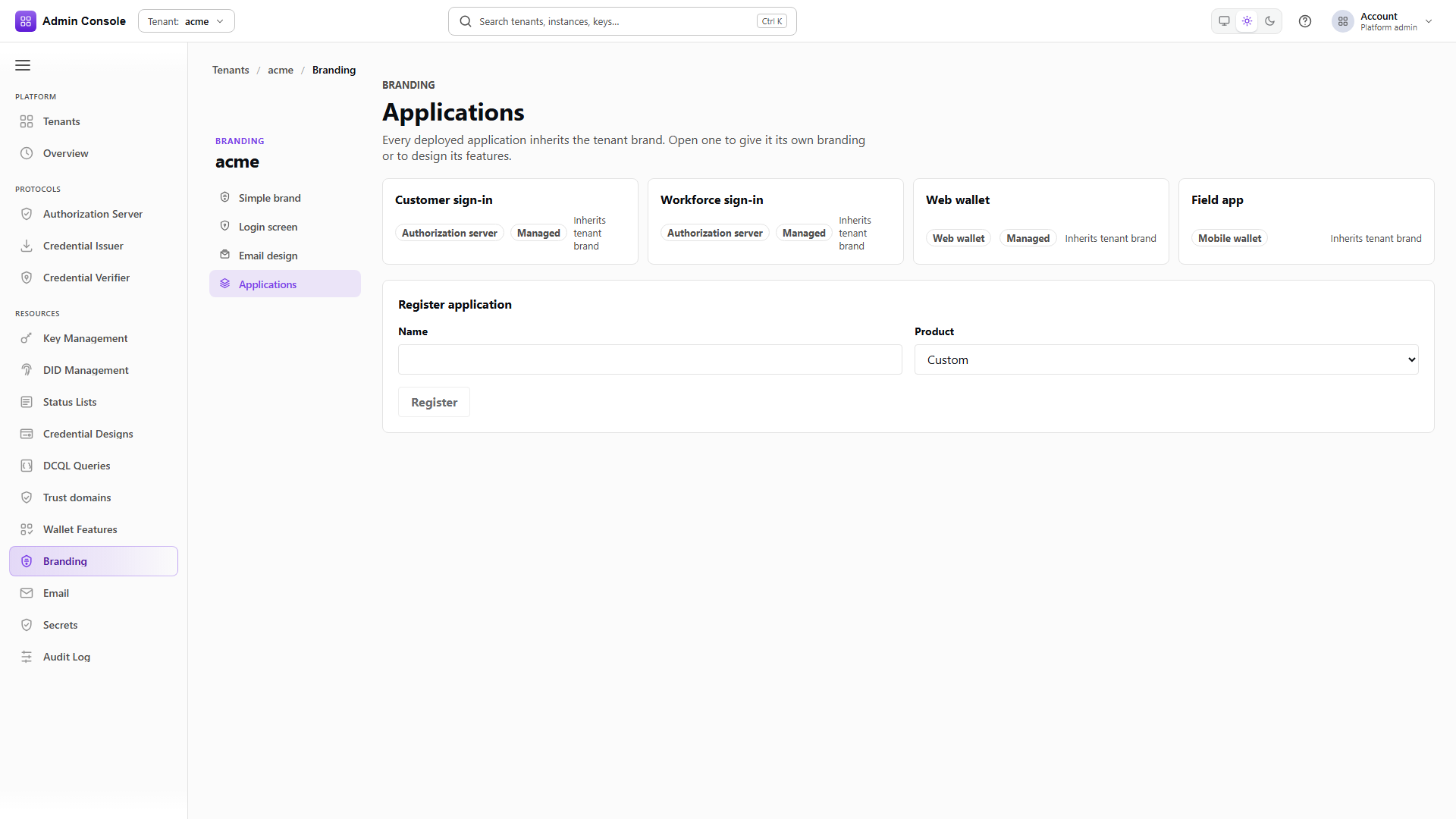
Registered product applications, each able to carry its own brand override. managed: true marks the
ones the platform registered itself, and productType says what the application is:
AUTHORIZATION_SERVER, WEB_WALLET and so on.
Use an override when one surface must not share the tenant's primary colour, such as a separate workforce portal. Leave it empty and the application inherits Simple brand.
Login screen
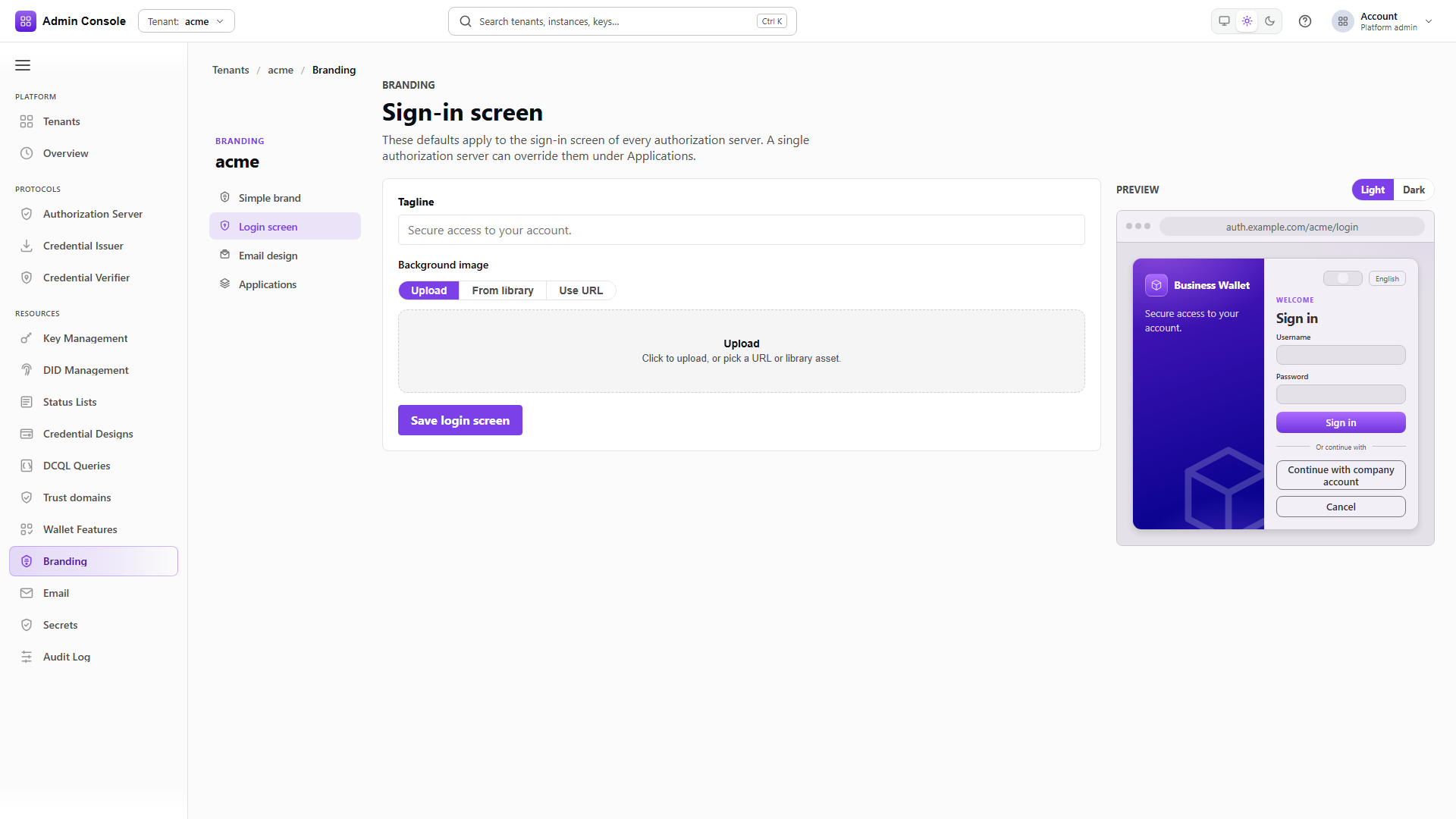
Login-specific design sits on top of the simple brand, so sign-in can carry a different background or
tagline without changing wallet chrome. These are feature bindings on the AUTHORIZATION_SERVER
product's login feature, written through the theme element-binding endpoints; the tenant brand
itself still comes from the calls above.
Preview light and dark before saving. A broken background asset produces an empty preview rather than an error, and nobody notices until holders reach the production sign-in page.
Full schema: Theme API.
Email accounts, routing and templates
An email account is a named SMTP sender the tenant owns. Product flows such as owner activation, password change, invitations and wallet security notices never open a socket themselves. They resolve a route to an account and hand the composed message to that account's transport. Without a working account those flows fail at send time, while branding and templates continue to edit perfectly well.
- Admin Console
- Request
- Response
- Try it
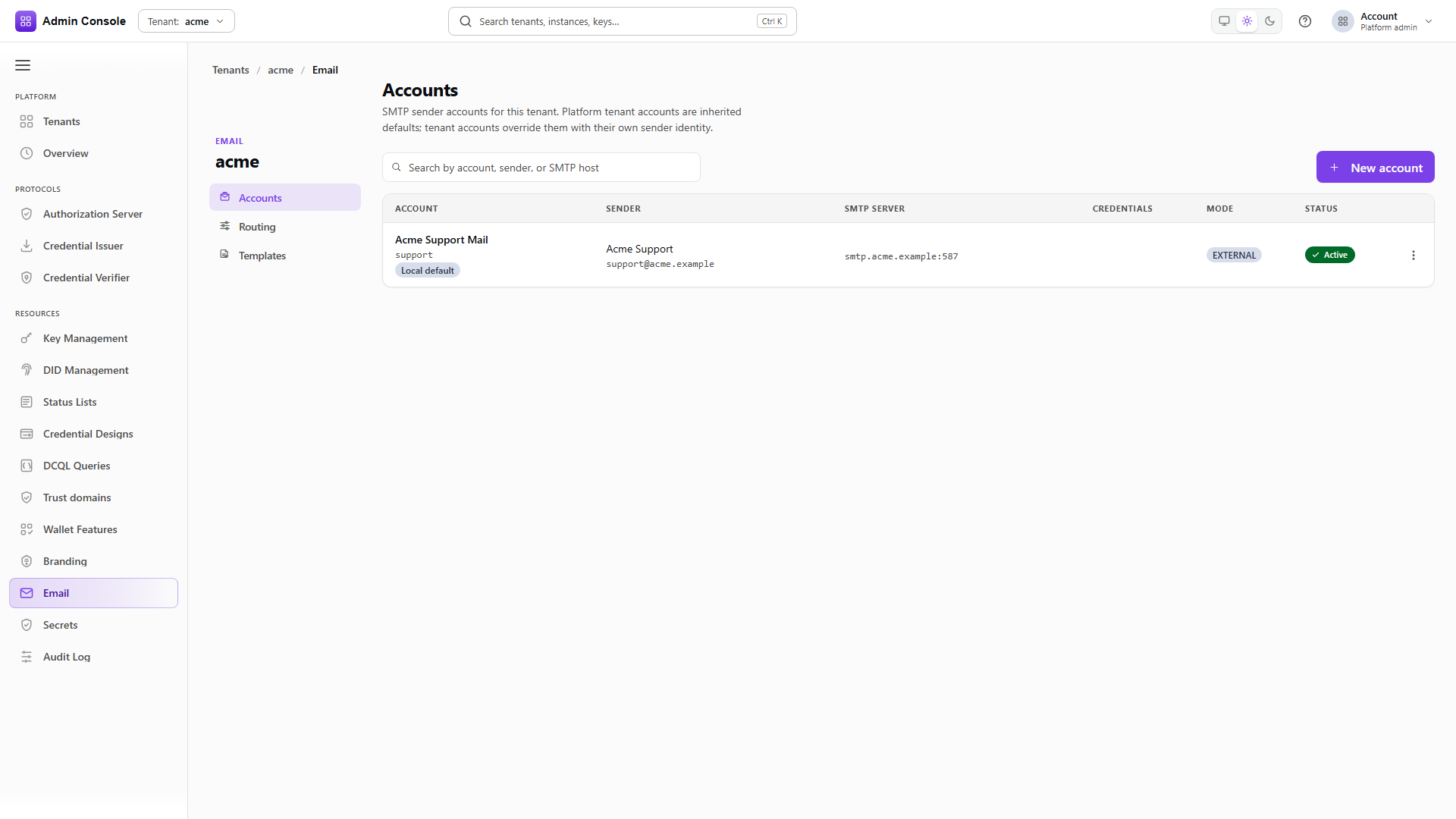
Resources > Email > Accounts shows the display name and stable account id, the sender name and address recipients will see, the SMTP host and port, whether credentials are stored, how the account is managed, and its lifecycle status. A Local default badge marks the tenant routing default.
Row actions are Send test, Edit, Make default and Delete. Delete is refused while the account is the local default or while a route still points at it, so move routing first.
- Admin Console
- Request
- Response
- Try it
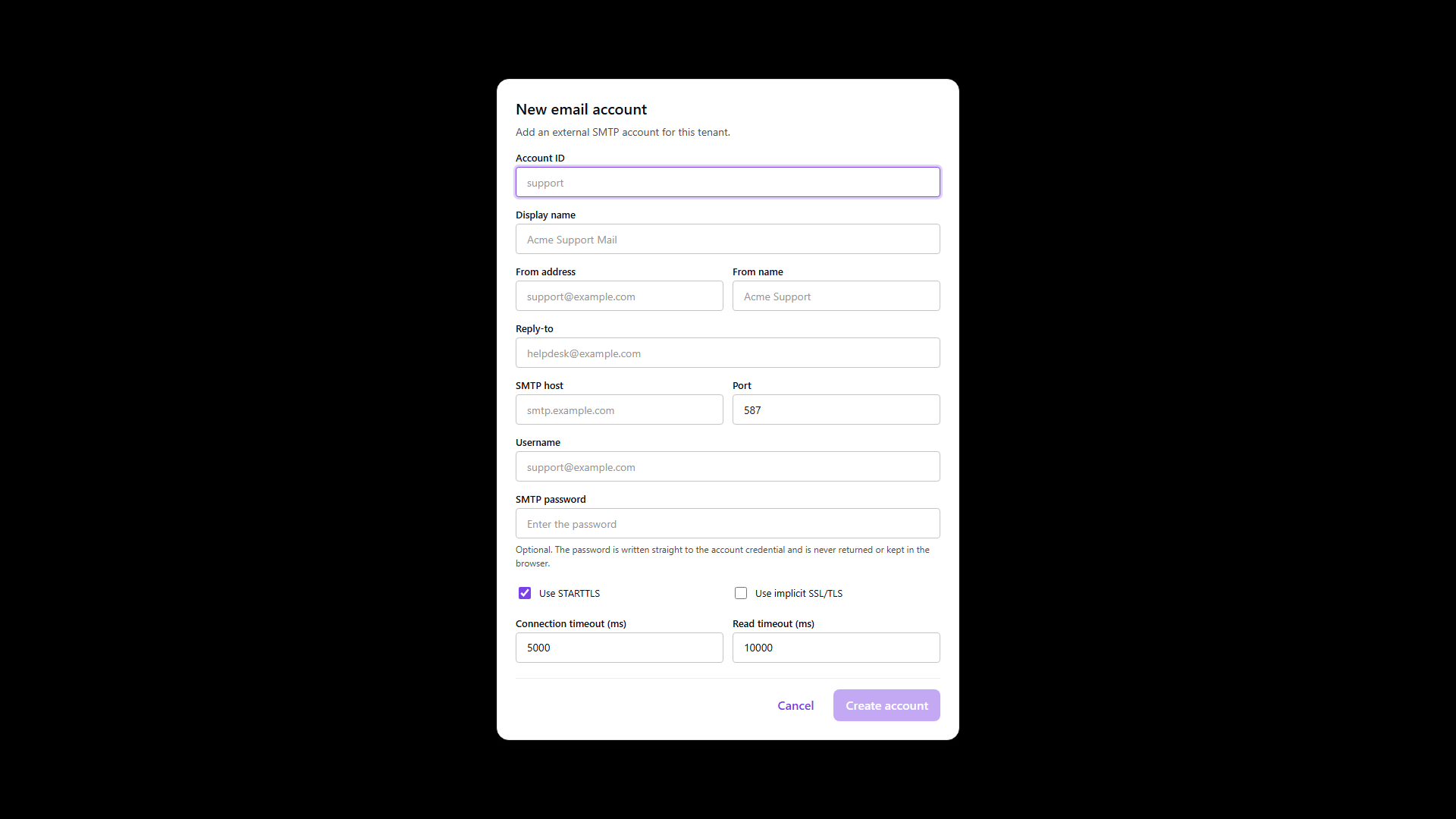
The account id is fixed at create and is what routing references afterwards.
| Field | Why it matters |
|---|---|
accountId | The stable key, such as support or noreply. Letters, digits, underscore and hyphen, starting with a letter or digit. |
displayName | The operator-facing label in lists and default-badge notices. |
fromAddress | The envelope and header From. It has to be a mailbox your SMTP provider authorizes for this host, or SPF and DKIM alignment fails. |
fromName | The human-readable sender. |
replyTo | An optional alternate inbox when From is a no-reply address. Leave it empty to send replies to From. |
smtp.host, smtp.port | The submission endpoint. Usually 587 with STARTTLS or 465 with implicit SSL. |
smtp.username | Often the same as the From address, sometimes a separate relay user. |
smtp.password | Written once into the credential store. On edit, leave it blank to keep the current secret or enter a new value to rotate. It is never returned. |
smtp.useStarttls | Upgrade a clear connection, the usual choice on 587. |
smtp.useSsl | TLS from the first byte, the usual choice on 465. Do not set both against one port unless your provider documents that combination. |
| Connection and read timeouts | Fail fast on a dead host so a product send does not hang an operator workflow. The 5000 and 10000 millisecond defaults suit most hosted SMTP; raise them only for slow enterprise relays. |
Note what comes back. The response echoes the account without the password and without the transport credentials, which is the same rule the console follows.
Prefer separate accounts and separate credentials per purpose and environment: a support mailbox for human-facing mail, a no-reply for automated activation, different credentials in lab and production. Shared credentials make rotation and incident response harder than they need to be.
- Admin Console
- Request
- Response
- Try it
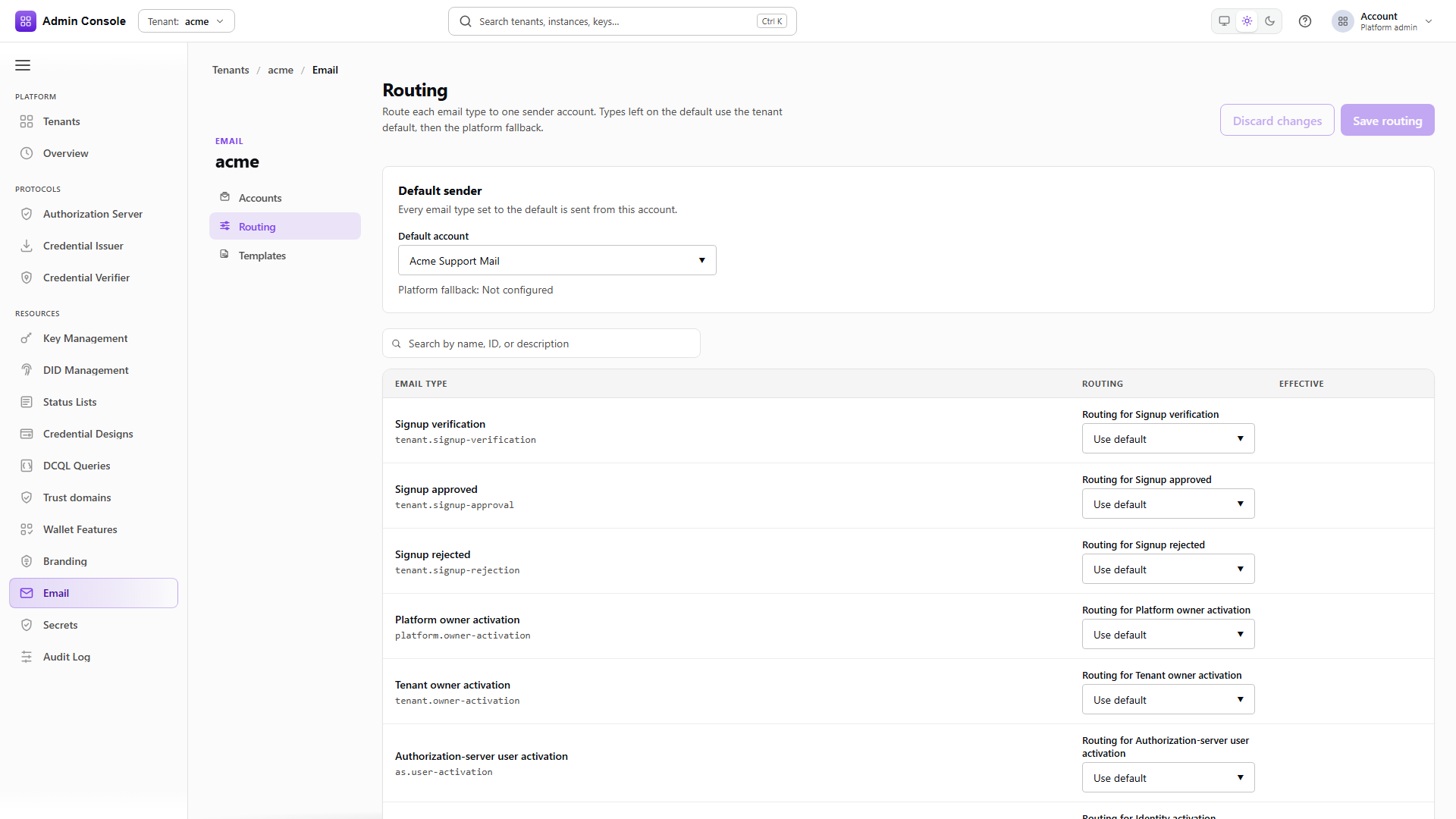
Routing maps an email type to an account, with a default for every type that has no specific assignment, and a list of types the tenant does not send at all.
The response separates localPolicy from effectiveRoutes. The local policy is what this tenant
configured; the effective routes are what will actually be used once platform-level fallback is
applied. An empty effectiveRoutes with a populated local policy means nothing has been resolved
yet, not that routing is broken.
- Admin Console
- Request
- Response
- Try it
The write replaces the policy, so send the default account, the full list of assignments and the full list of disabled types together.
Set the default first and then special-case the types that need a different sender. Wrong routing sends invitations from the wrong mailbox, or silently drops a type you meant to keep, and neither shows up until someone expects a message that never arrives.
- Admin Console
- Request
- Response
- Try it
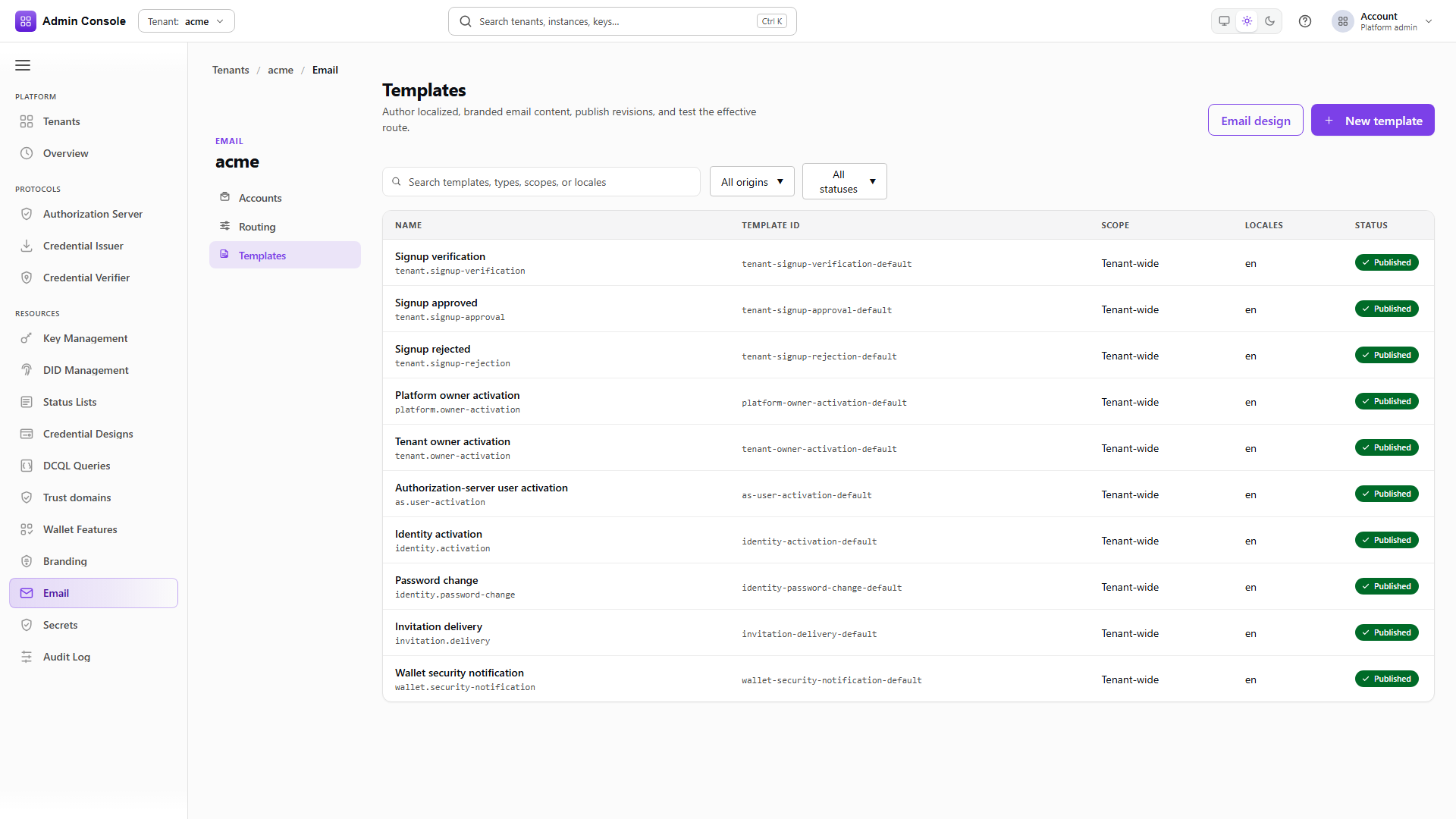
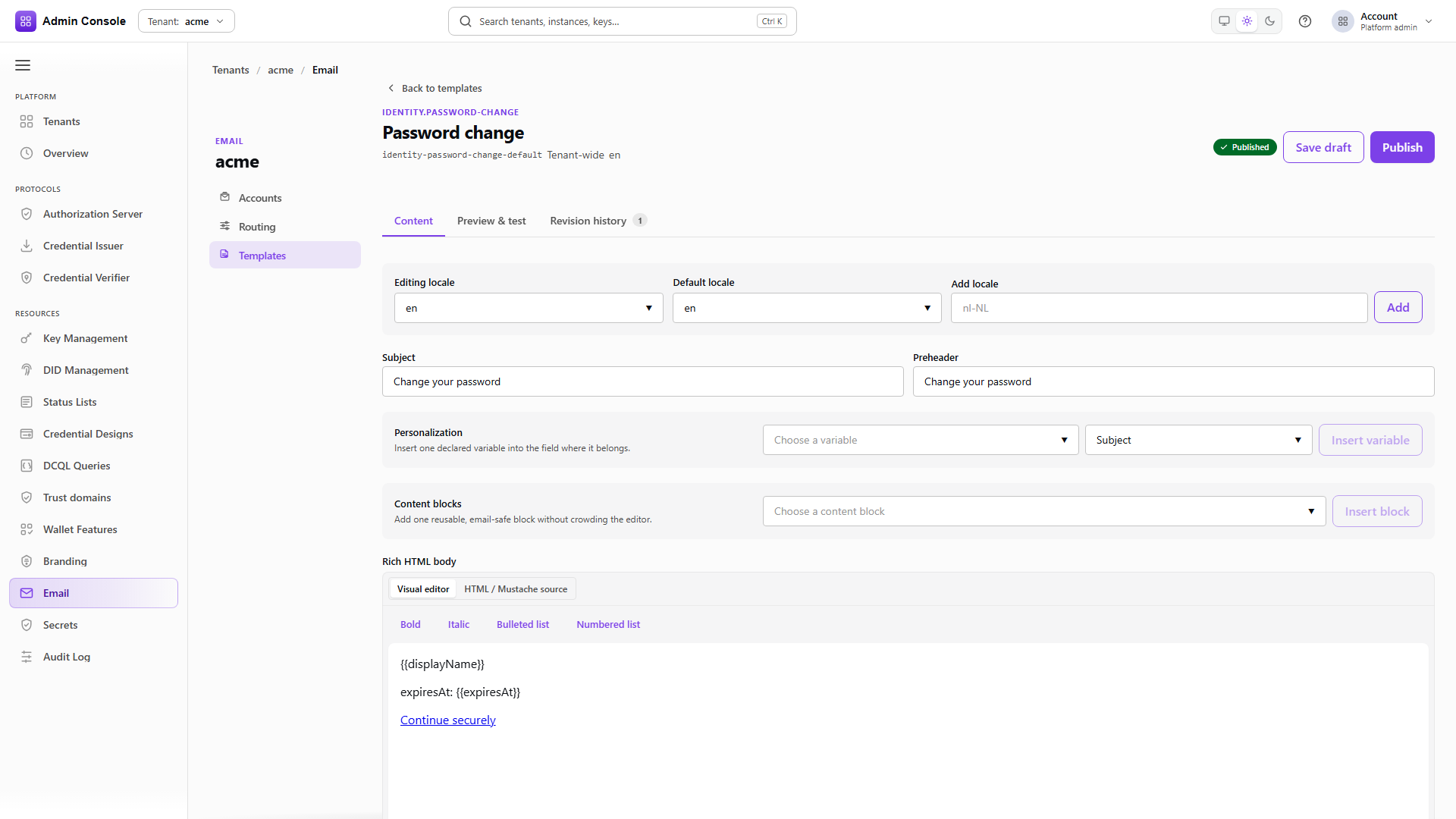
Each template carries its templateId, the emailTypeId it serves, and a locales map holding the
subject, preheader, HTML fragment and plain-text body for each locale.
The catalog covers the built-in product types plus any custom types you add, and can be filtered by
origin and by draft or published status. Variables such as landingUrl and displayName come from
the type catalog, so a variable that renders empty is a catalog or runtime problem rather than a
subject-line problem.
Templates render inside the email design shell. Do not paste a corporate mark into every HTML body when the shell already carries it.
Preview with sample data
POST/api/platform/config/v1/tenants/acme/email/templates/identity-password-change-default/preview200 OK- Admin Console
- Request
- Response
- Try it
Preview takes the source to render, DRAFT or the published revision, a locale, and the variables to
substitute. The response returns the resolved locale, the revision, the subject, the preheader and
the rendered HTML, so you see exactly what substitution produced.
Preview does not deliver anything and does not write an override. Send routed test is the separate action: it saves the draft first, then submits through the effective account for that type, which exercises composition and routing as well as SMTP.
The three failure modes point at three different screens. A wrong shell in the preview iframe is Email design. A wrong From address on a real send is routing or the account. Empty or wrong variables are the type catalog or the runtime supplying them.
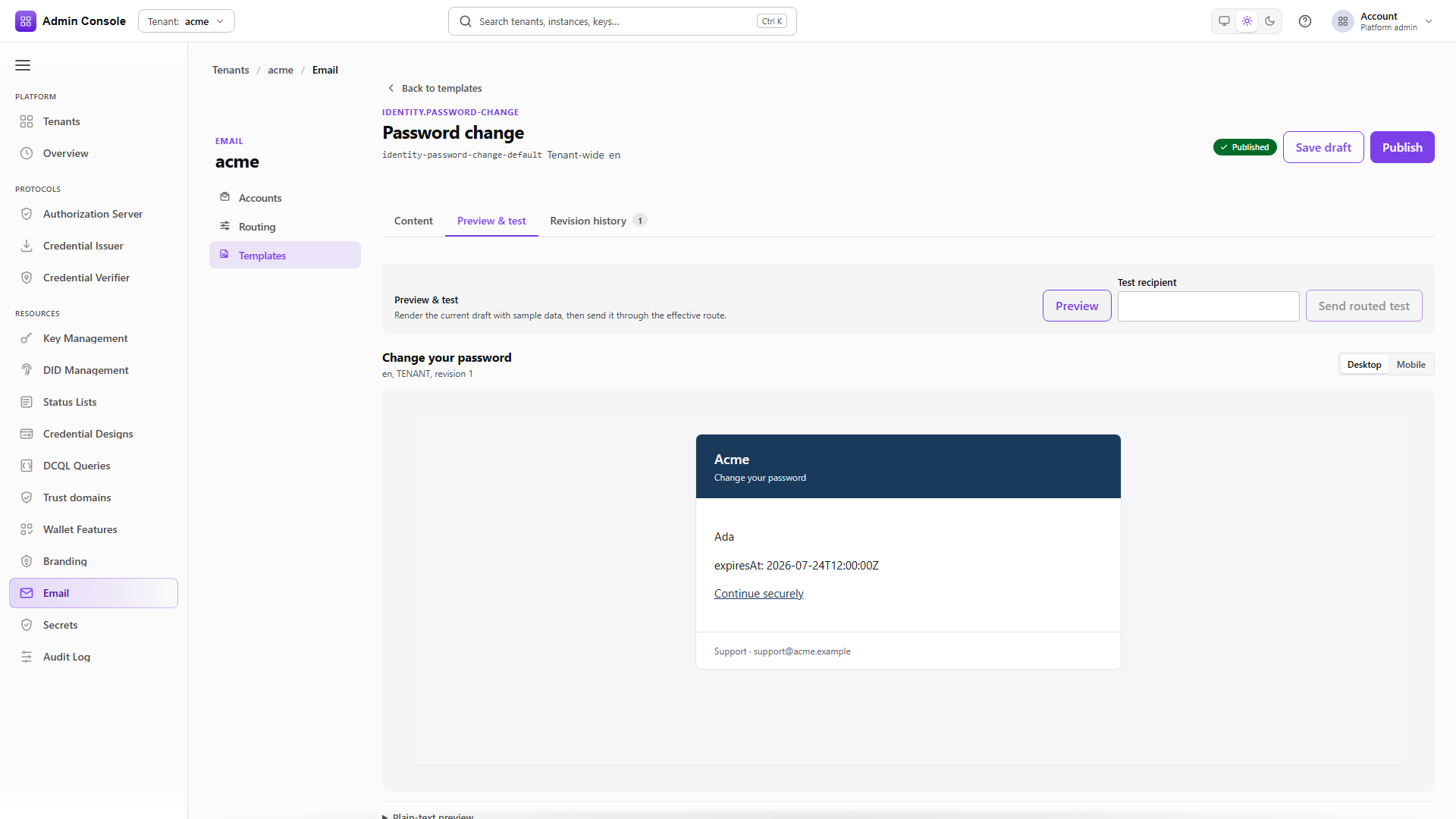
The template workspace has three tabs. Content holds the locales, subject, preheader, personalization tokens, content blocks and both bodies, with a default locale for fallback. Content blocks give you email-safe markup for calls to action, panels and metadata without hand-writing HTML each time. Save draft writes a new draft revision and Publish promotes it for production senders; a product default stays a product default until you save a tenant override. History lists the published revisions and can copy one back to the draft.
Full schema: Theme API for branding, Platform config API for accounts, routing and templates.
Order of work
Set the simple brand first, since email design and login both inherit from it and doing it the other way round means revisiting the overrides. Adjust the login screen only if sign-in needs different art, and the email shell only if the mail chrome is wrong. Register application overrides where one surface genuinely has to differ.
Then create the email accounts and prove SMTP with a test send before touching routing, because an account that cannot authenticate makes every routing question moot. Set the default account, assign the types that need a different sender, and review the template subjects and bodies per locale last.
A successful test send proves the account can authenticate and hand off a message. It does not prove SPF or DKIM alignment for a production domain, and it does not exercise routing. A routed test from the template Preview tab does both.
Related
Simple brand, Login screen, Email design, Applications, Accounts, Routing, Templates