Email: Accounts
Catalog id: resource.email.accounts
A named sender the tenant owns: the From identity recipients see, the SMTP host that accepts the message, and how credentials and TLS are applied. Routing assigns message types to these accounts, and no product flow sends anything without resolving one first.
Audience: tenant administrator.
Guide: Branding and email.
Working with accounts
- Admin Console
- Request
- Response
- Try it
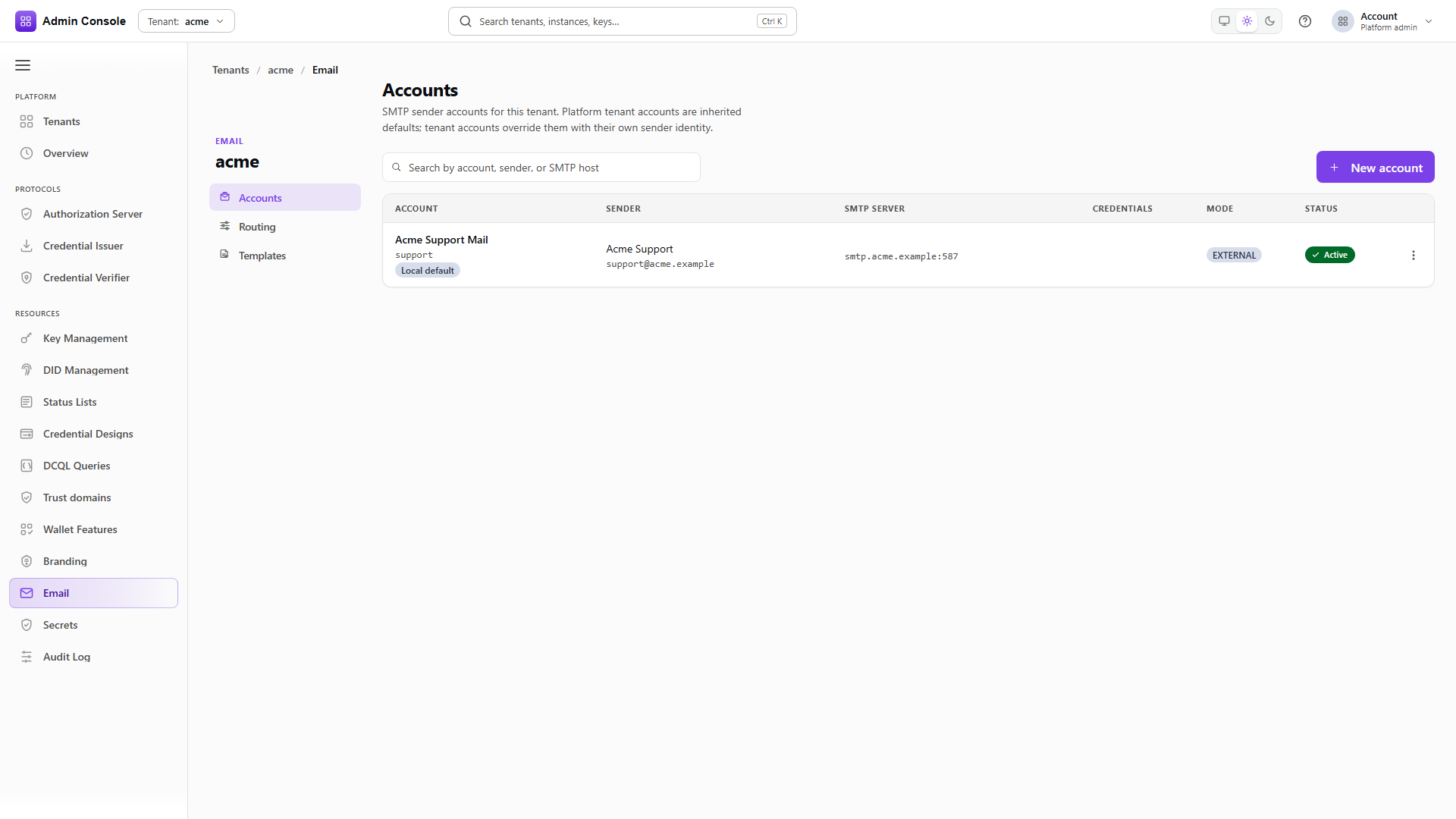
Resources > Email > Accounts. Each row shows the display name and account id with a Local default badge where it applies, the From name and address, the SMTP host and port, whether a password reference is stored, the management mode, and the lifecycle status.
The credentials column reports only whether a secret exists. The value is never returned by the API and never rendered by the console.
Row actions are Send test, which opens a dialog for a recipient, subject and body and submits through this account alone; Edit, which reloads the latest configuration and lets you change the From identity, SMTP settings or password; Make default, which sets the tenant local default for types with no purpose-specific assignment; and Delete, which is refused while the account is the local default or while a route still points at it.
- Admin Console
- Request
- Response
- Try it
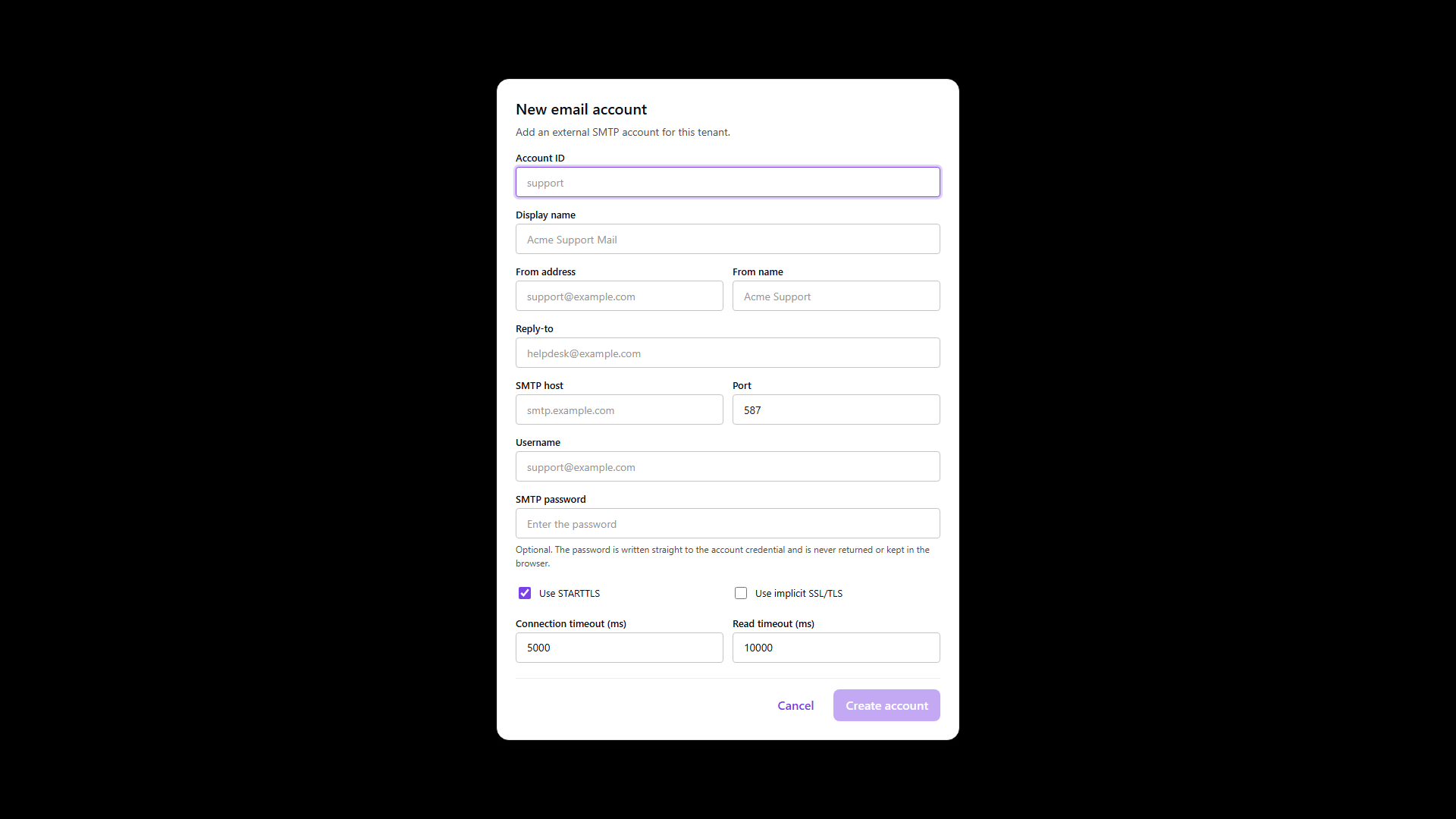
| Field | Notes |
|---|---|
accountId | The stable key routing references. Immutable after create. |
displayName | The operator-facing label. |
fromAddress, fromName | The sender recipients see. The address has to be one your relay authorizes for this host. |
replyTo | Optional, for when From is a no-reply mailbox. |
smtp.host, smtp.port | The submission endpoint. |
smtp.username, smtp.password | Authentication. The password is write-only; leaving it blank on edit keeps the stored secret. |
smtp.useStarttls, smtp.useSsl | Match the provider: STARTTLS on 587, implicit SSL on 465. |
| Connection and read timeouts | Fail fast against a dead relay instead of hanging an operator workflow. |
The response echoes the account without the password and without the transport credentials, which is the same rule the console follows on screen.
A test send after create, or after rotating the password, proves the account can authenticate and hand off a message. It does not prove SPF or DKIM alignment for a production domain, and it does not exercise routing; a routed test from a template's Preview tab does both.
Full schema: Platform config API.