Developer Console settings
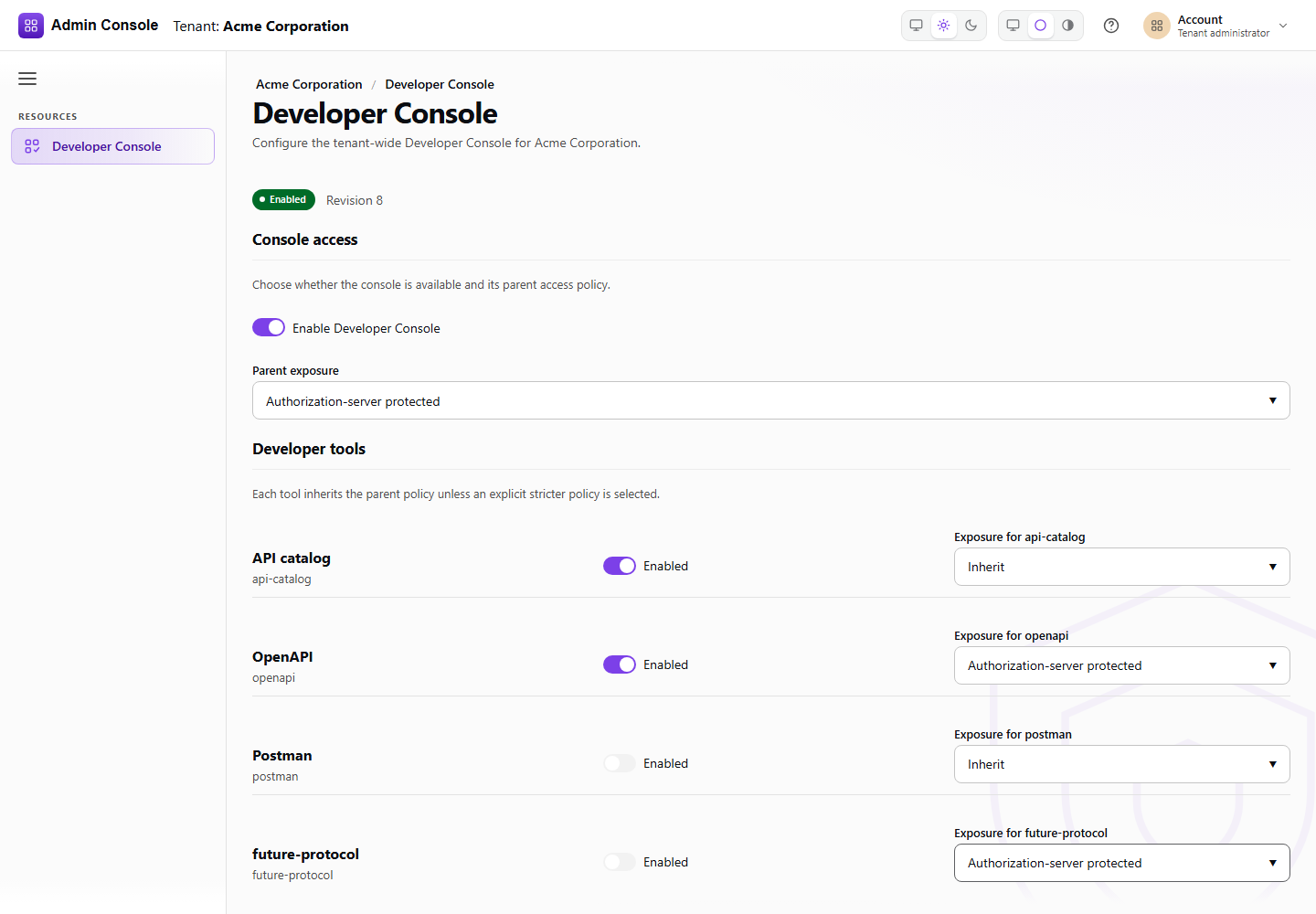
Resources > Developer Console > Settings configures the Developer Console for one tenant. The settings are one tenant-wide policy with a revision; every save replaces it.
Console access
- Enable Developer Console turns the console on or off for the tenant. When it is off, the console answers that it is unavailable.
- Parent exposure is the access policy every developer tool inherits: Public lets anonymous visitors use it, Authorization-server protected requires sign-in through the tenant's authorization server.
Developer tools
Each tool (API catalog, OpenAPI and Postman) has its own Enabled switch and an exposure. Inherit follows the parent exposure. A tool can be made stricter than the parent, never weaker: a protected console cannot contain a public tool, and the screen refuses to save that combination ("Tool exposure conflicts with the parent policy").
Developer Console URL
The URL where developers open the console for this tenant, derived from the tenant base URL. Use Copy URL to share it, or open the console in a new tab.
Saving
Save changes writes the policy; Discard drops unsaved edits. When someone else changed the configuration in the meantime, the screen reloads the current revision ("Configuration changed elsewhere") so you review it before saving again. The same policy is available through the platform configuration API; see Developer Console.