Secrets and KMS providers
Two products sit next to each other in the resource rail and solve different problems. Secrets holds opaque credentials: SMTP passwords, API keys, vault tokens, the material an integration needs to authenticate. Key Management holds cryptographic key stores: the private keys that sign tokens, credentials, status lists and DID proofs.
The distinction matters when something breaks. A failing SMTP login is a secrets problem. A failing JWT signature is a KMS problem. Treating both screens as one pile of crypto settings is where most misdirected debugging starts.
They touch in two places. A software KMS keystore is unlocked with a password that can be stored as a secret, and cloud KMS credentials can be staged through write-only secret fields. Neither makes Secrets the place to look when a signature fails.
Audience: platform operators for platform storage, shared providers and tenant policy; tenant administrators for their own assignment, migrations and key stores.
Prerequisites: a platform with an active license exposing both products, and at least one tenant from Onboard a tenant. Real Vault or cloud backends need network paths and credentials that exist outside the browser.
What you find on these screens depends on onboarding. A lab tenant often has environment secret storage and a product-managed software KMS already. A clean production tenant shows empty lists until someone attaches something, and empty is usually "not provisioned yet" rather than broken.
How secret management is layered
Secret management has three layers, arranged so a platform credential never reaches a tenant UI.
A provider definition is the real backend: a Vault address, an AWS account, an Azure vault, the deployment environment, or a KMS-backed store. Definitions carry revisions. Credentials are staged write-only, tested, preflighted, then marked ready, and health comes from probes rather than from whoever filled in the form.
An offering is the tenant-facing face of a platform definition, and only the platform creates them. Tenants see a display name, capabilities, isolation mode and whether migration is allowed. They never see the definition id, the physical locator, or the platform's vault token. The isolation mode is the contract that keeps one tenant from reading another's material on a shared backend.
An assignment is the tenant's current secret backend, and exactly one is active at a time. Every piece of product code that creates a secret handle or resolves an SMTP password goes through it. When the assignment is wrong or missing, forms still open and validate, and the failure appears later at send time.
Platform storage is the same idea applied to the platform itself, for bootstrap secrets and platform-operated integrations. Keep it under platform control; pointing it at a customer-controlled vault mixes two trust boundaries that should stay apart.
Why nothing is ever shown back
The console never displays a secret value after submit, and there is no reveal control. Browser history, screen shares and support screenshots must not be able to recover a production password. Rotation stages a new value instead, and a blank field on a rotate form means keep the current one; clearing a secret is a separate confirmed action.
Mutations use If-Match with a strong ETag, so two operators editing the same assignment or policy
get a conflict rather than one silently overwriting the other. If you need a value again, you rotate
or re-stage it.
Isolation modes
Isolation mode is part of an offering's published contract and describes how the backend separates tenants. On a shared Vault or a single cloud account this is a data-risk decision rather than a preference.
| Mode | What it means |
|---|---|
tenant-key | Per-tenant cryptographic separation or keying material |
tenant-namespace, tenant-vault | Path or mount isolation inside one control plane |
tenant-policy, tenant-role | Access controlled per tenant through IAM or policy attachment |
read-only-deployment | Values come from the deployment; console writes are disabled |
Tenant policy can require backend-enforced isolation, which refuses offerings that do not meet the bar. Policy cannot create isolation a backend does not implement; it can only decline to use one.
Secret storage, tenant and platform
Read the tenant's active assignment
GET/api/platform/config/v1/tenants/00000000-0000-4000-8000-000000000000/secrets/assignment200 OK- Admin Console
- Request
- Response
- Try it
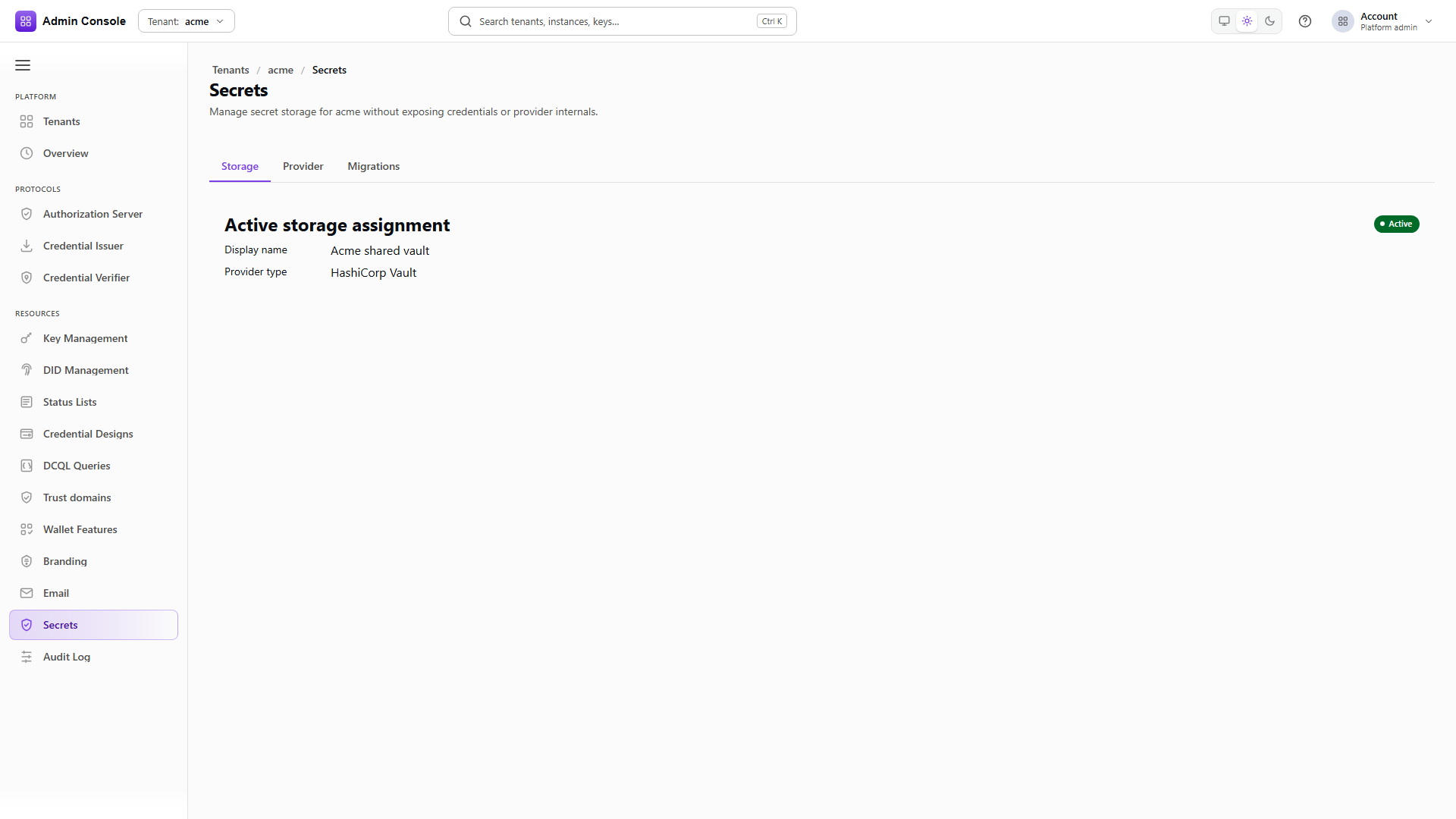
Resources > Secrets > Storage shows the one active assignment: display name, provider type, lifecycle
state, and whether it came from a platform offering or a tenant-managed provider. The captured tenant
uses a platform offering, which source reports as platform-offering.
version is the value a conditional write needs. Read before you write.
Switching assignment is not a rename. Moving between backends is a migration with copy, validation and cutover phases, driven from the Provider and Migrations tabs rather than by editing configuration directly.
See what this tenant is permitted to use
GET/api/platform/config/v1/tenants/00000000-0000-4000-8000-000000000000/secrets/options200 OK- Admin Console
- Request
- Response
- Try it
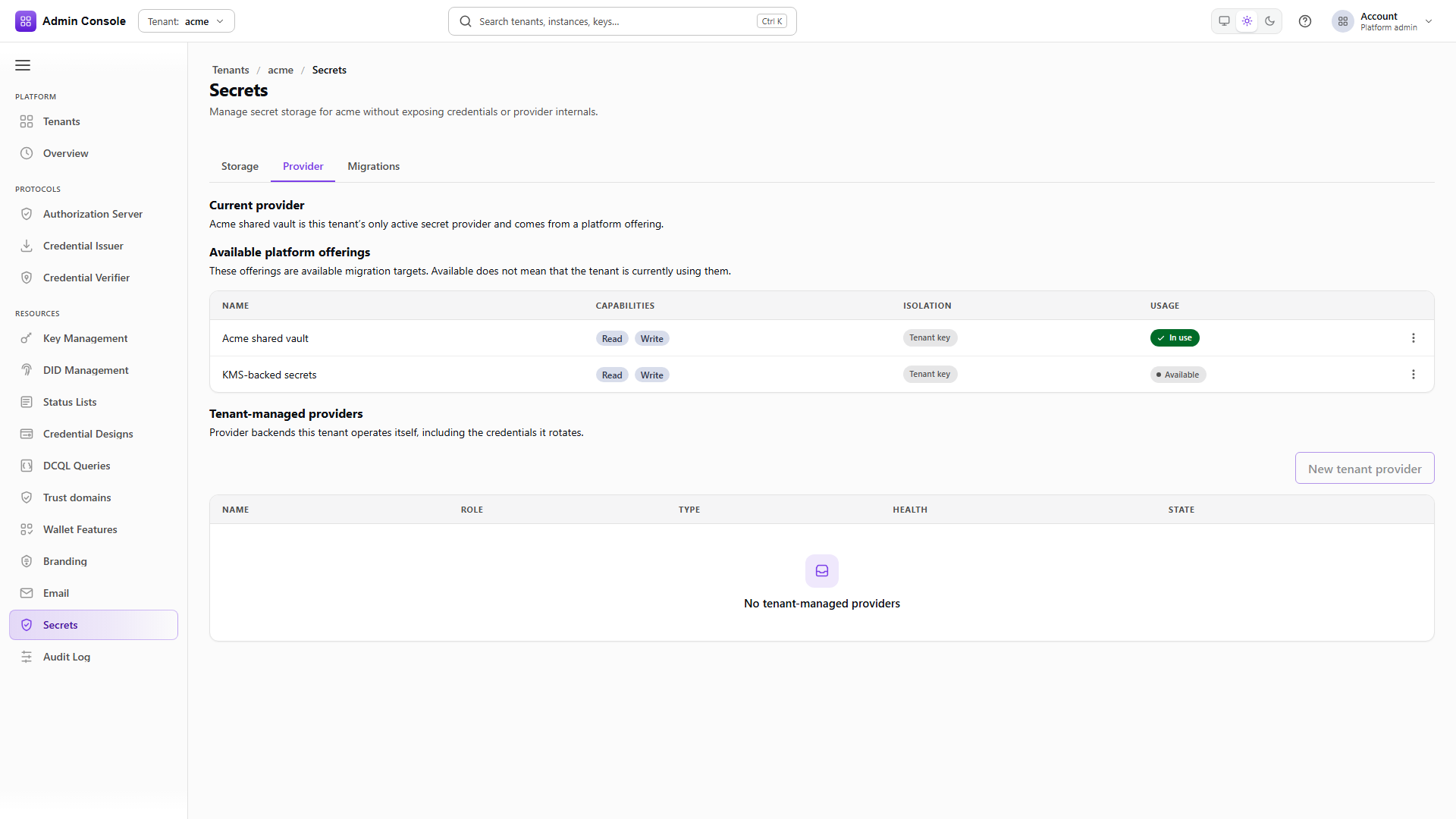
The options call bundles two things: the policy in force for this tenant, and the offerings it may adopt. Resources > Secrets > Provider renders both.
effectivePolicy is the merged result of the global policy and any override attached to this tenant,
so read it here rather than inferring it from the platform screen. permittedOfferings lists
migration targets, not a multi-select. usageState distinguishes the offering backing the current
assignment from ones merely available, and migrationBlockedReason says why a move is refused:
already selected, a migration already in progress, the offering disabled, or policy denying it.
Who rotates credentials follows from the source. Platform offerings rotate on the platform side. Tenant-managed providers rotate here, through write-only fields, and the tenant carries the duty to monitor health and keep network access working.
- Admin Console
- Request
- Response
- Try it
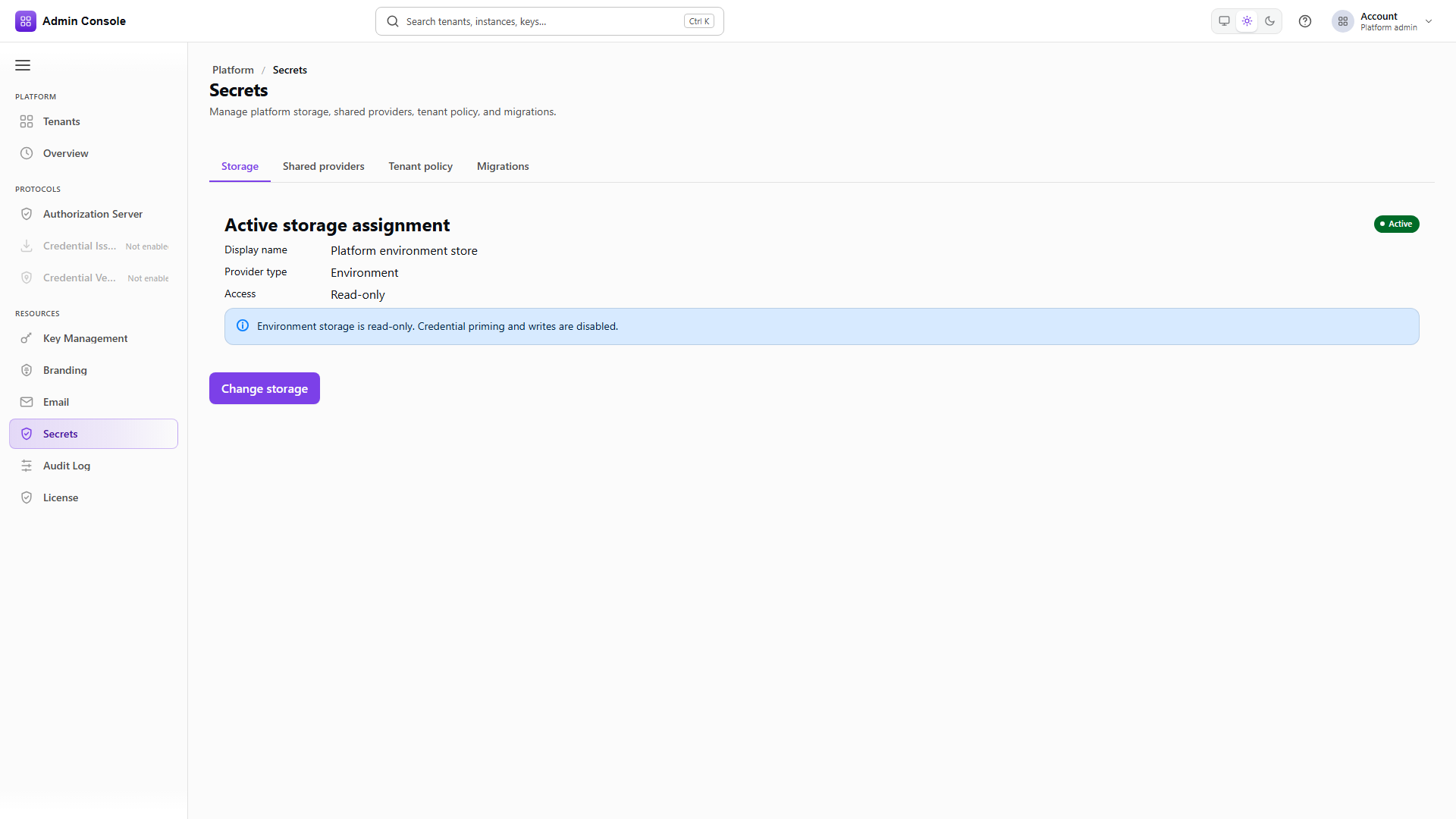
Switch the tenant picker to platform and Storage shows the platform's assignment. The captured
deployment uses environment storage with readOnly: true, which is normal in a packaged deploy:
values come from deployment configuration, and the console disables writes because the right place to
change them is the deployment.
Change storage exists for the deliberate move of platform secrets into Vault or a cloud secret manager. Keep whatever you choose under platform control.
- Admin Console
- Request
- Response
- Try it
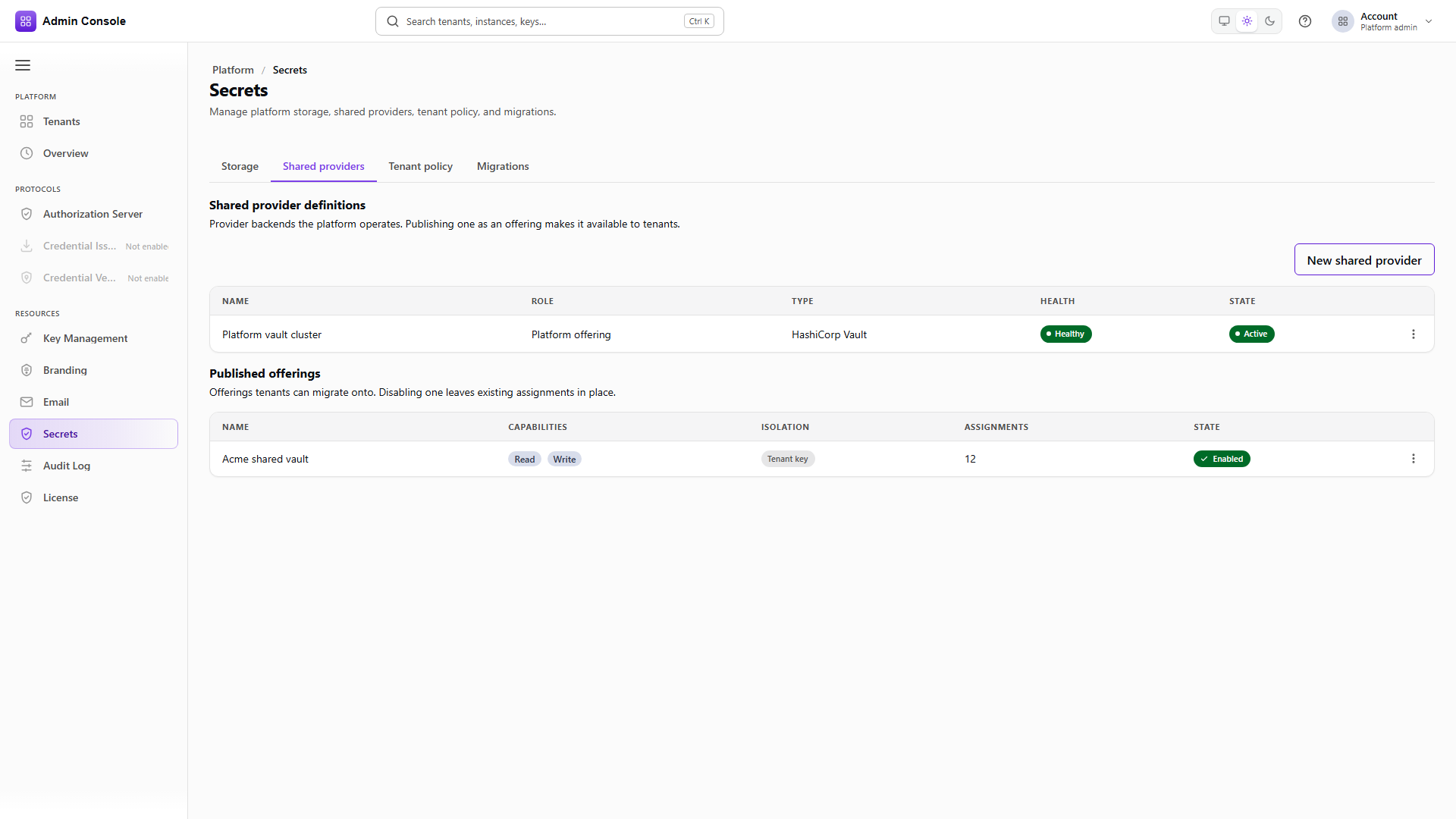
Resources > Secrets > Shared providers on the platform tenant is where operators build the backends tenants consume. Creating one walks through choosing a type, staging write-only credentials, testing connectivity, preflighting capability and isolation, and marking it ready before publishing.
The offerings list carries isolationMode, enabled, and assignmentCount. That count is the blast
radius: rotating this definition's credentials without testing first can fail secret resolution for
every one of those tenants at once.
Disabling an offering stops new adoption while leaving existing assignments in place until those tenants migrate away. That is how a shared vault gets wound down without deleting definitions during an incident.
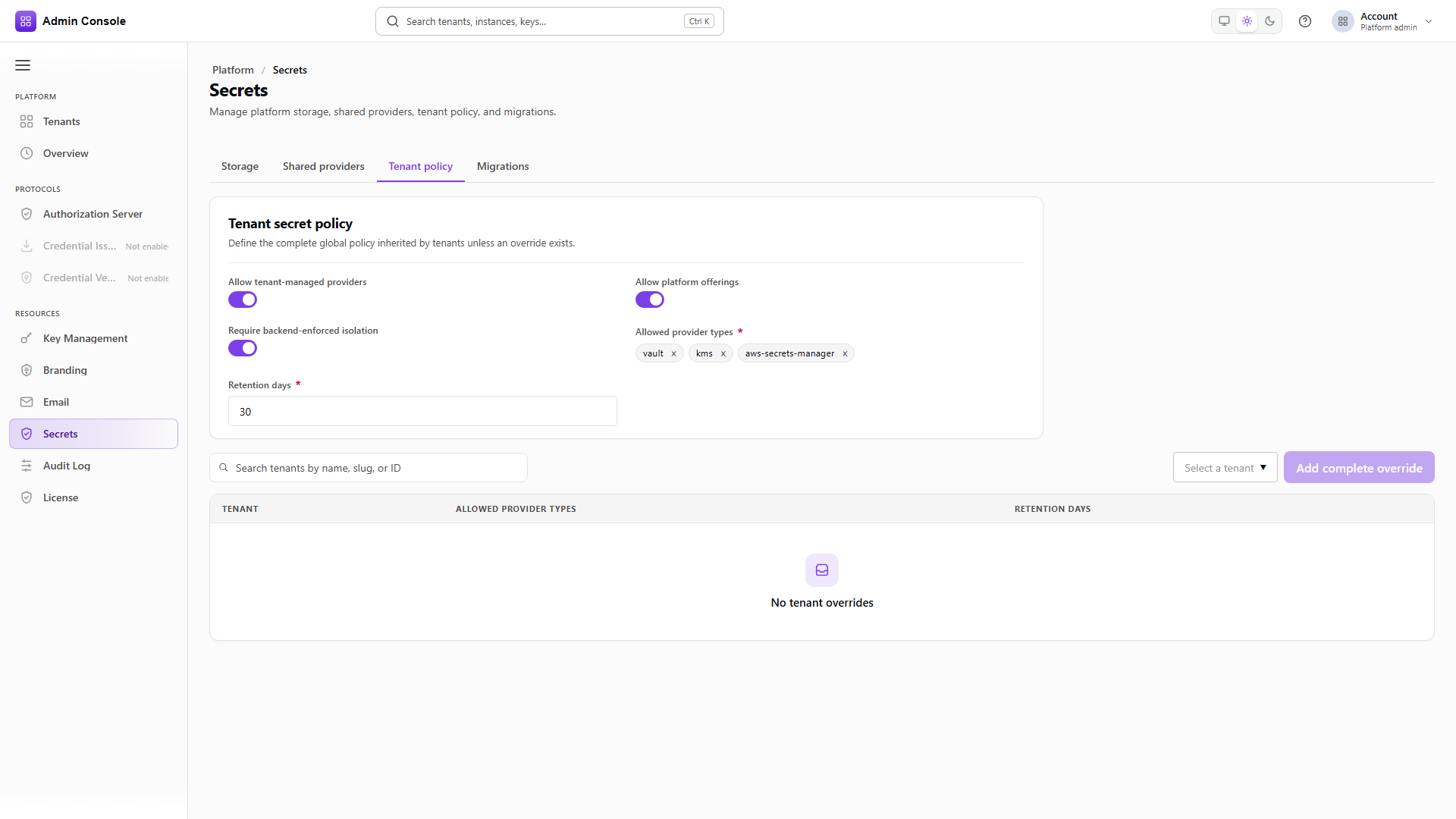
Tenant policy is the rulebook every tenant inherits. allowTenantManagedProviders decides whether
tenants may attach their own Vault or cloud store at all; turning it off gives you one operated
estate. allowPlatformOfferings is the mirror image and is rarely turned off outside a lockdown.
requireBackendIsolation refuses offerings that do not meet the isolation bar,
allowedProviderTypes keeps surprise backends out of a regulated deployment, and retentionDays
bounds how long a migration may keep the old backend available for rollback.
Overrides attach a complete policy to a single tenant, for a customer whose contract differs. Prefer a tight global policy with few overrides. A global policy that allows every type and unrestricted tenant-managed providers is the most flexible and also the largest incident blast radius.
Migrating between backends
A migration moves secret material without a single unrecoverable write. Preflight checks connectivity, capability and isolation, and produces a short-lived token. Copy writes the material to the destination while readers still use the old backend. Validation checks the destination, and only then does cutover point the assignment at it. The old backend stays available for rollback for the retention days the policy allows, until it is purged.
Resume continues a paused or recoverable step. Rollback returns to the retained source while retention still holds it. Purge is the permanent removal of that source, and it is the one step with no way back.
Do not purge on the first good day after cutover. Wait until the real consumers, email, connectors and any KMS credential references, have run against the new assignment under load. An empty migrations list means nothing is in flight, which is the normal state.
Choosing a secrets backend
Environment storage takes deploy-time values and is usually read-only in the console, which suits labs and fixed platform bootstrap. HashiCorp Vault works as either a shared or a tenant-operated engine, and its isolation mode and mount layout are what make it safe for multiple tenants. AWS Secrets Manager and Azure Key Vault bring their own credential ownership and IAM alignment questions. A Kubernetes mount ties the lifecycle to the deployment rather than to anything rotatable from a browser. KMS-backed storage envelope-encrypts secrets through a KMS, and it is still a secrets assignment rather than a substitute for the key stores below.
Pick backends your operators can actually monitor. A Vault nobody can reach from the product network is worse than environment storage that is understood and covered by deployment process.
Key stores
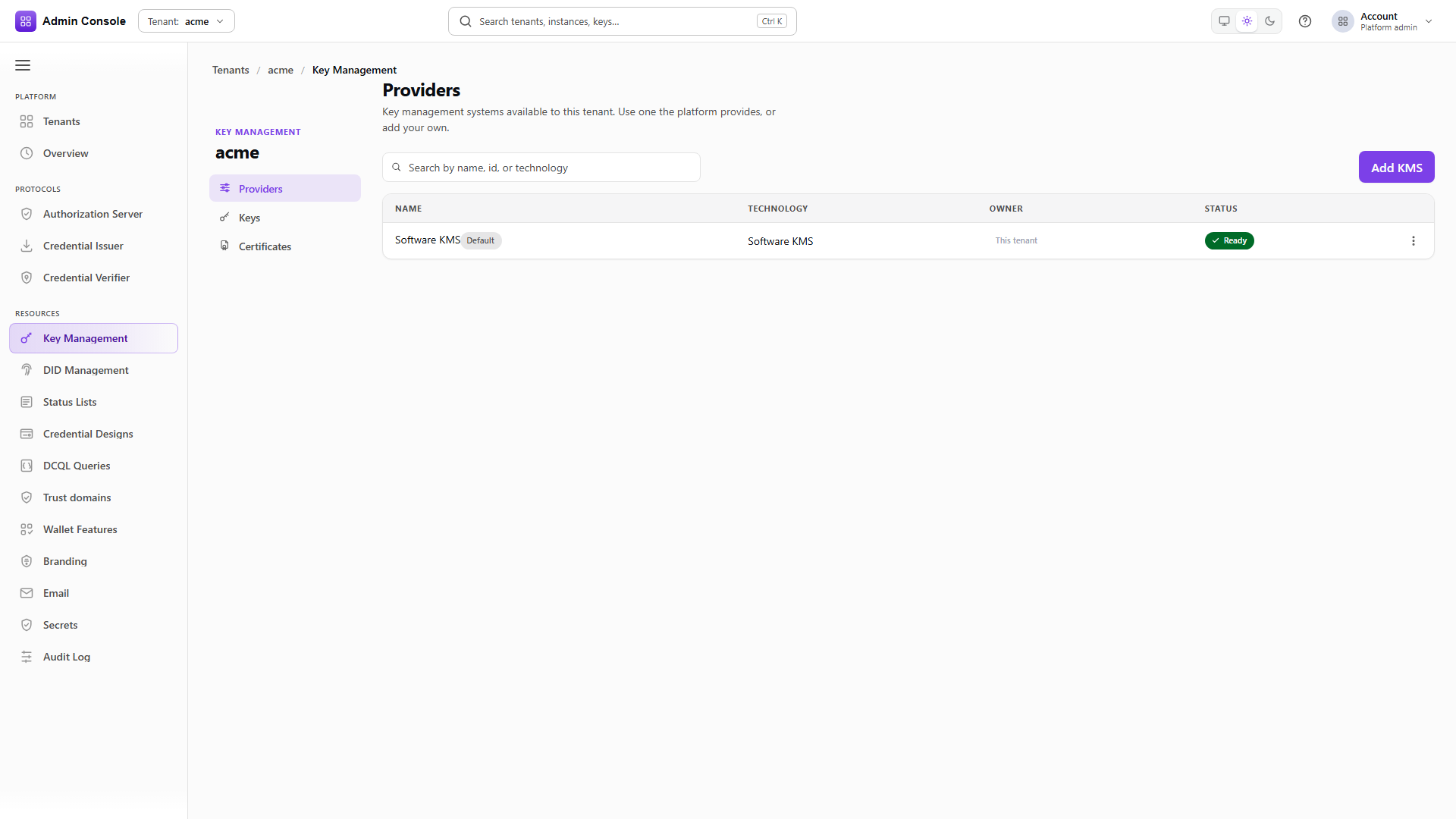
Key Management > Providers merges two planes onto one screen so operators do not maintain two menus.
The management resource is the platform-config record: how the store is configured, who owns the
credential, its version for conditional writes, and whether it can be shared, detached or retired.
The runtime provider is what the KMS API exposes for generate and sign, addressed by providerId.
Ownership is a badge rather than a technology. A platform-shared software KMS and a tenant-owned AWS KMS both appear as providers; what differs is who owns the configuration and which actions are offered. The provider id is permanent after create, because keys, DID verification methods and service configuration all store it.
A cloud provider can also be declared by the deployment itself, through environment variables or Helm values, instead of being added here. Such a provider belongs to the platform tenant, shows up already configured, and refuses credential, reference, detach and retire actions because its configuration is the source of truth. Cloud KMS providers compares the two routes.
See what can be attached
GET/api/platform/config/v1/tenants/00000000-0000-4000-8000-000000000000/kms/offerings200 OK- Admin Console
- Request
- Response
- Try it
The offerings call says which technologies this deployment permits. The captured response offers
SOFTWARE only, which is a deployment with cloud kinds turned off, and
supportedCredentialOwnerships says whether the product or the tenant supplies the credential for
each kind.
Add KMS fixes several things at once. The technology locks the field set, a file keystore asking for
different inputs than a cloud region and vault URL. Credential ownership decides which trust zone the
secret lives in, and the wrong choice either blocks validation permanently or puts a credential
somewhere it should not be. The provider id is immutable, so prefer something short and stable such
as default or aws-prod. The display name is only a label and can be changed later.
For software storage the choice between memory and a keystore file is the one to get right: memory loses every key on restart, which is fine for a demo and never right for production.
Read the configured resources
GET/api/platform/config/v1/tenants/00000000-0000-4000-8000-000000000000/kms/resources200 OK- Admin Console
- Request
- Response
- Try it
Each resource carries its handle, provider id, state, resourceVersion and availableActions.
Credentials come back redacted, since this is the browser-safe view.
availableActions is the honest answer to what this resource will accept. Setting a default changes
where new keys are created and leaves existing keys on their original provider. Detaching removes the
management association while the runtime may still hold references. Retiring ends the resource's
life, and retiring the only store breaks every authorization server, issuer, verifier and DID still
pointing at its keys.
- Admin Console
- Request
- Response
- Try it
The runtime list is the authoritative answer. ownership and sharedFromPlatform separate the
tenant's own store from one the platform shares with it, and isDefault marks the provider used when
a request omits providerId.
Sharing and enabling are two deliberate halves. The platform attaches selected tenants to a shareable resource, and the tenant then enables it, so a shared store never appears as a surprise default in someone's tenant. Share only stores designed for multi-tenant isolation, because sharing expands the failure domain along with the convenience.
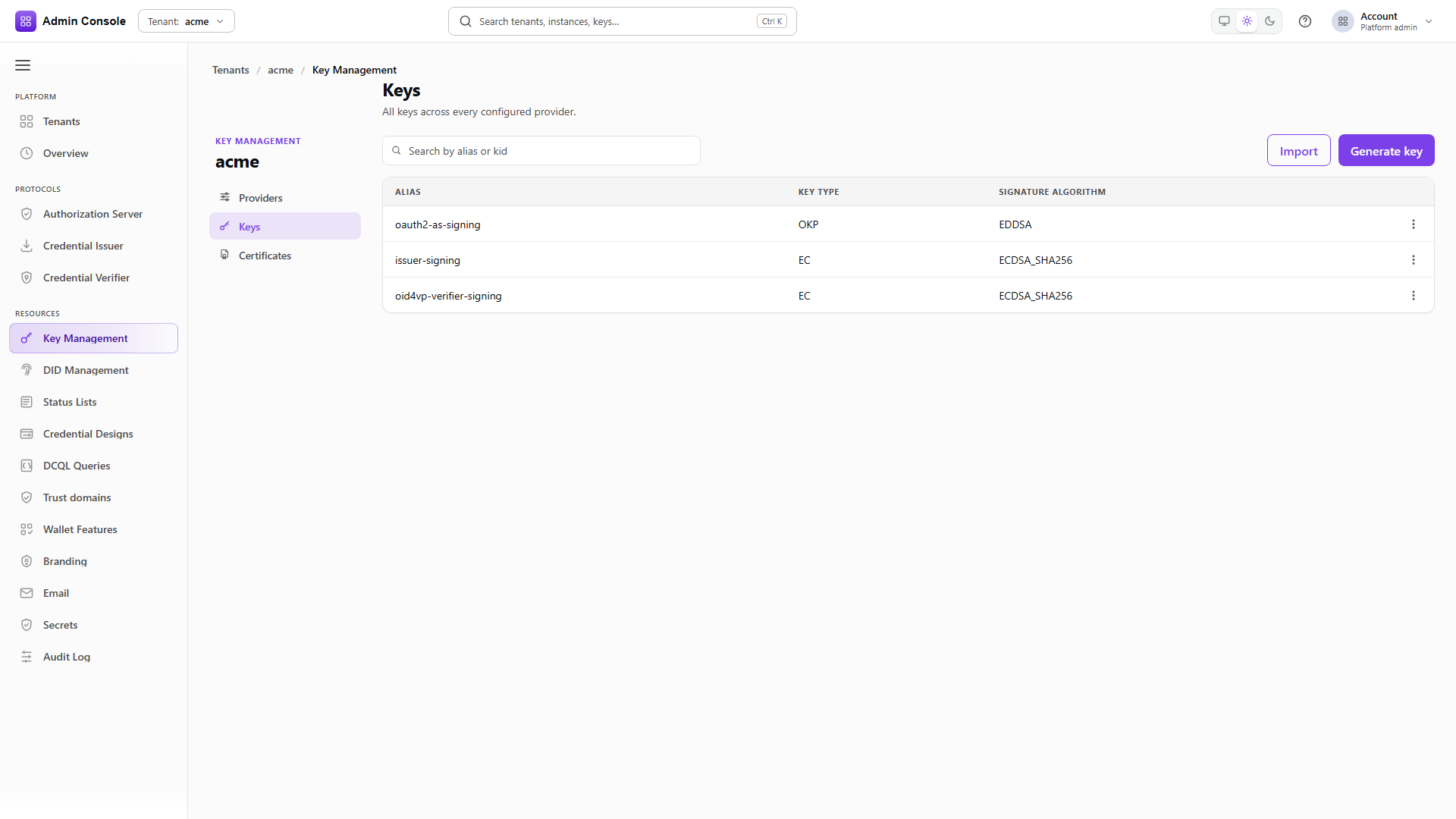
Generating keys, importing them and binding them to DIDs continues in Keys and DID. Cloud key stores and external key registration are in Azure KMS and external keys.
What a healthy deployment looks like
The platform's own secret storage is environment or an operated Vault. It publishes one or more
offerings with a real isolation mode, and tenant policy allows exactly the provider types you are
prepared to support. Each tenant has one secret assignment, usually set during onboarding, and at
least one KMS provider, often the product-managed software default. Keys and DIDs exist on that
provider, email accounts and connectors hold secret ids rather than plaintext, and protocol instances
name a provider id and key alias for signing.
When something fails, the surface it fails on usually names the product to check.
| Symptom | Look at | Not at |
|---|---|---|
| SMTP test send fails authentication | The email account's host and sender, then the secret handle behind its password | KMS providers |
| A JWT or credential signature fails | KMS provider status, the key alias, the default provider | Secret offerings |
| Secrets fail to load | Secret management health, the tenant assignment, ETag conflicts | Branding |
| A tenant cannot migrate to an offering | Tenant policy, whether the offering is enabled, isolation, an open migration | License modules |
| KMS providers empty after onboarding | The tenant's provisioning capability flags, then Add KMS | Migration history |
Order of work
On the platform, confirm secret storage first, then create and test shared provider definitions and publish them as offerings with the isolation mode you intend. Set tenant policy before tenants start adopting anything, since it is what refuses the combinations you do not want. Prepare shareable KMS resources if the product offers platform key stores.
Per tenant, confirm the secret assignment before configuring anything that consumes secrets, because an email account configured against a missing assignment fails at send rather than at save. Make sure a KMS provider exists and set the default if there is more than one, then create keys and DIDs and point the authorization server, issuer, verifier and status lists at the right provider id and aliases.
When moving backends, publish or enable the destination first, run preflight, start the migration and watch it through cutover. Then exercise real consumers, a test email and an actual signature, before letting retention expire.
Next
Keys and DID for key and identifier lifecycle, Branding and email for the SMTP configuration that depends on secret handles, and License and capabilities if either product is missing from the rail.
Related
Secrets storage reference, Secrets provider reference, Shared providers, Tenant policy, KMS providers reference, Secret Management API, KMS API