Key Management: Keys
Catalog id: resource.kms.keys
Every cryptographic key alias the tenant holds, across every runtime provider. Operators work in
aliases; the opaque kid is on the detail page. Private material stays in the KMS and no operation
on this screen returns it.
Whether keys already exist depends on how the tenant was provisioned. A tenant created with the
keysAndDids capability arrives with aliases for the authorization server, issuer and verifier
already in place. Without it the table stays empty until someone generates or imports a key.
Audience: tenant administrator, or a platform operator working in tenant context.
Guide: Keys and DID.
Working with keys
- Admin Console
- Request
- Response
- Try it
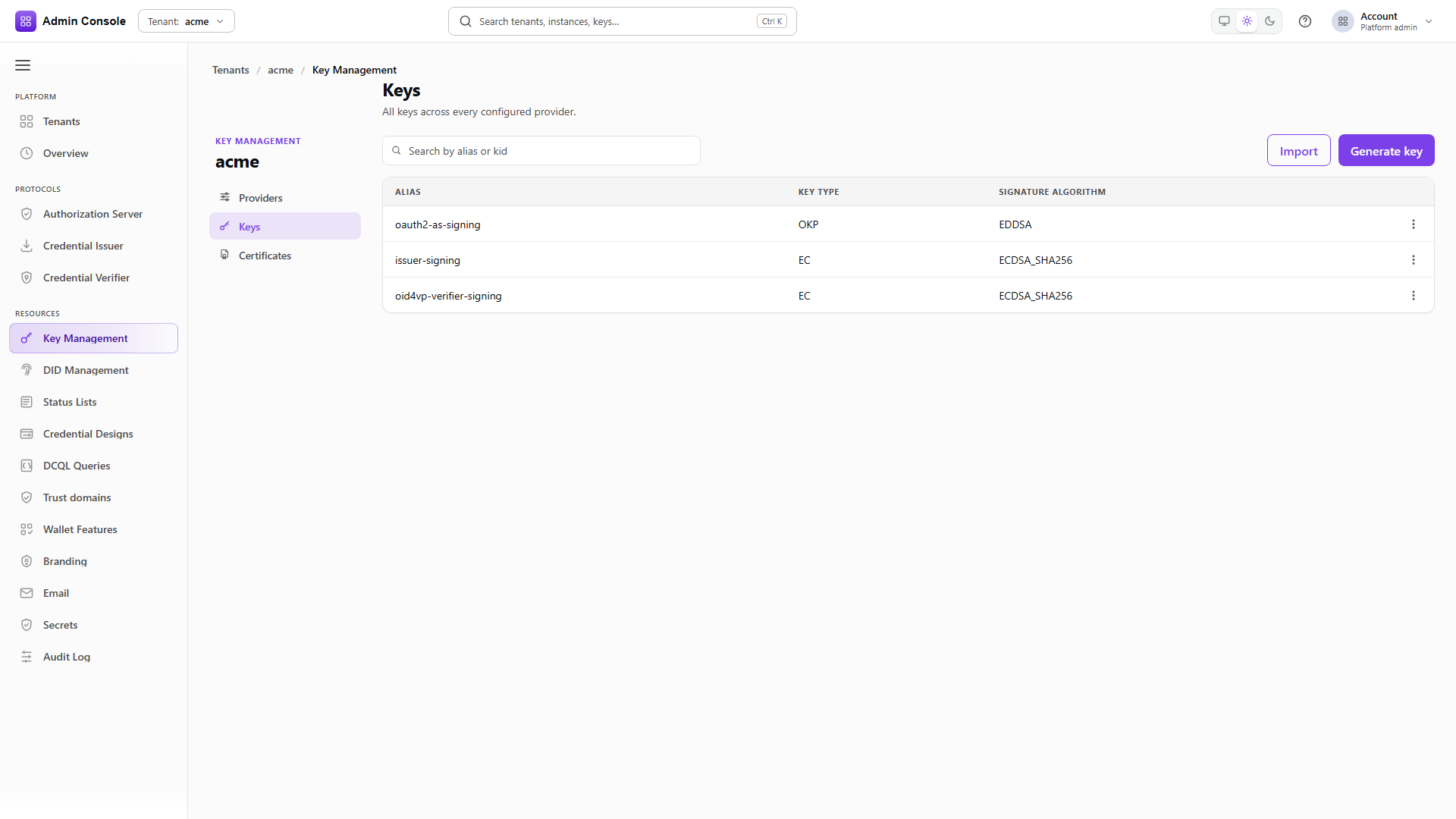
Resources > Key Management > Keys shows alias, key type and signature algorithm, with search, Import
and Generate key on the toolbar. The captured tenant holds the three keys onboarding creates:
oauth2-as-signing, issuer-signing and oid4vp-verifier-signing.
This route is tenant-wide and each entry names its own providerId. Add ?providerId= to restrict
it to one provider, which is worth doing when the same alias exists on more than one.
- Admin Console
- Request
- Response
- Try it
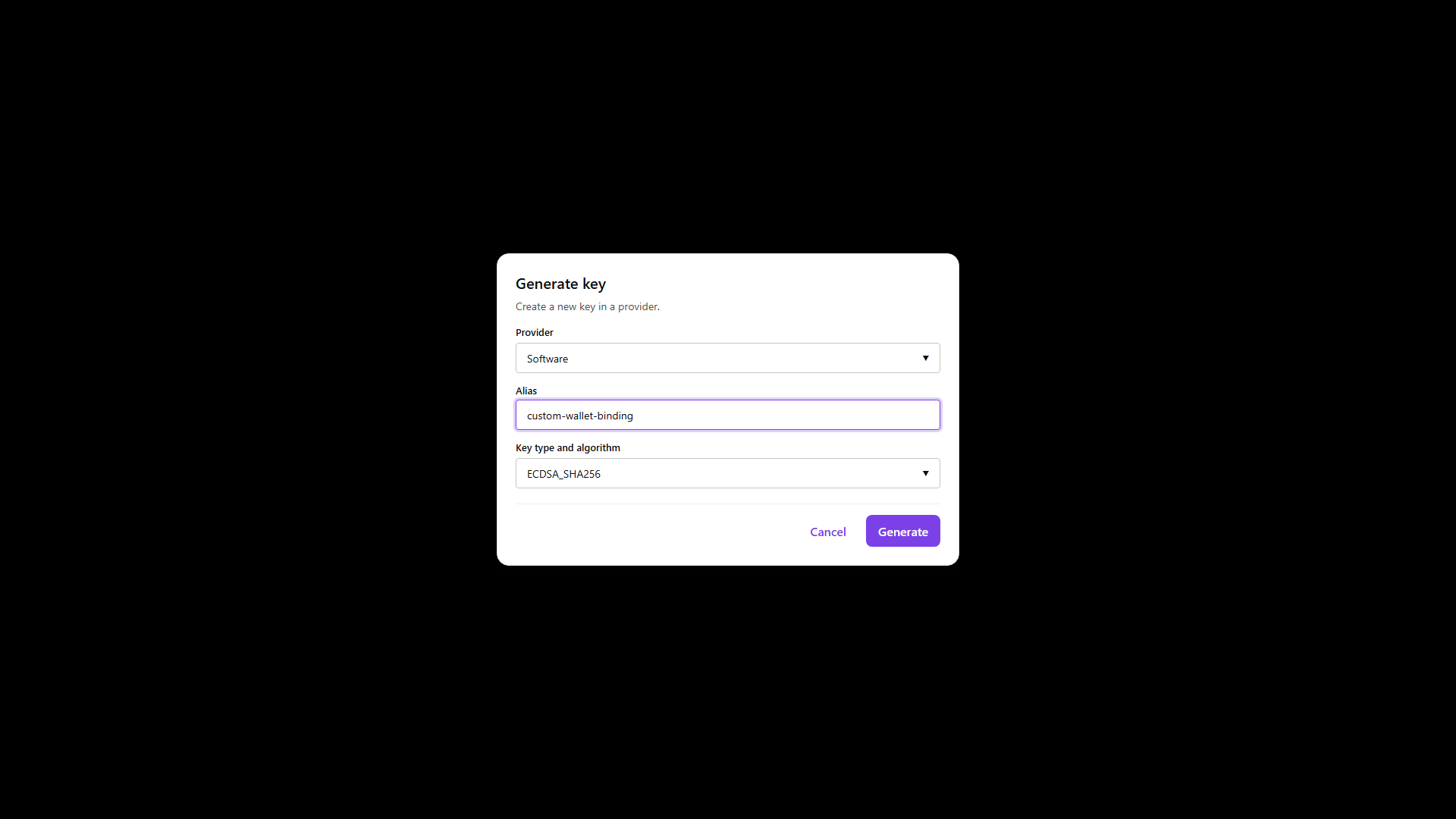
The dialog asks for the provider that will hold the key, the alias you will use in protocol configuration and DID binding, and the algorithm, offered from what that provider reports as supported rather than from a fixed list.
The response carries the public JWK. Private material stays in the provider, and the key it created is usable the moment the call returns.
- Admin Console
- Request
- Response
- Try it
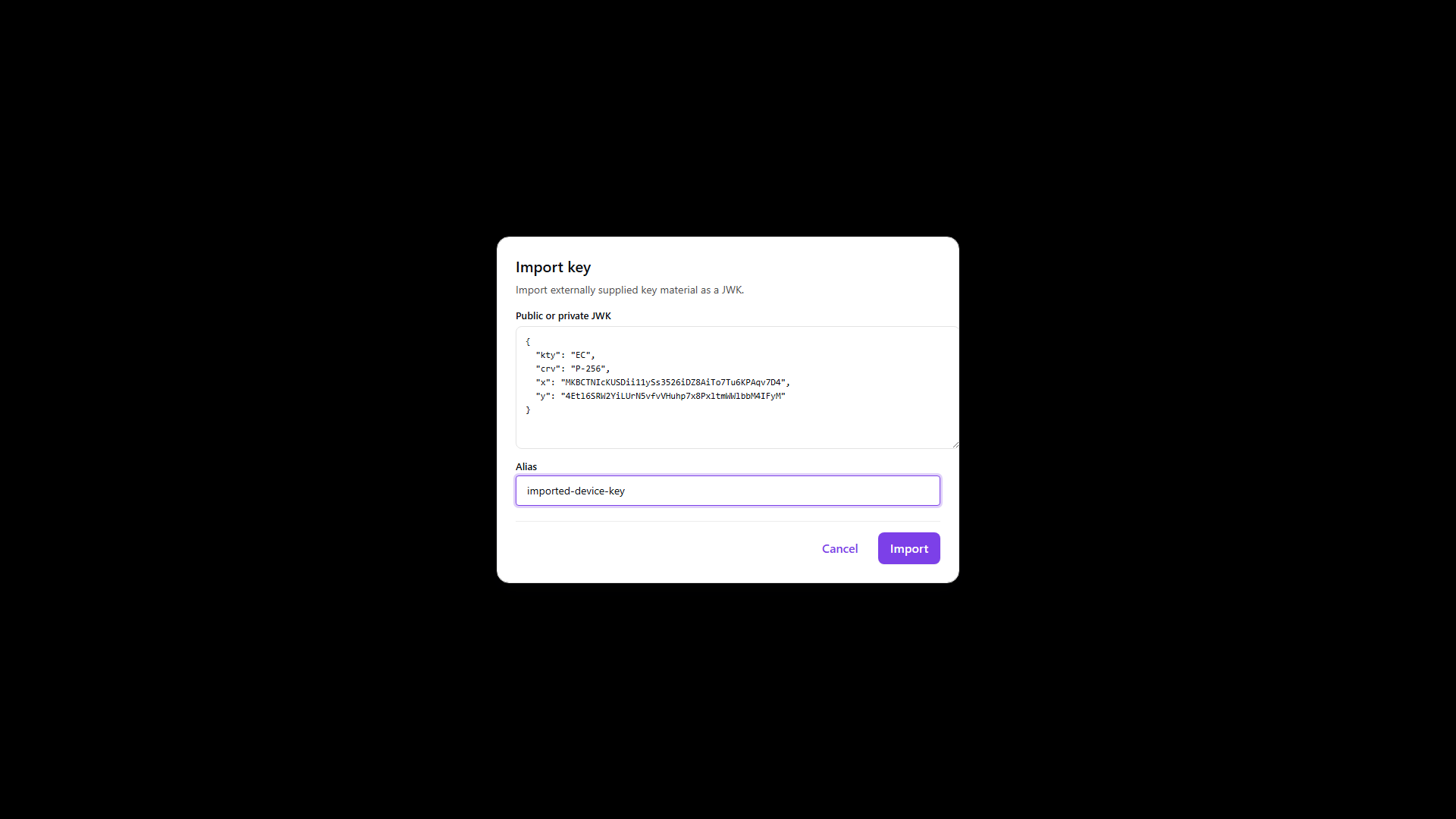
Import is for material created outside the product. The dialog takes a JWK with kty set and an
optional alias; over REST the provider and alias travel on keyInfo alongside the key.
Import puts the product in custody of whatever you send, which is the opposite of registration below. Use it only when the private key is genuinely meant to move.
- Admin Console
- Request
- Response
- Try it
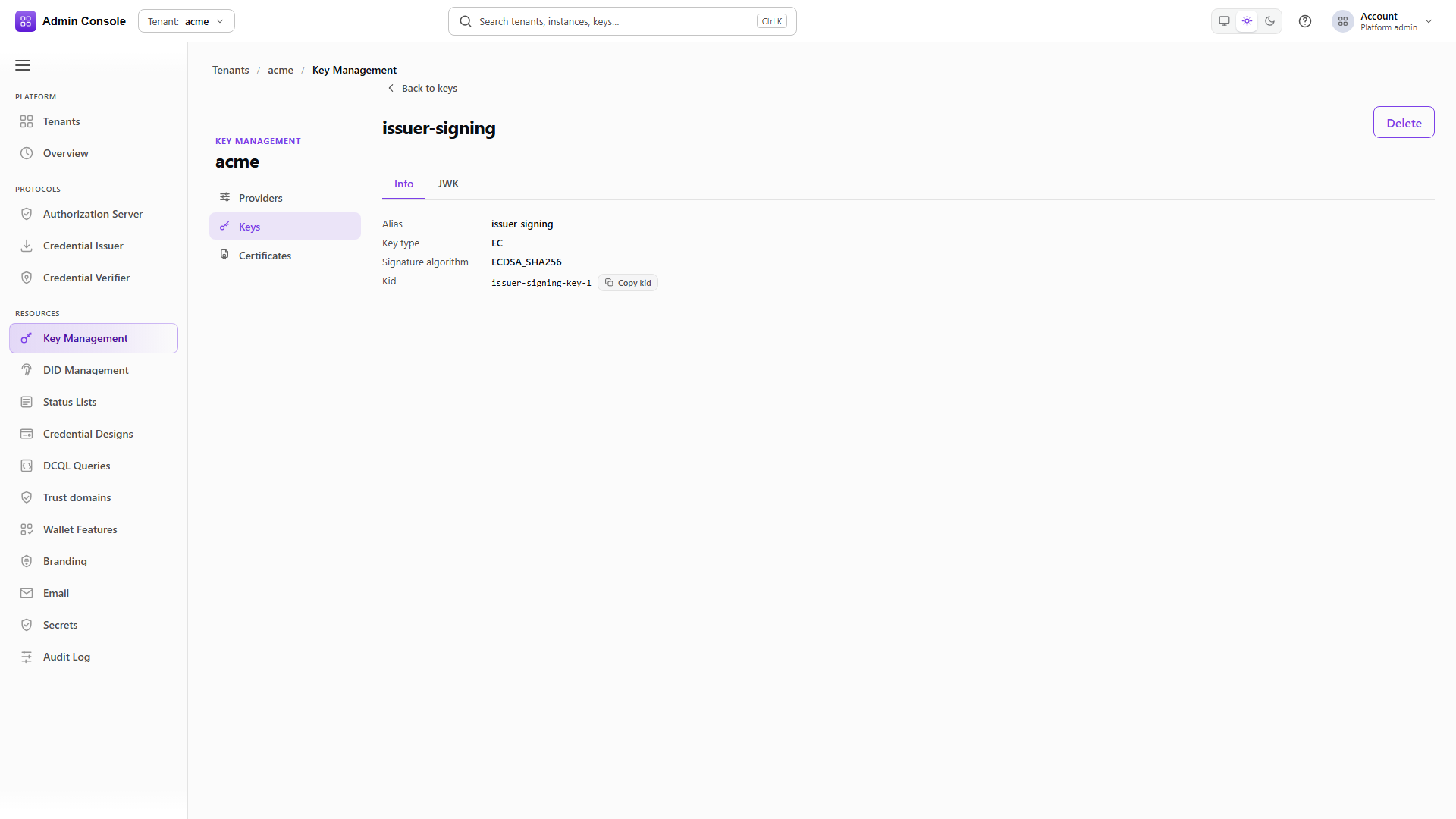
Lookup takes an alias or a kid in the path, with providerId as an optional query parameter to
disambiguate. The detail screen has an Info tab with alias, key type, signature algorithm and a
copyable kid, and a JWK tab with the public key when the provider exposes one.
The JWK tab uses an explicit allow-list of public members and can show x5c, x5t and x5t#S256
even where no separately managed certificate resource exists. Those fields are certificate metadata
carried on the key; their presence does not mean the provider manages certificates. When no public
material is available the tab is empty rather than partially filled.
Full schema: KMS API.
Registering a key that lives elsewhere
Registration records a tenant reference to a key that already exists in an authorized provider. It
creates nothing, imports nothing, exports nothing and deletes nothing. The request carries only the
provider id, the provider-native alias, and optionally the provider's canonical kid, which the
service uses to check that both identifiers name the same key.
POST /api/kms/v1/keys/register
Content-Type: application/json
{
  "providerId": "<authorized-provider-id>",
  "alias": "<provider-native-alias>",
  "kid": "<provider-canonical-kid>"
}
A successful registration comes back with origin=external and controlMode=externally_managed.
Signing runs through the configured provider as usual. Never put a private key, symmetric material,
a credential, a provider handle, a locator or a permit into this request.
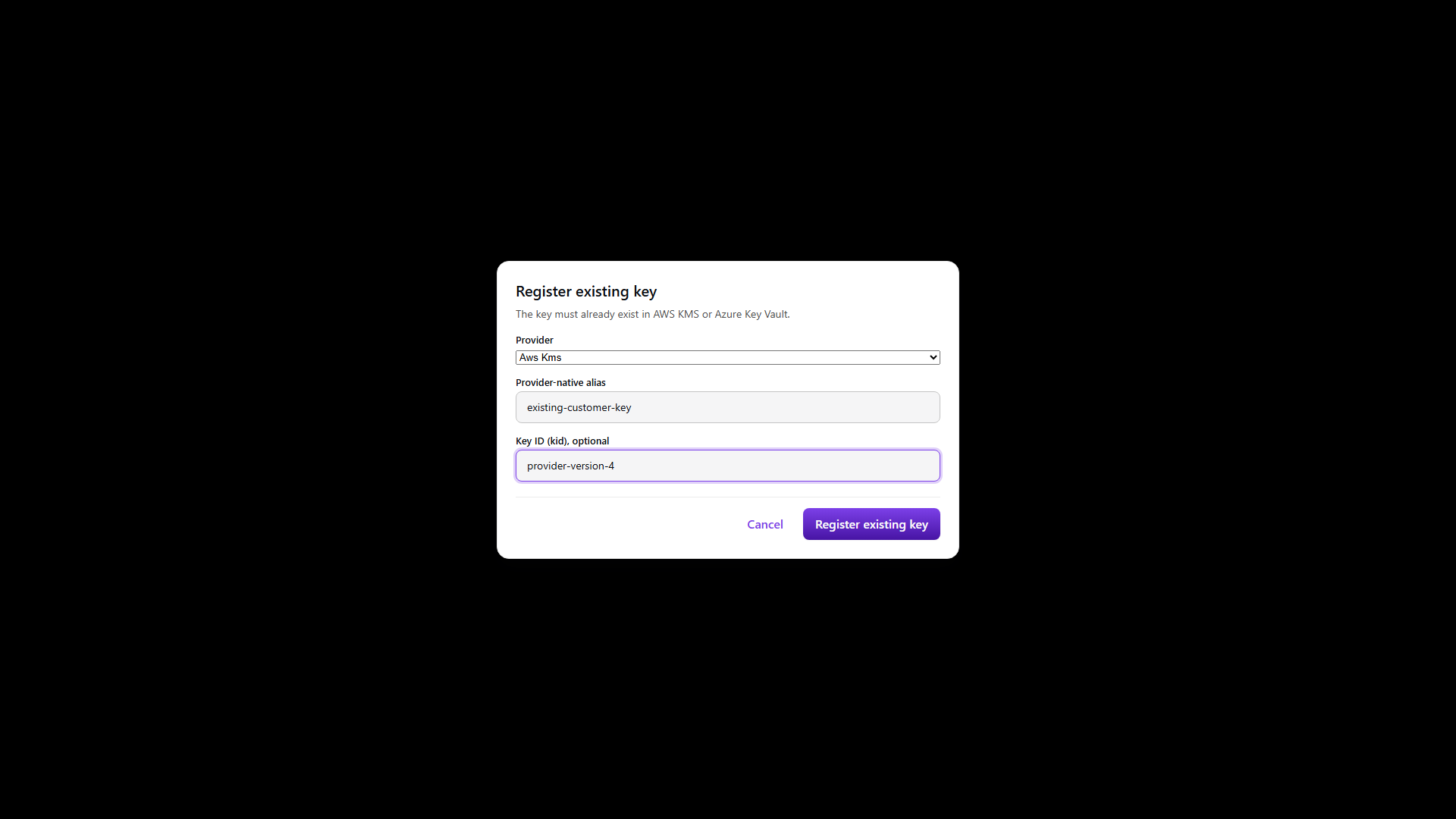
The console offers Register existing key only where the provider explicitly reports
REGISTER_KEY_REFERENCE. Capability data that is missing, malformed or unreported means the action
stays unavailable; the console does not infer support from the fact that a provider is AWS or Azure,
or from X.509 support, public-key resolution, IMPORT_KEY or key generation. AWS KMS and Azure Key
Vault report the operation because their permit-bound inspection can verify an existing alias and
kid. Other backends stay unavailable until they report the same operation.
The dialog needs the exact provider-native alias and never asks for a file, JWK, certificate, secret or credential. After registering, the console reloads the provider-scoped key list before showing the returned origin and control mode.
Registering public certificate material
The certificate route accepts public verification material only, and which source you use follows from what the provider can do.
AWS KMS is not an X.509 certificate store, so link a stored public chain to the registered key:
{
  "providerId": "<authorized-aws-provider-id>",
  "alias": "<certificate-alias>",
  "kind": "key_certificate_chain",
  "source": "stored_public_material",
  "linkedKeyAlias": "<key-alias>",
  "linkedKeyKid": "<provider-canonical-kid>",
  "certificateChain": [
    "<base64-der-leaf>",
    "<base64-der-intermediate>",
    "<base64-der-root>"
  ]
}
Encode each certificate as standard Base64 of its DER bytes, ordered leaf to root. PEM text, concatenated unframed DER and private material are all rejected.
Azure Key Vault holds certificate objects, so a key whose certificate was created alongside it in
Key Vault can use the provider-native route instead. The provider has to expose a certificate
reference read, reported as GET_CERTIFICATE. The product reads the leaf through the provider on
every request; it does not follow AIA URLs and does not export a secret or PFX to reconstruct a
chain:
{
  "providerId": "<authorized-azure-provider-id>",
  "alias": "<leaf-alias>",
  "providerCertificateId": "<provider-certificate-id-or-version>",
  "kind": "trusted_certificate",
  "source": "provider_native"
}
Do not send certificateChain with a provider-native reference. A later read delegates to Azure and
returns the provider-backed certificate.
The same source works with "kind": "key_certificate_chain" when the key needs a full chain, for
example an mdoc DSC whose x5chain has to carry the IACA above it. Azure serves only the leaf, so
EDK completes the chain from the trusted certificates registered for the tenant. Register the issuing
CA as a trusted_certificate first; without it the chain read fails rather than returning the leaf
on its own.
Which route to pick comes down to where the certificate was issued. A certificate Key Vault created for the key belongs on the provider-native route, where Azure stays the source of the leaf and a substitution is caught on read. A certificate an external CA issued for a key that happens to live in Azure belongs on the stored public material route above, which is the same shape AWS KMS keys use.
Either route treats renewal as a re-registration. The registered fingerprint is what a read is checked against, so a renewed certificate has to be registered before it will be served.
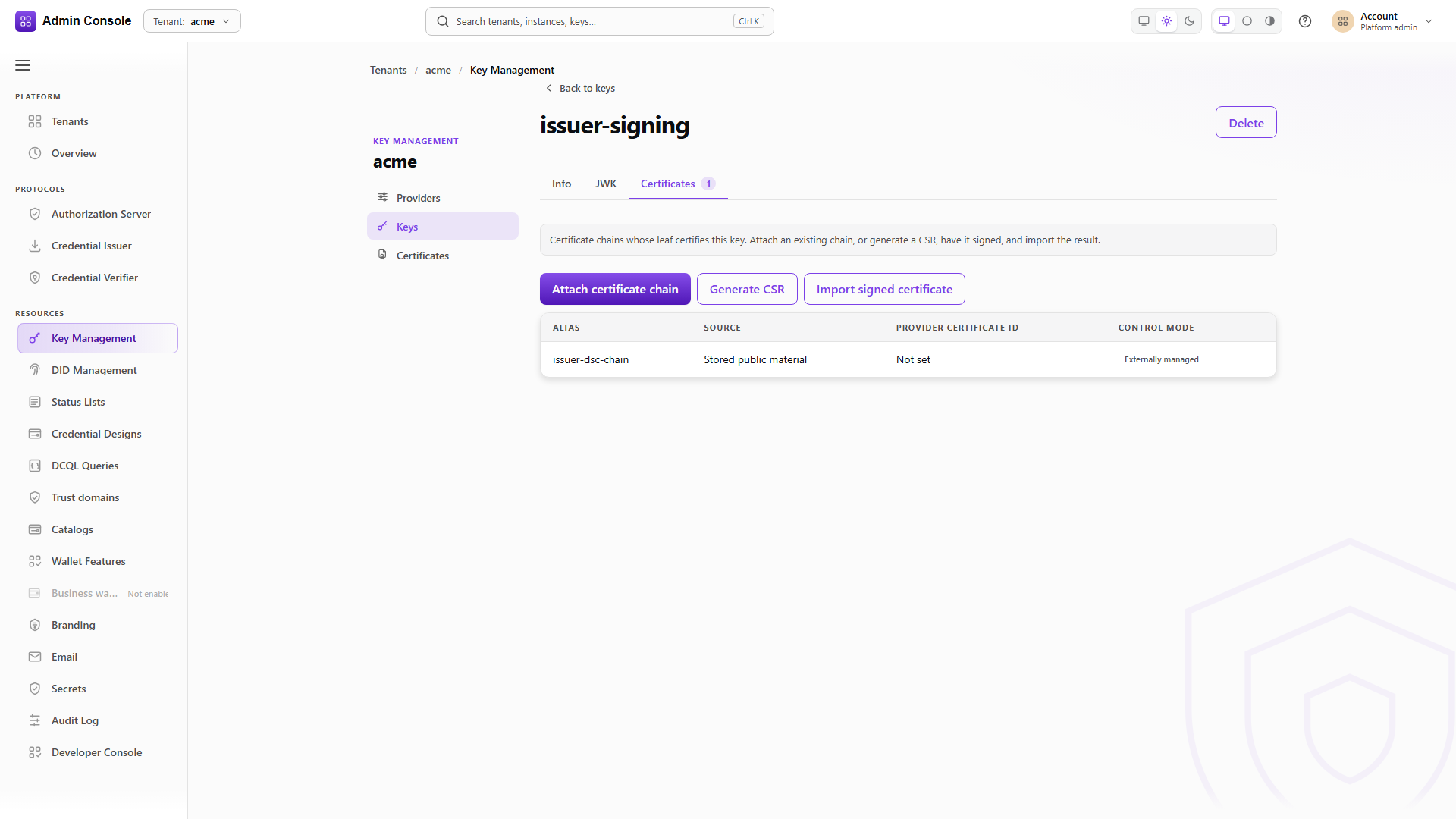
The key's own Certificates tab lists whatever chains certify it, with the source and lifecycle mode of each, and is where a chain is attached or a CSR generated.
On public JWK projections, x5c entries are padded standard Base64 DER certificates, and x5t and
x5t#S256 are unpadded Base64url thumbprints over the DER. x5u is excluded because it is a remote
locator. DID verification methods use the DID method's own id rather than the provider kid.
Deleting a reference
For an EXTERNALLY_MANAGED resource, delete removes the EDK reference and leaves the provider's key
or certificate exactly where it was.
DELETE /api/kms/v1/keys/<alias>?providerId=<provider-id>
DELETE /api/kms/v1/certificates/<certificate-alias>?providerId=<provider-id>
DELETE /api/kms/v1/certificate-chains/<chain-alias>?providerId=<provider-id>
Use /certificates/{alias} for a registered trusted leaf and /certificate-chains/{alias} for a
registered key certificate chain. The Delete action appears on the key detail header where the UI
permits it, and the server still refuses when the key is assigned or otherwise protected.
The Postman collection carries disabled, template-safe examples for these routes. Replace the provider and certificate placeholders with values for the target tenant before enabling them.
Related
Providers, Certificates, Keys and DID guide, Azure KMS and external keys, KMS API